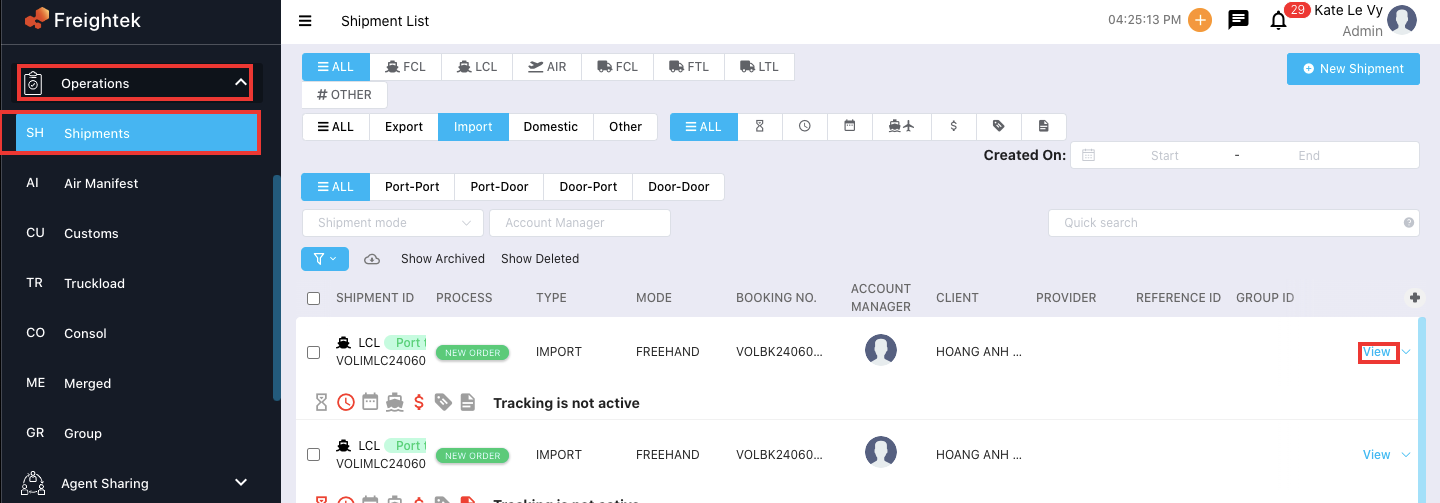
Step 1: Go to Operations → Shipment → View
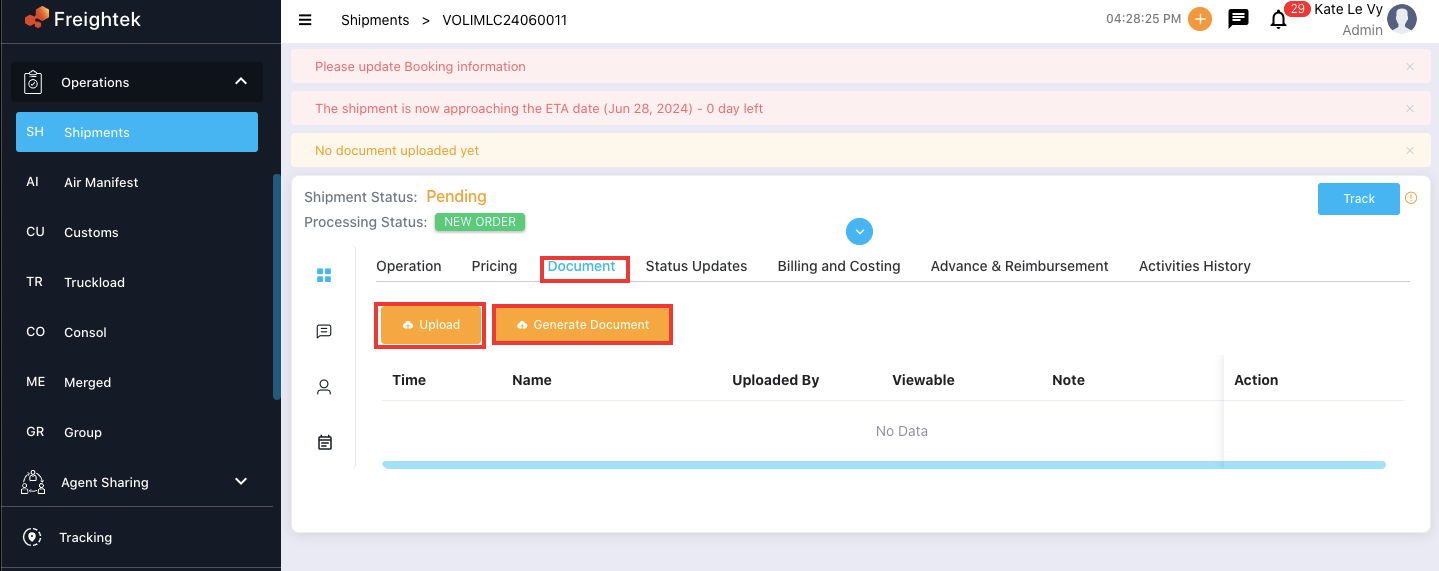
Step 2: In the Information tab, select Document.
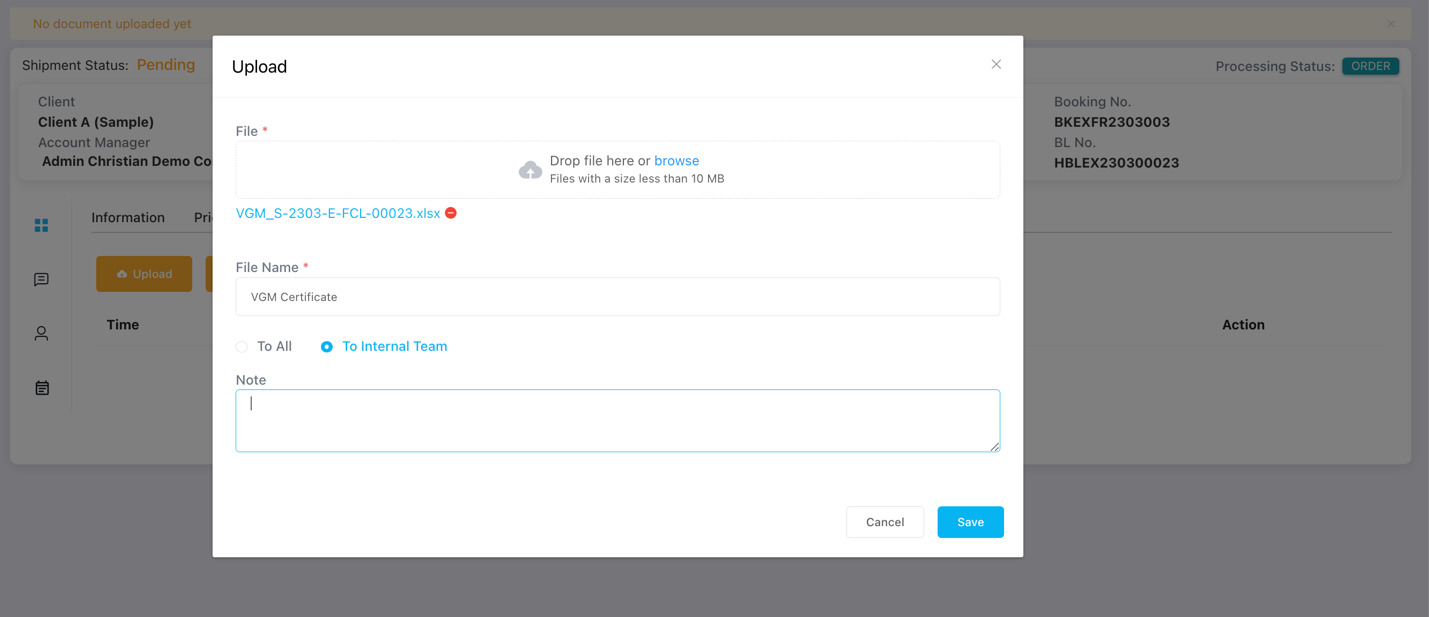
Step 3: Click Upload. Choose the file you want to store and enter the document name.
Step 4: The uploaded file will appear in the document list and will be available for download whenever needed.

Was this article helpful?
That’s Great!
Thank you for your feedback
Sorry! We couldn't be helpful
Thank you for your feedback
Feedback sent
We appreciate your effort and will try to fix the article