Replicating a shipment creates a duplicate of the original shipment.
The copied shipment retains the following information:
Booking information (Information tab)
Shipper
Consignee
Freight Terms
Cargo Details
Quotation (Pricing tab)
All other tabs such as Actual Container, Document, Status Updated, Profit & Loss will be cleared and reset to empty data.
Step 1: Go to Operation → Shipment → click the arrow next to View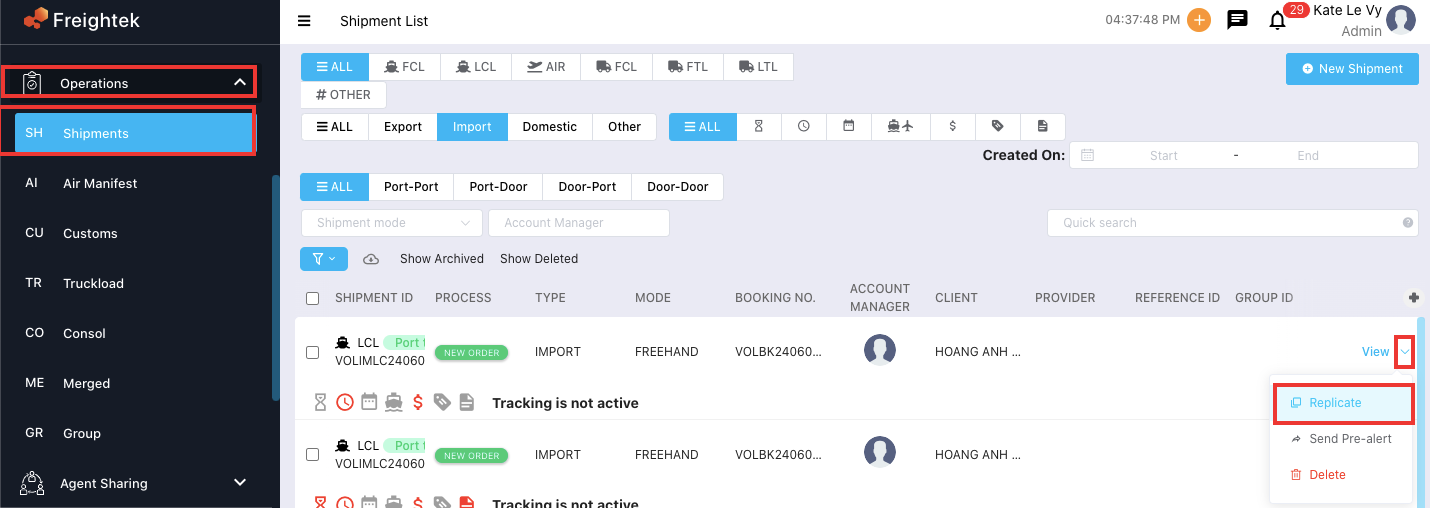
Step 2: You will have two options:
Use current lead/client (use the same existing customer)
Use new lead/client (select a different customer)
Then click Replicate.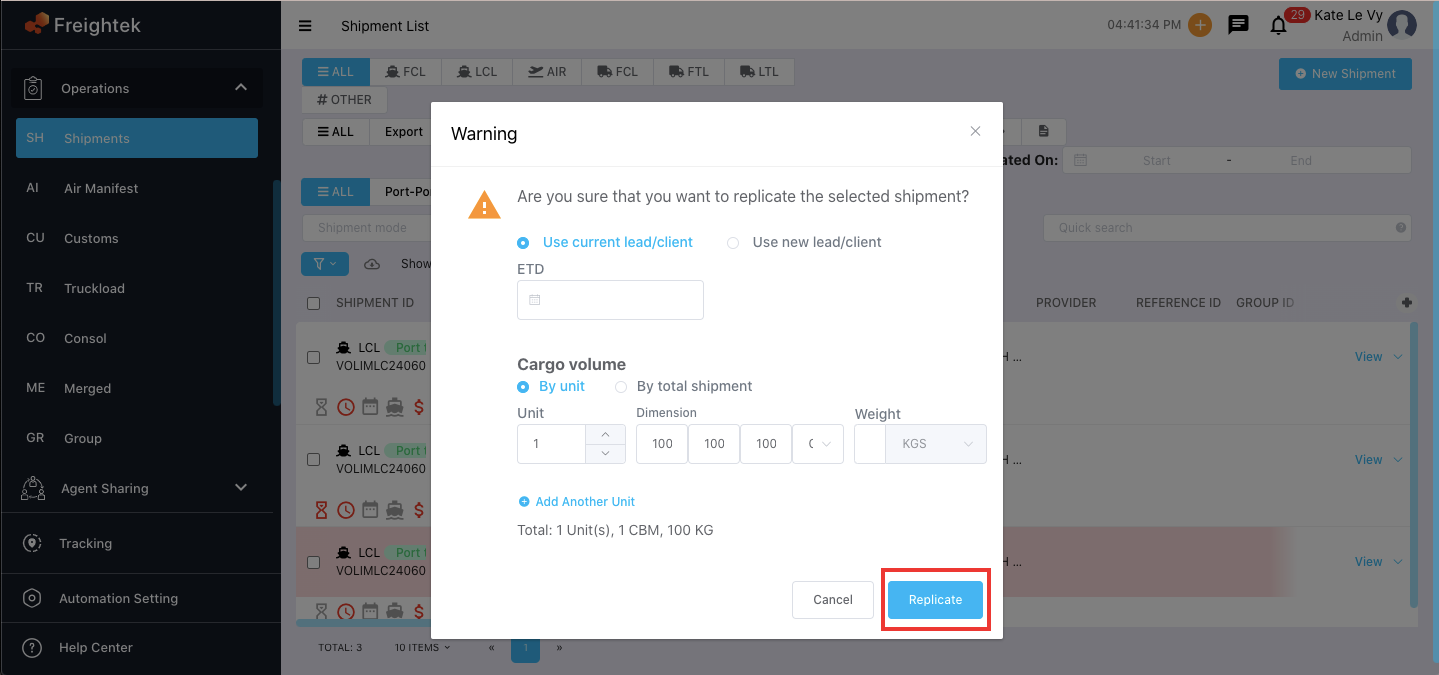
Step 3: The newly replicated shipment will be in Draft status and cannot be sent to the customer.
You may edit the information before changing the status to Pending, which will allow the customer to view the shipment on the Client Portal.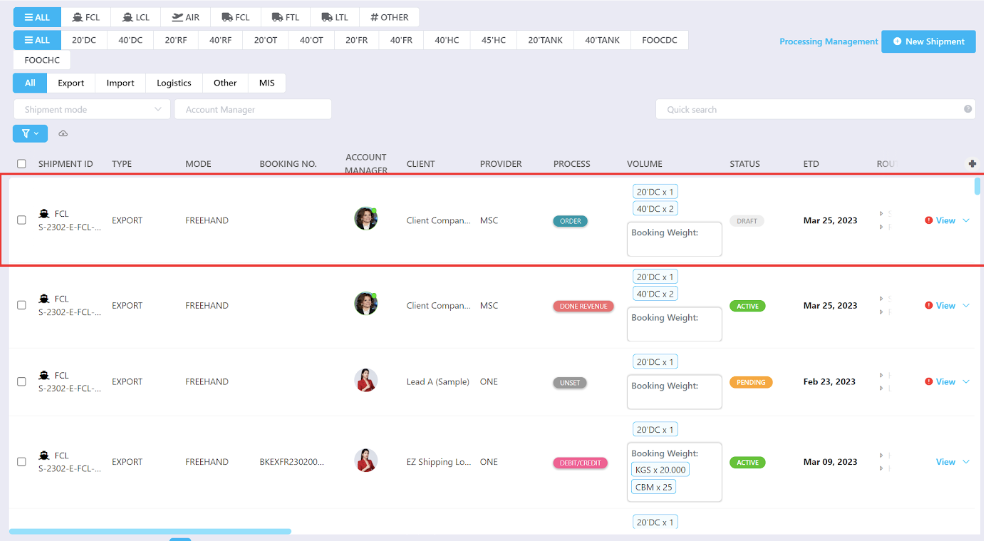
Was this article helpful?
That’s Great!
Thank you for your feedback
Sorry! We couldn't be helpful
Thank you for your feedback
Feedback sent
We appreciate your effort and will try to fix the article