Step 1: Go to Operations → Shipment → + New Shipment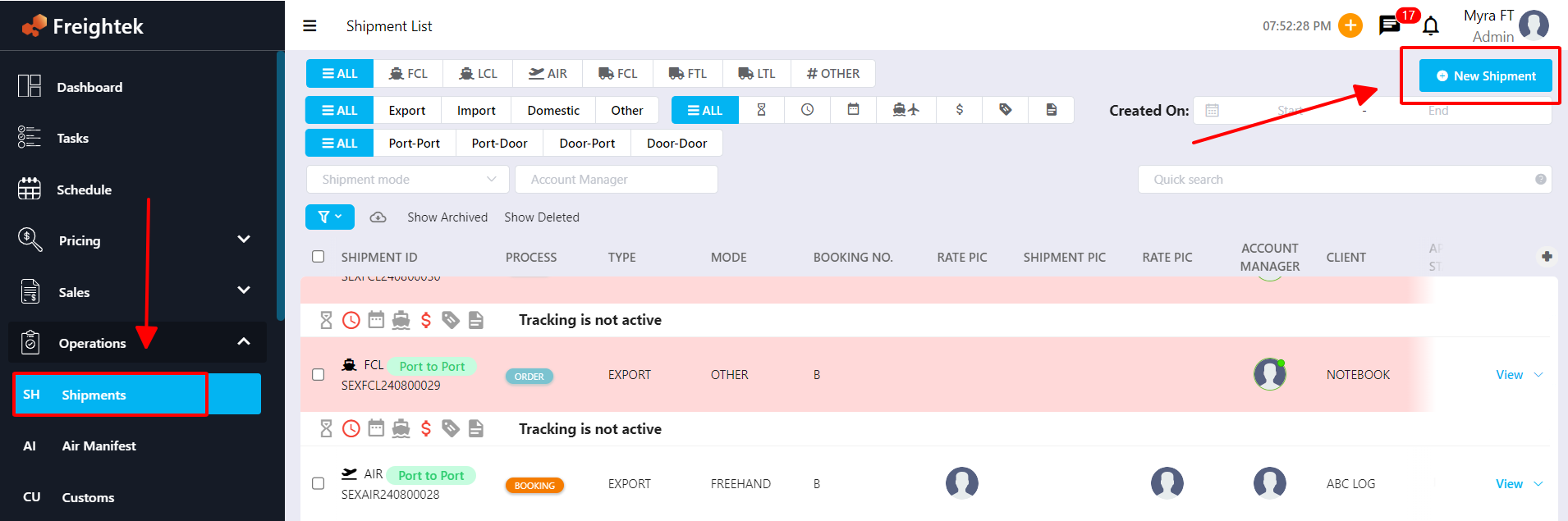
Step 2: Select your Lead/Client, then click Next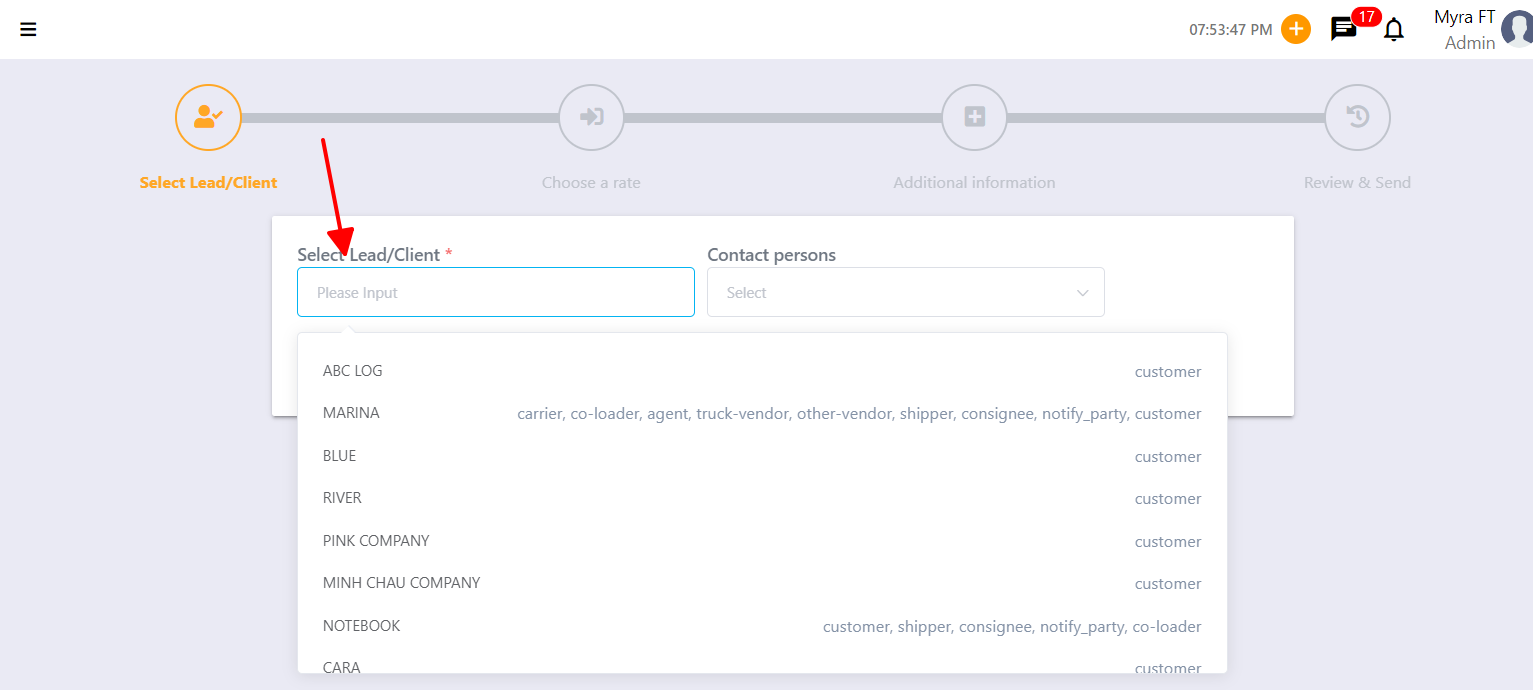
Step 3: Select the mode of transport (SEA, AIR, TRUCK) → enter the Origin and Destination.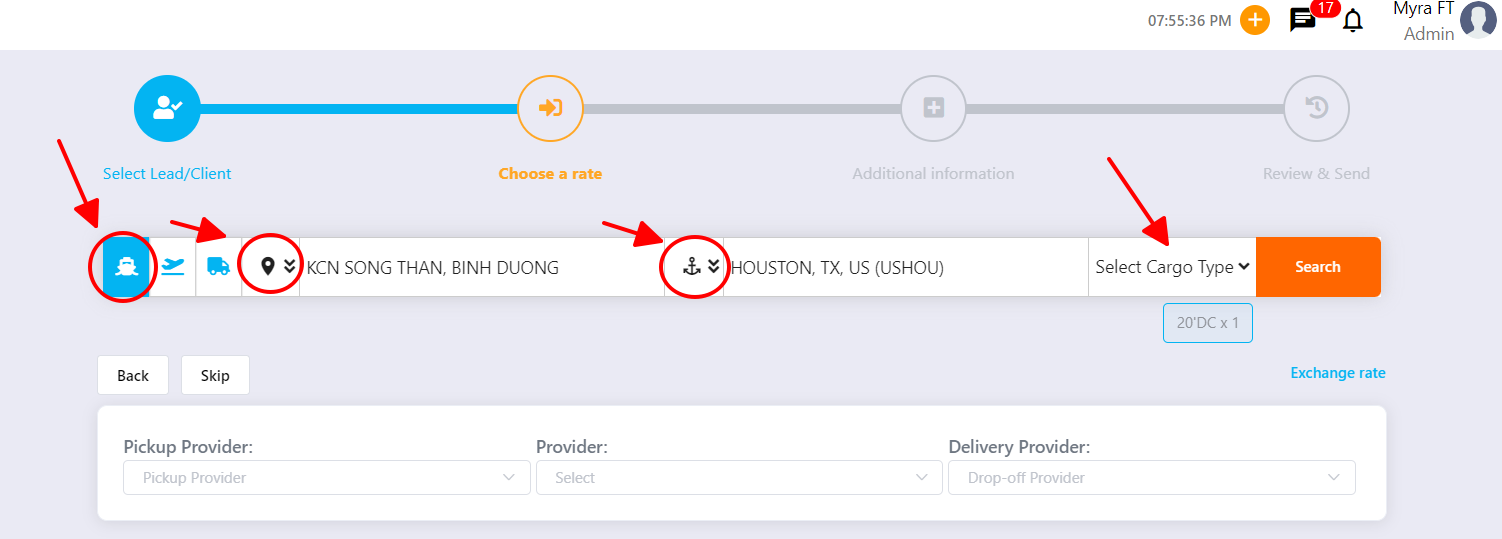
Step 4: Select the volume/quantity.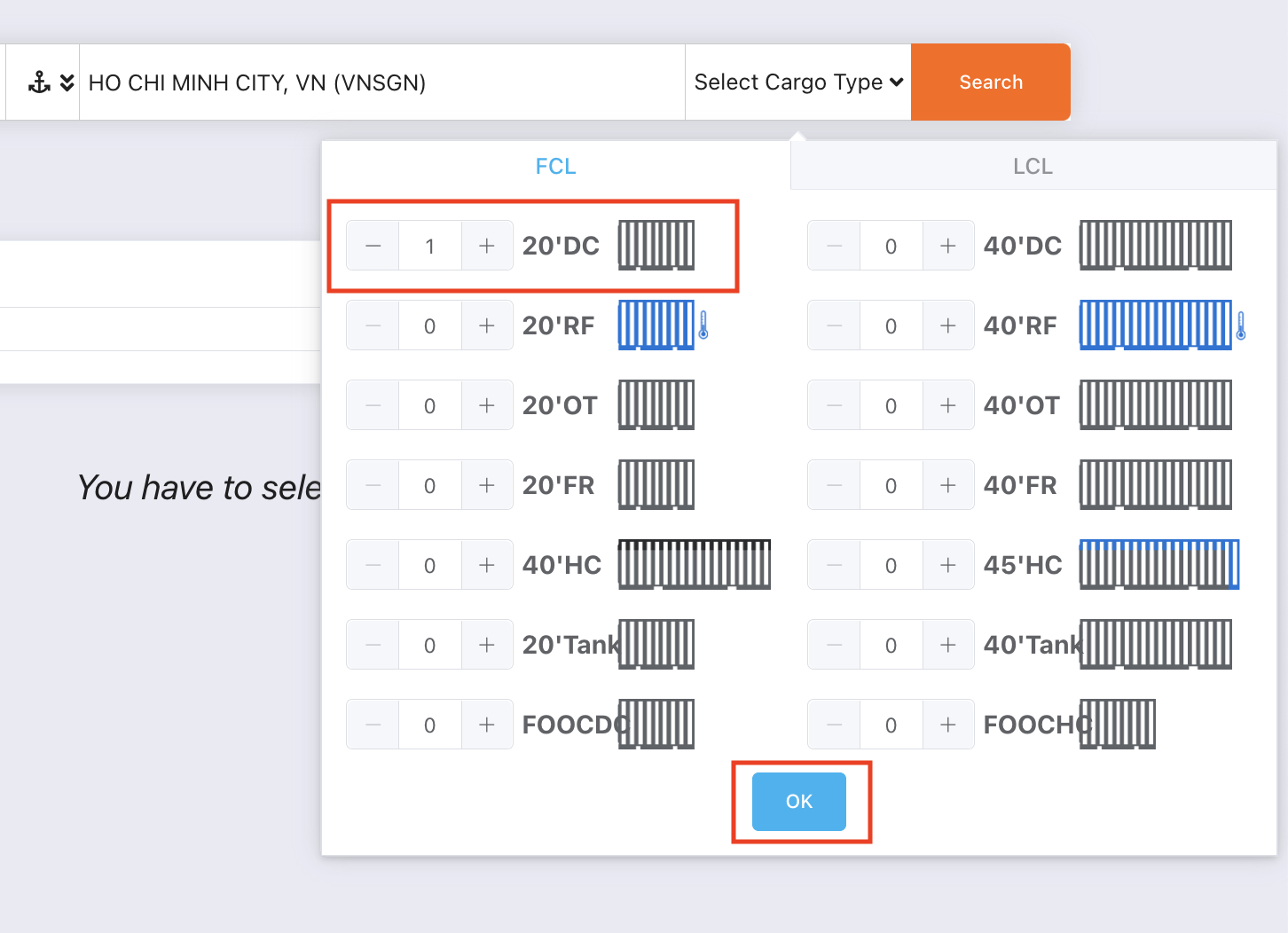
Step 5: Click Select to choose the freight rate you want.
Note: If no rate is available, you may click SKIP to bypass the rate selection step. 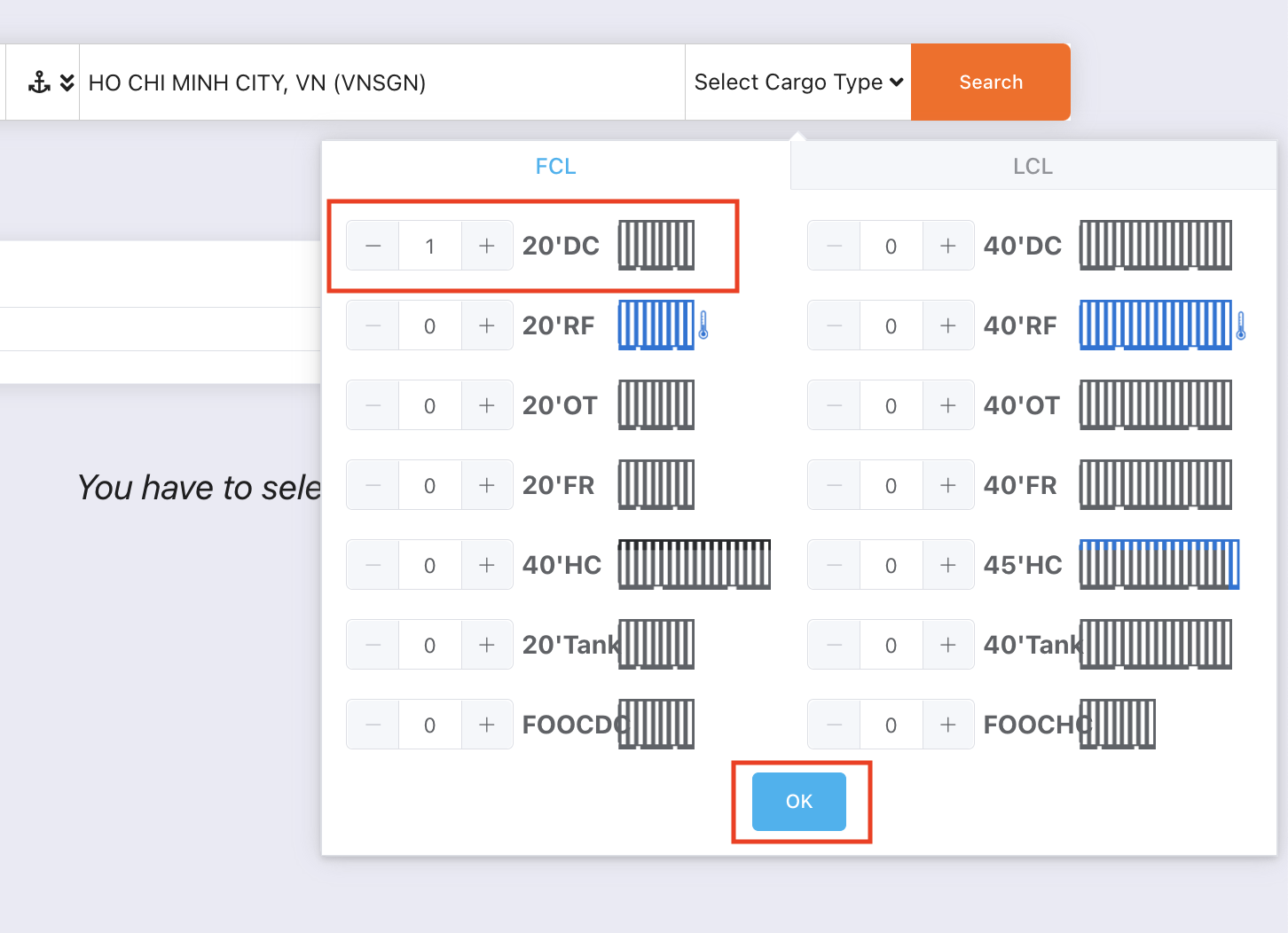
You can also add Local Charges or other service fees by clicking the + button.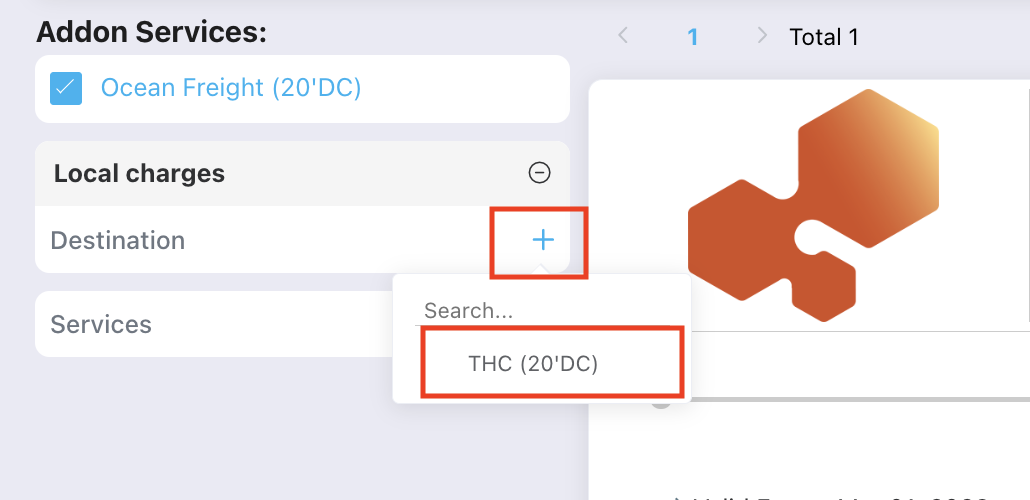
Step 6: Fill in the shipment details and select the related users who will support this shipment (Assigned Users).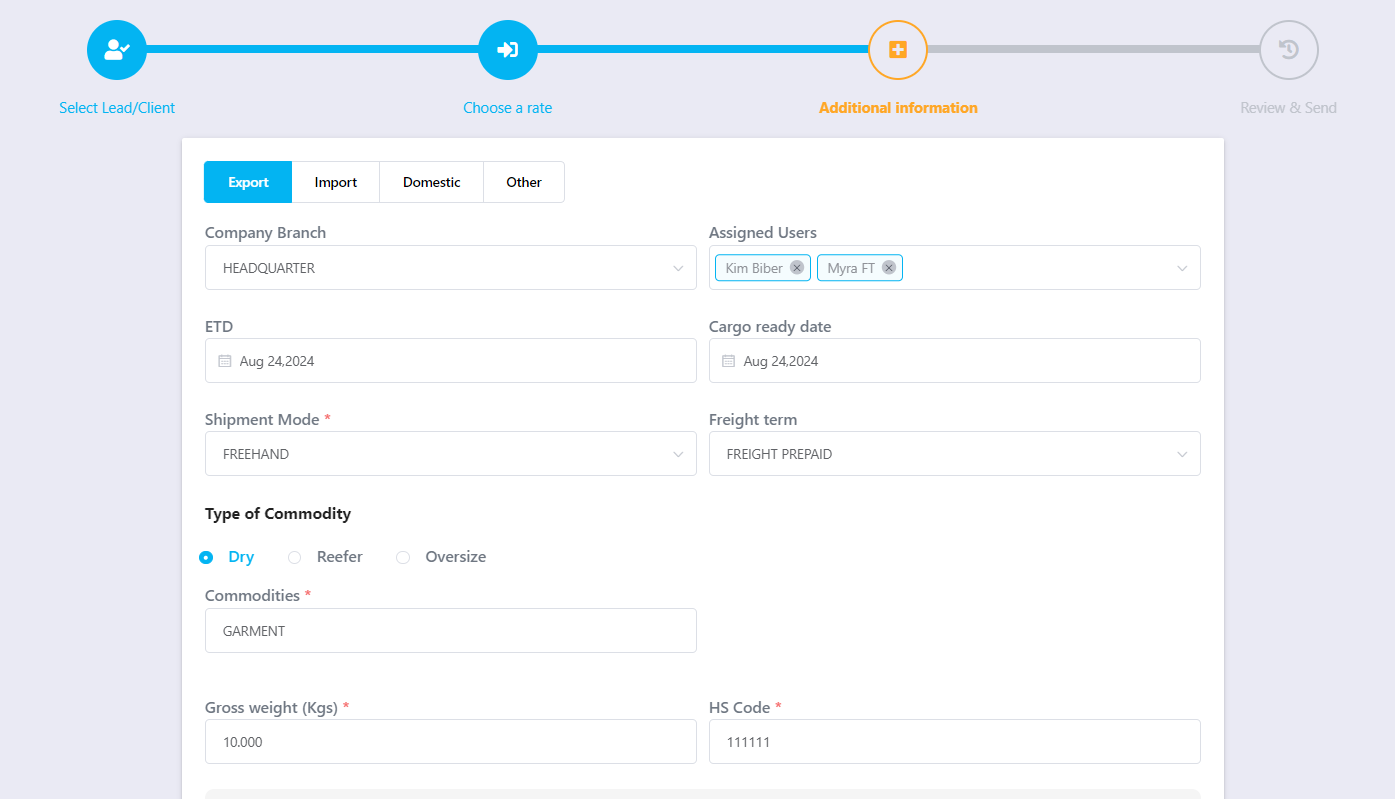
Step 7: Review all shipment information and click Create Shipment to complete the process.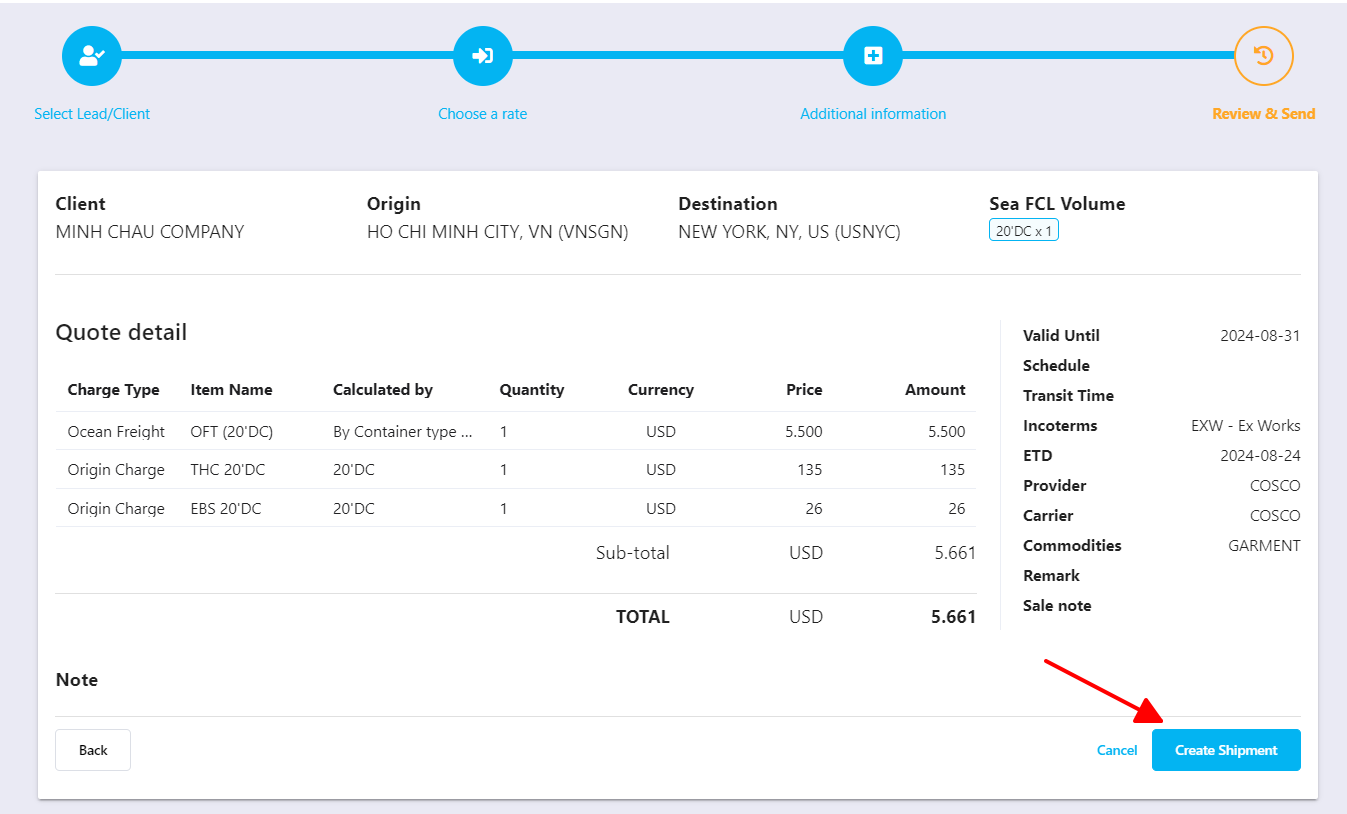
Was this article helpful?
That’s Great!
Thank you for your feedback
Sorry! We couldn't be helpful
Thank you for your feedback
Feedback sent
We appreciate your effort and will try to fix the article