To finalize reporting for completed shipments and close monthly data, changing the Report Status is the initial and essential step for confirmation.
Method 1: Update Report Status inside the Shipment
Step 1: Go to Shipment List → View the shipment you want to update.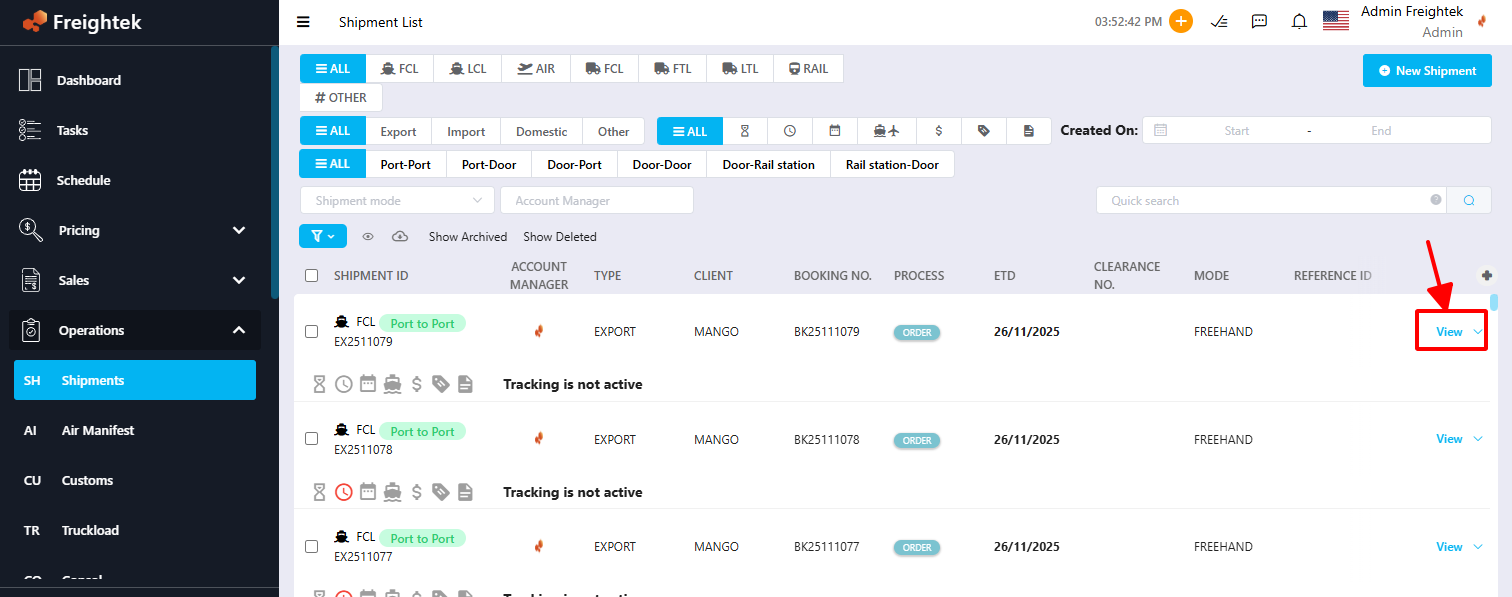
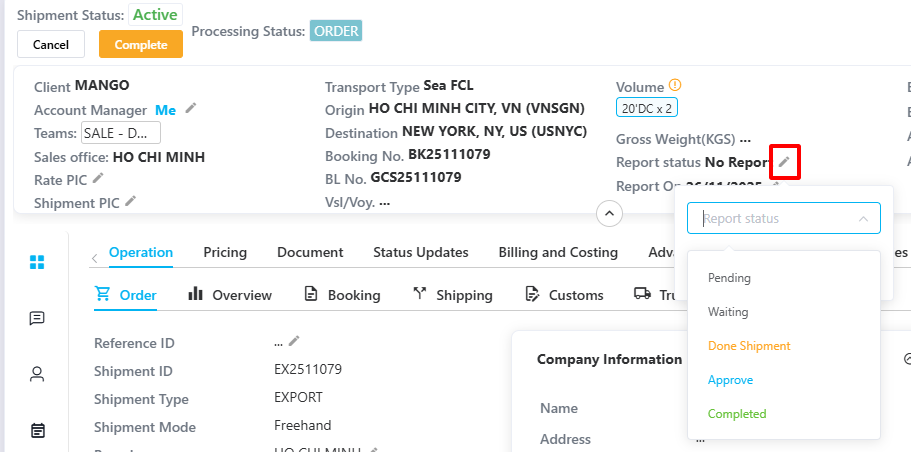
Step 2: In the “Report Status” field, select the appropriate status:
No report: Default status for newly created shipments
Pending / Waiting: Sales can still edit charges or adjust costing issues
Done Shipment: Sales confirms all Selling & Buying charges are completed
Approve: Accounting confirms the shipment and proceeds with invoicing/collection
Completed: Payment collected → Shipment is locked from further editing
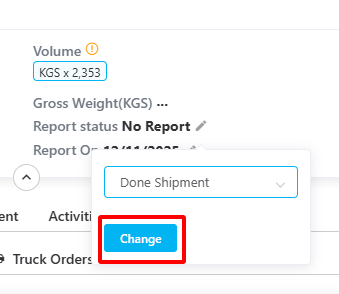
Step 3: Click Change to confirm the status update.
Method 2: Update Multiple Shipments at Once
Step 1: Select the shipments that have completed Billing and Costing → Click Action → Change report status.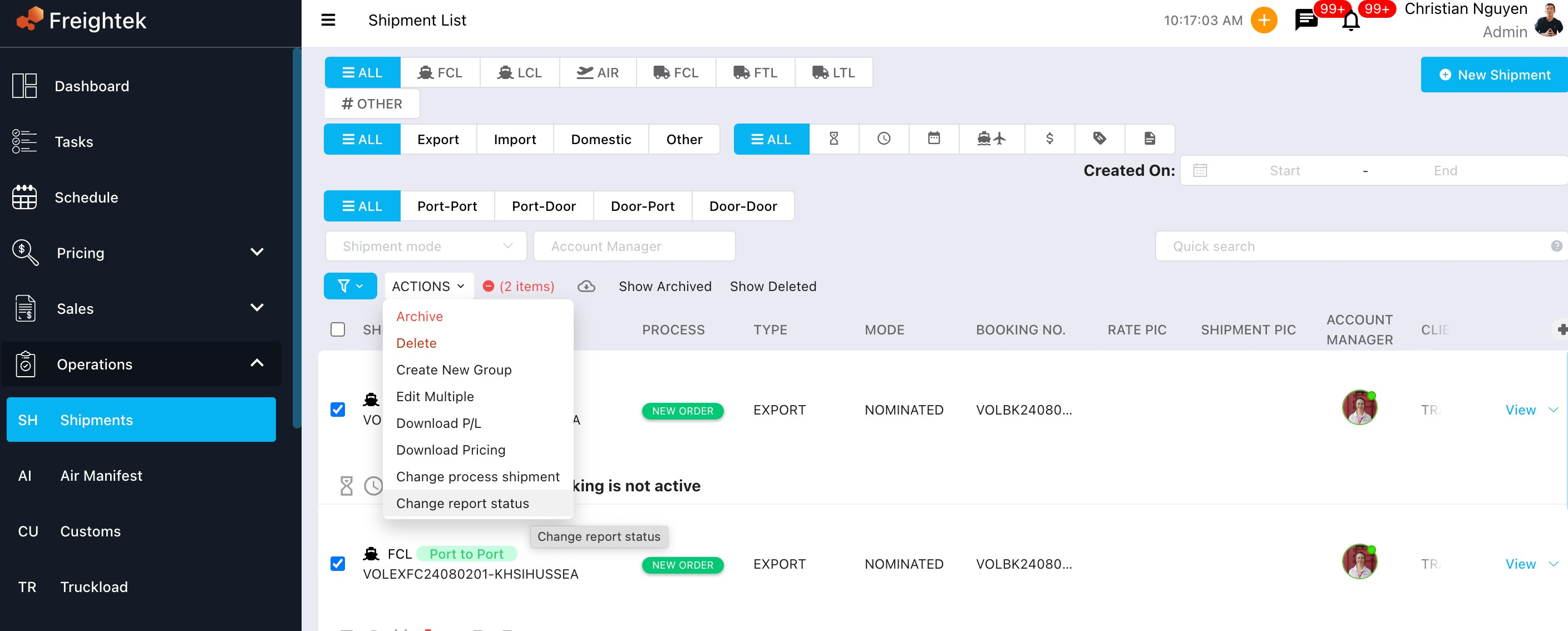
Step 2: Change the Report Status to “Done Shipment”, this allows Accounting to identify which shipments have fully completed Billing & Costing and prepare the final period-end Report.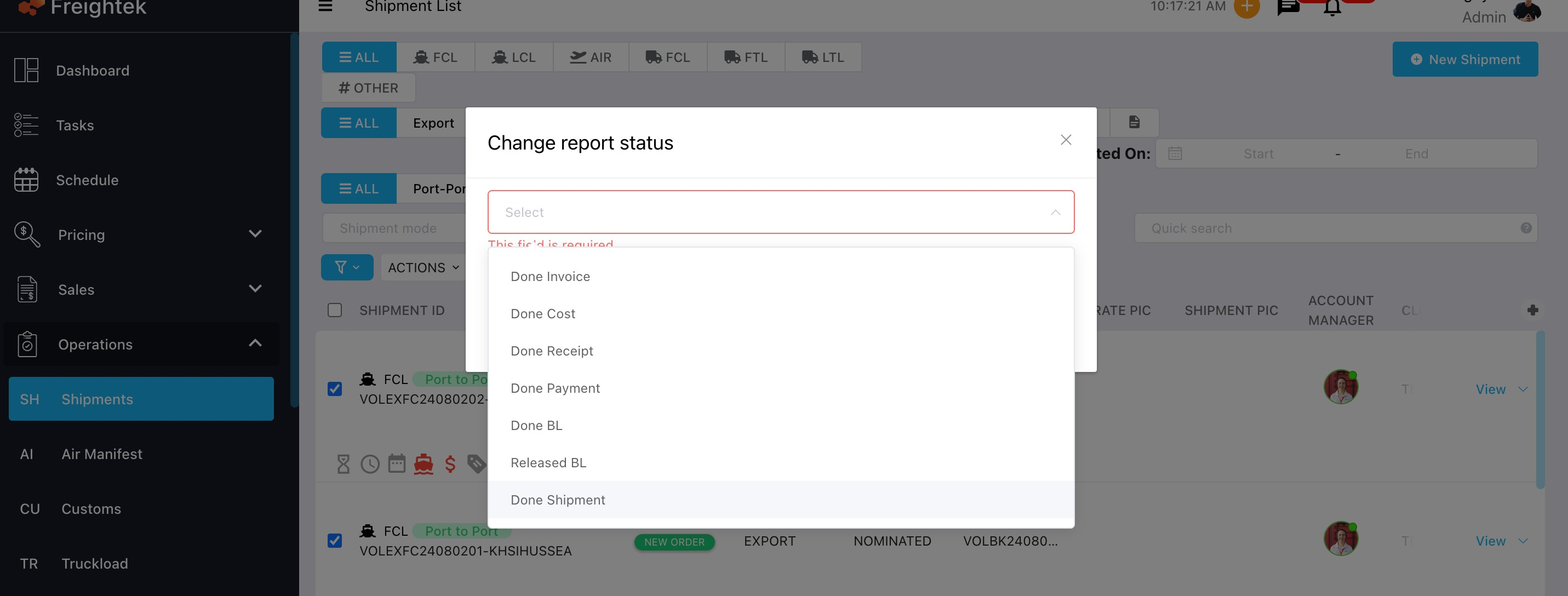 Note: If you want to filter shipments that have already been reported, you can use the "Report Status" filter.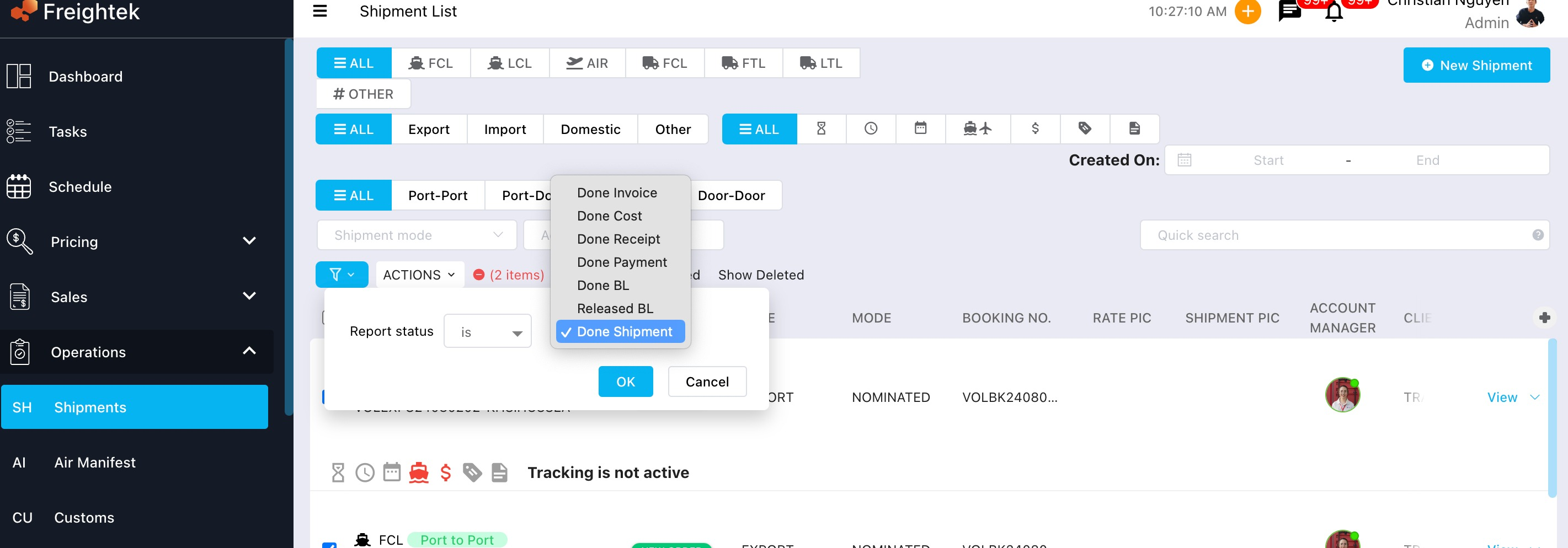
Was this article helpful?
That’s Great!
Thank you for your feedback
Sorry! We couldn't be helpful
Thank you for your feedback
Feedback sent
We appreciate your effort and will try to fix the article