1. Shipment Status (5 main system statuses)
Freightek classifies each shipment into one of five primary statuses:
• Draft: The shipment is only a draft and has not been sent to the customer.
• Pending: The shipment is waiting for further processing.
Customers can already view the shipment on the Client Portal.
• Active: The shipment is currently in progress and being handled by the operations team.
• Completed: The shipment has been successfully finished.
• Canceled: The shipment has been canceled and is no longer being processed.
⚠ Important Note: If a shipment is in Completed status, all actions will be locked. You can only view, not edit. To make changes, you must reactivate the shipment.
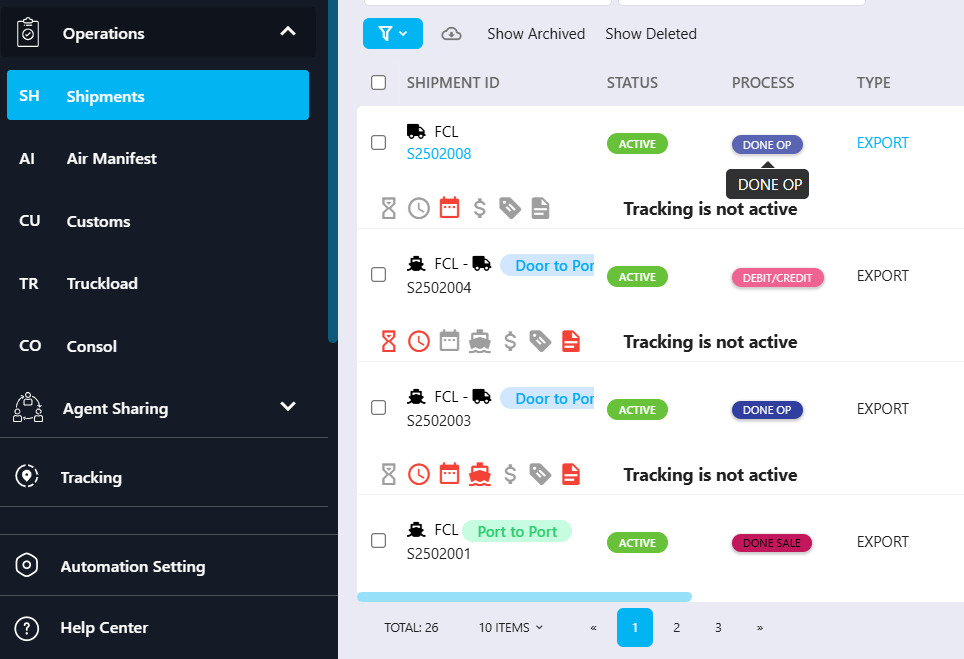
2. Processing Status (detailed operational stages)
Processing Status represents the detailed operational workflow of a shipment.
It includes multiple status groups, such as:
Documentation
Customs
Debit Note
Credit Note
Delivery
Billing & Costing
Other operational checkpoints
Each Processing Status represents a specific step of the shipment handling process.
3. How Shipment Status and Processing Status work together
Shipment Status updates automatically based on the selected Processing Status.
You do not directly change the Shipment Status.
Instead, you update the Processing Status, and the system adjusts the Shipment Status accordingly.
How to Update the Processing Status (and therefore Shipment Status)
Step 1: Go to Operations > Shipment > View the shipment you want to update.
Step 2: Click Processing Status at the top of the shipment screen.
Step 3: A status list will appear — choose the Processing Status you want to update to.
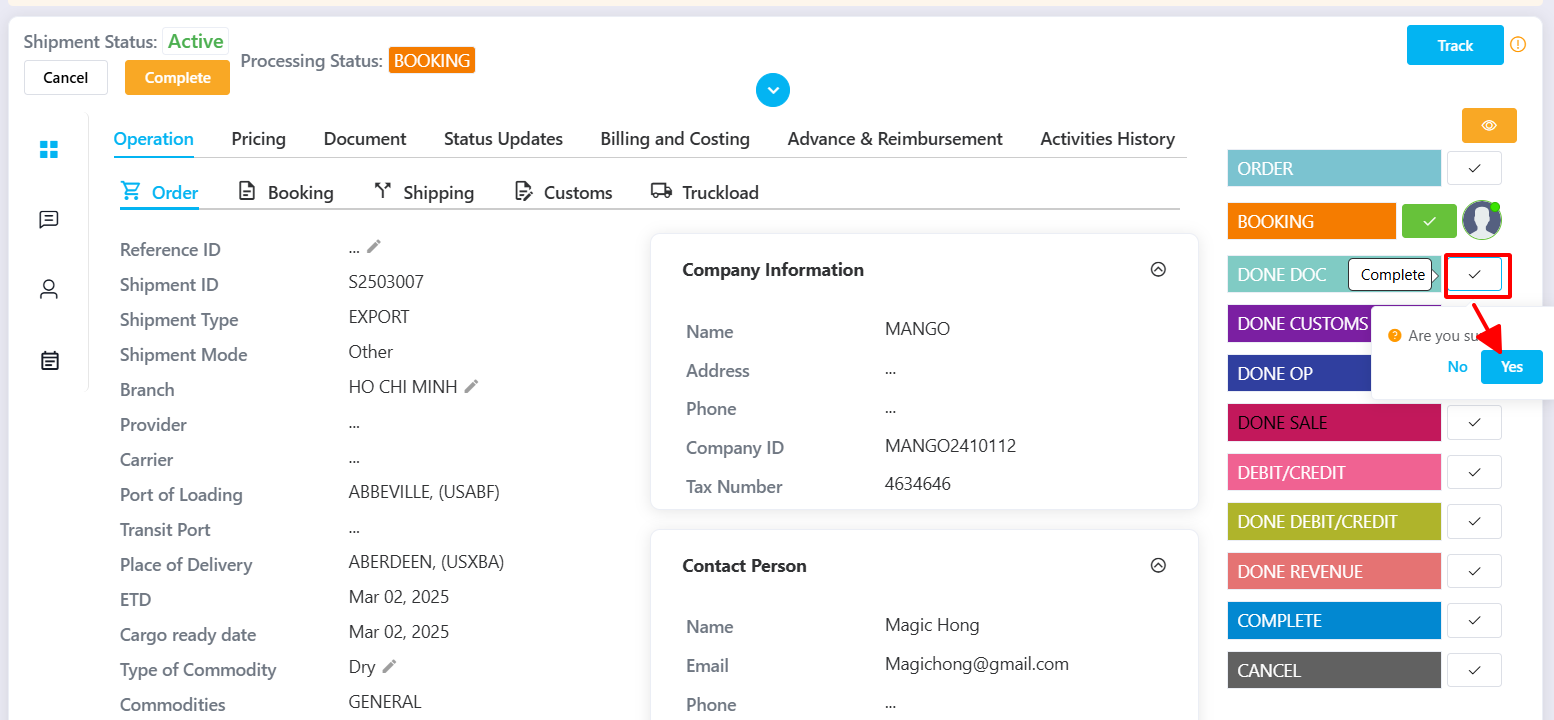
Step 4: Click Yes to confirm your selection.
The system will automatically update both:
The Processing Status you selected
The Shipment Status that corresponds to it

Was this article helpful?
That’s Great!
Thank you for your feedback
Sorry! We couldn't be helpful
Thank you for your feedback
Feedback sent
We appreciate your effort and will try to fix the article