Step 1: Go to Pricing → Freights → click the arrow next to Edit → Edit viewable
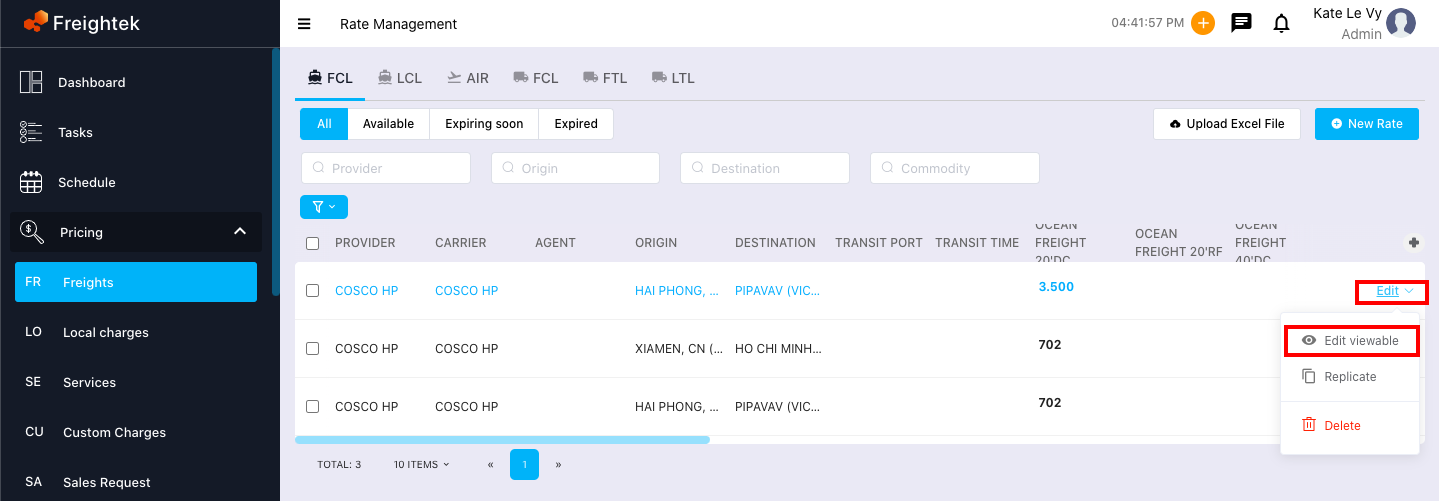
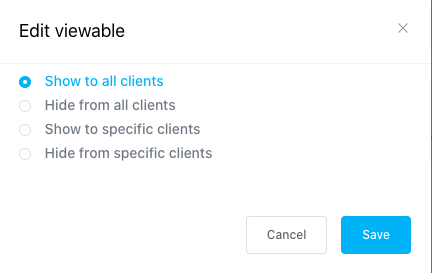
Step 2: When the Edit Viewable window appears, select the appropriate option and click Save.
Visibility options include:
Show to all clients: The rate will be visible to all customers.
Hide from all clients: The rate will not be visible to any customer.
Show to specific clients: The rate will only be visible to selected customers.
Hide from specific clients: The rate will be hidden from selected customers.
Was this article helpful?
That’s Great!
Thank you for your feedback
Sorry! We couldn't be helpful
Thank you for your feedback
Feedback sent
We appreciate your effort and will try to fix the article