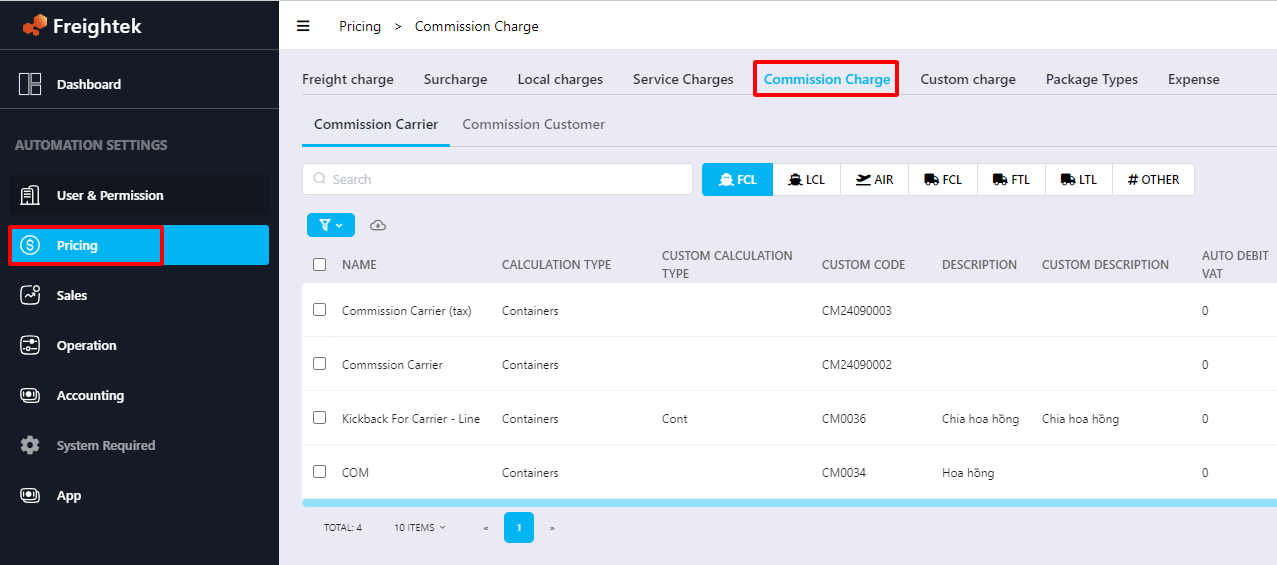
Step 1: Enter commission charge names in Automation Setting → Pricing →
1. Commission to Provider:
Go to Commission Charges → Commission Carrier → create the following two charges:
Commission to Carrier (commission paid to provider)
Tax fee (tax charge)
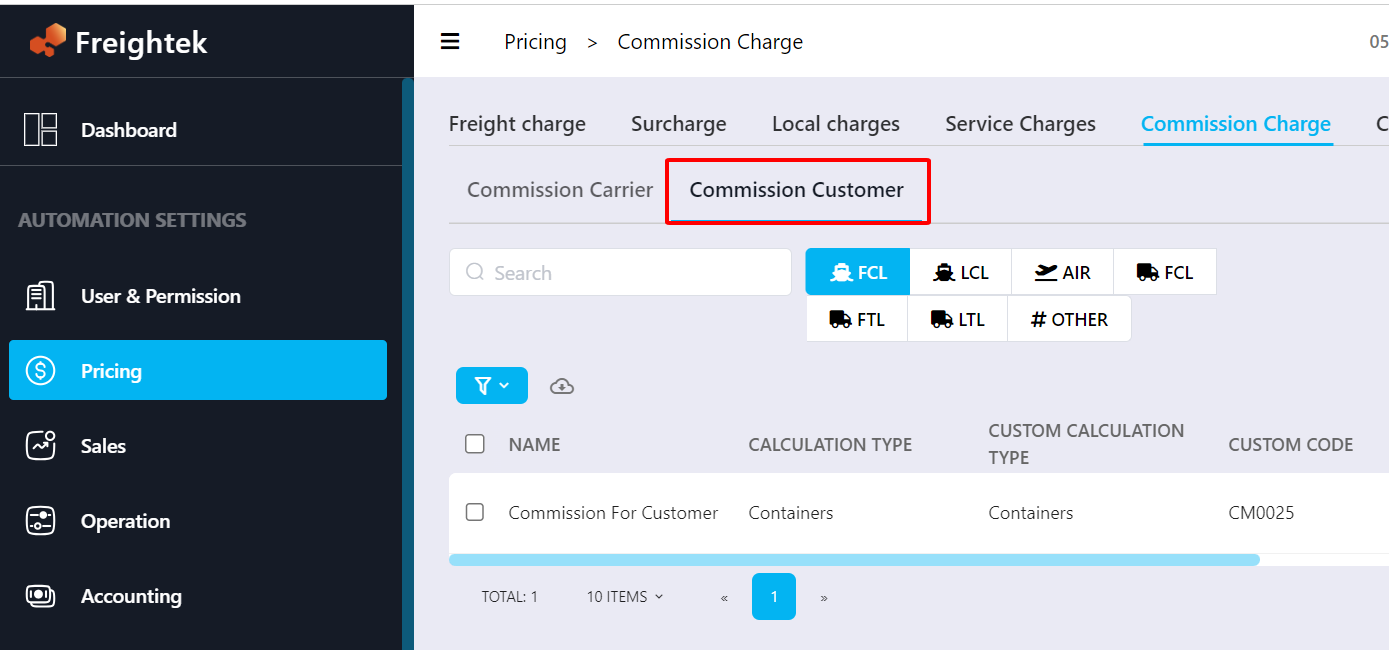
2. Commission to Customer:
Go to Commission Charges → Commission Customer → create the following two charges:
Commission to Customer (commission paid to customer)
Tax fee (tax charge)
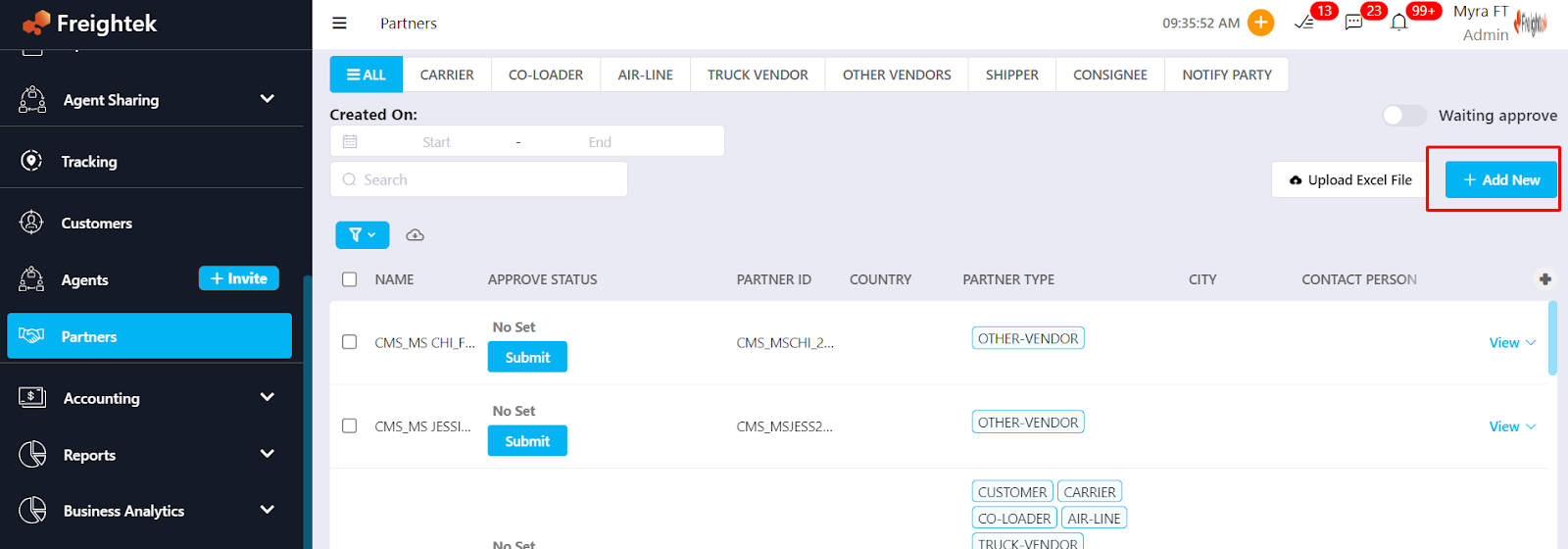
Step 2: Enter the partner eligible for commission in the Partners module
Example:
Provider: CMS_LINE_WHL_MR A
Customer: CMS_CUS_ABCCOMPANY_MS B
Step 3: Go to Operations → View Shipment → Billing & Costing → Cost → + Add New

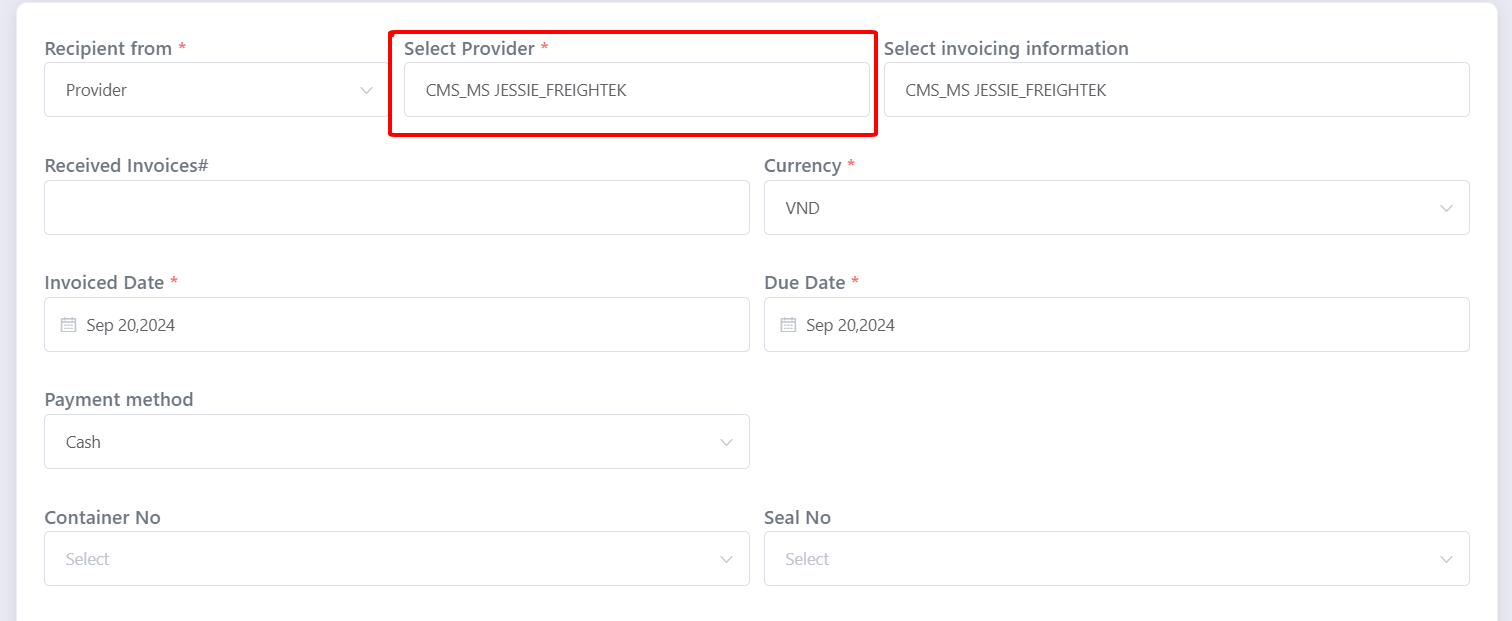
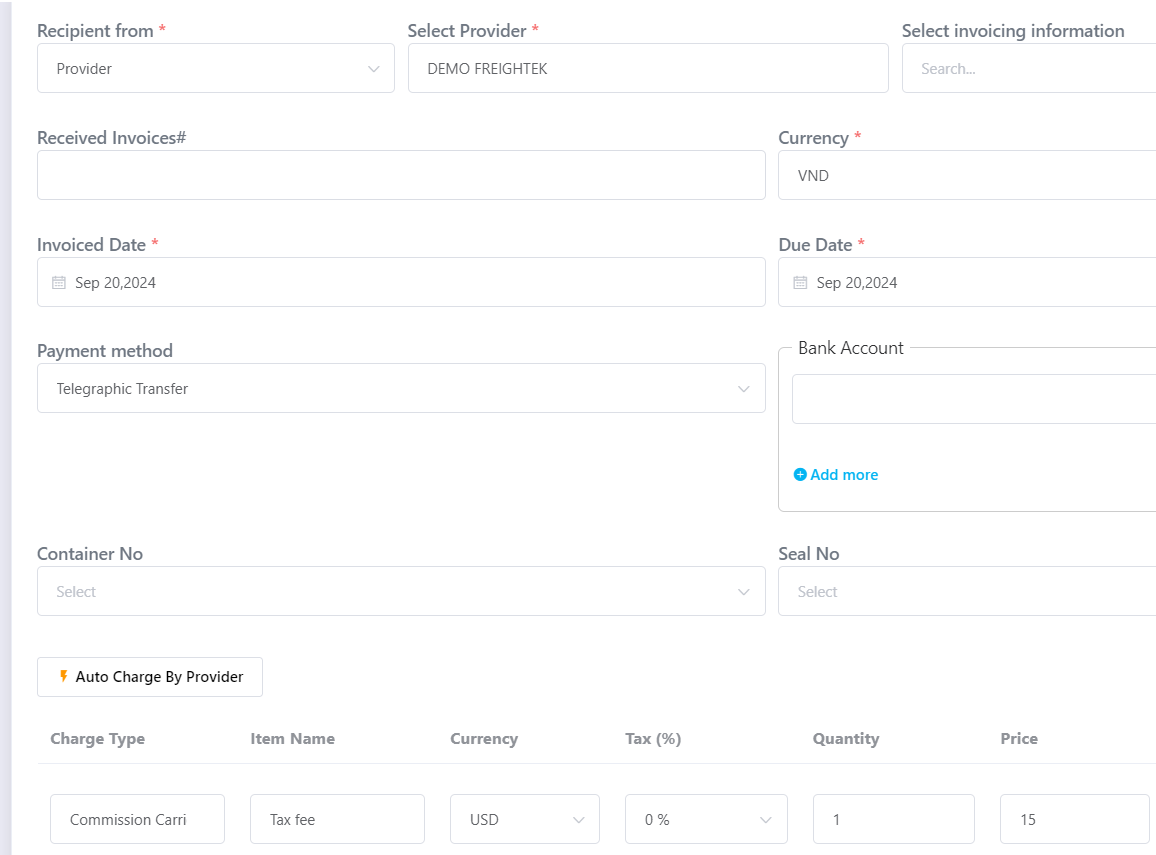
Step 4: Create the commission cost entry → under Select Provider, choose the party receiving the commission and fill in other required fields.
Example:
For commission to Provider → select CMS_LINE_WHL_MR A
For commission to Customer → select CMS_CUS_ABCCOMPANY_MS B
Step 5: Select the Commission charge and enter the amount → click Save.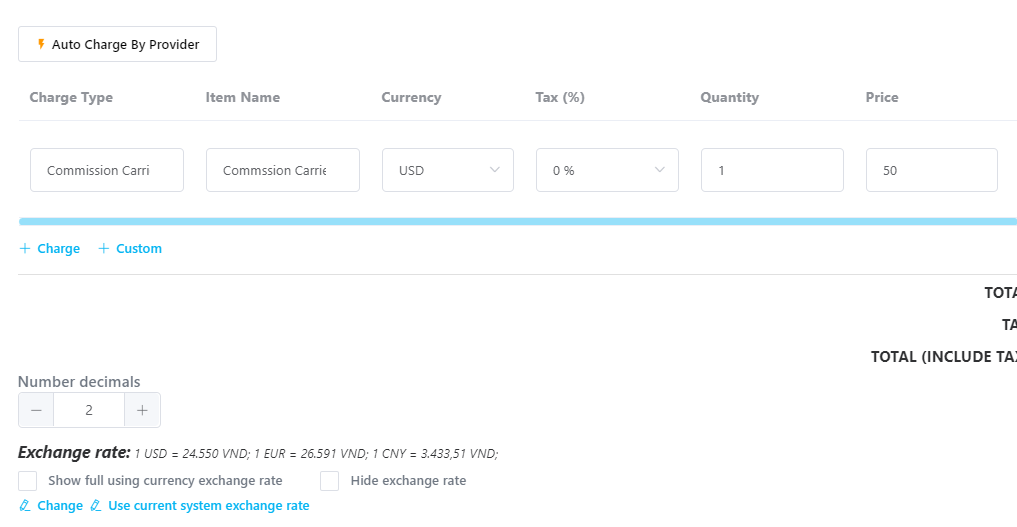
Step 6: Create the Tax fee entry
Click + Add New again to add the Tax fee charge.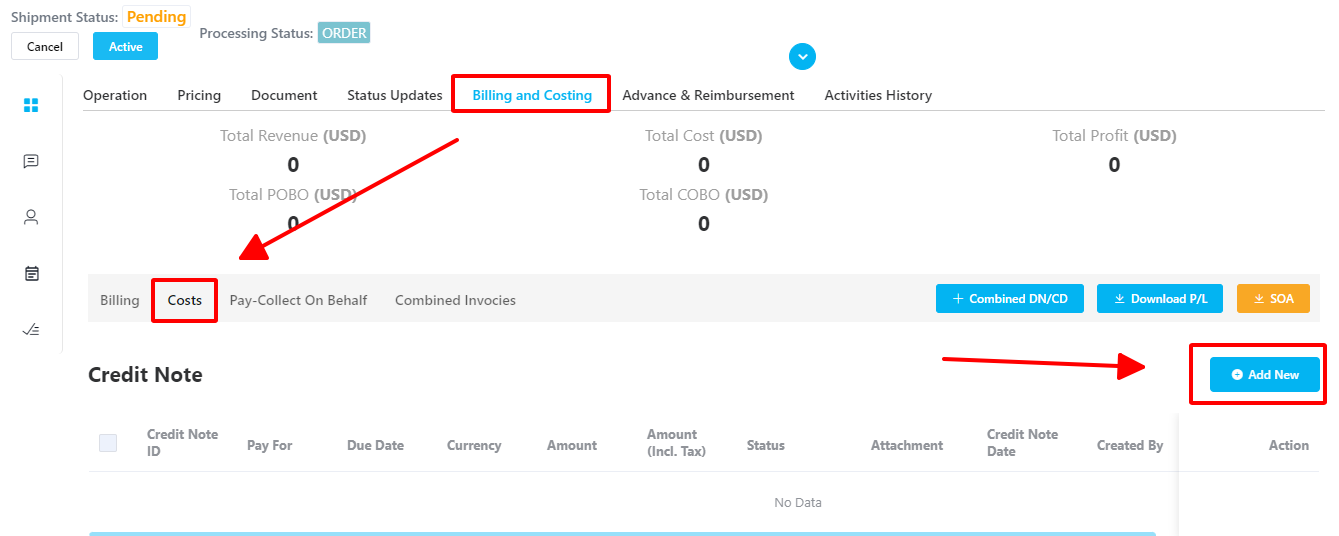 Choose the party who will be charged the tax and enter the tax amount
Was this article helpful?
That’s Great!
Thank you for your feedback
Sorry! We couldn't be helpful
Thank you for your feedback
Feedback sent
We appreciate your effort and will try to fix the article