Export Documents
HBL (House Bill of Lading)
SI (Shipping Instruction – created on behalf of the customer)
Import Documents
Arrival Notice
Delivery Order
Manifest
Step-by-Step Guide
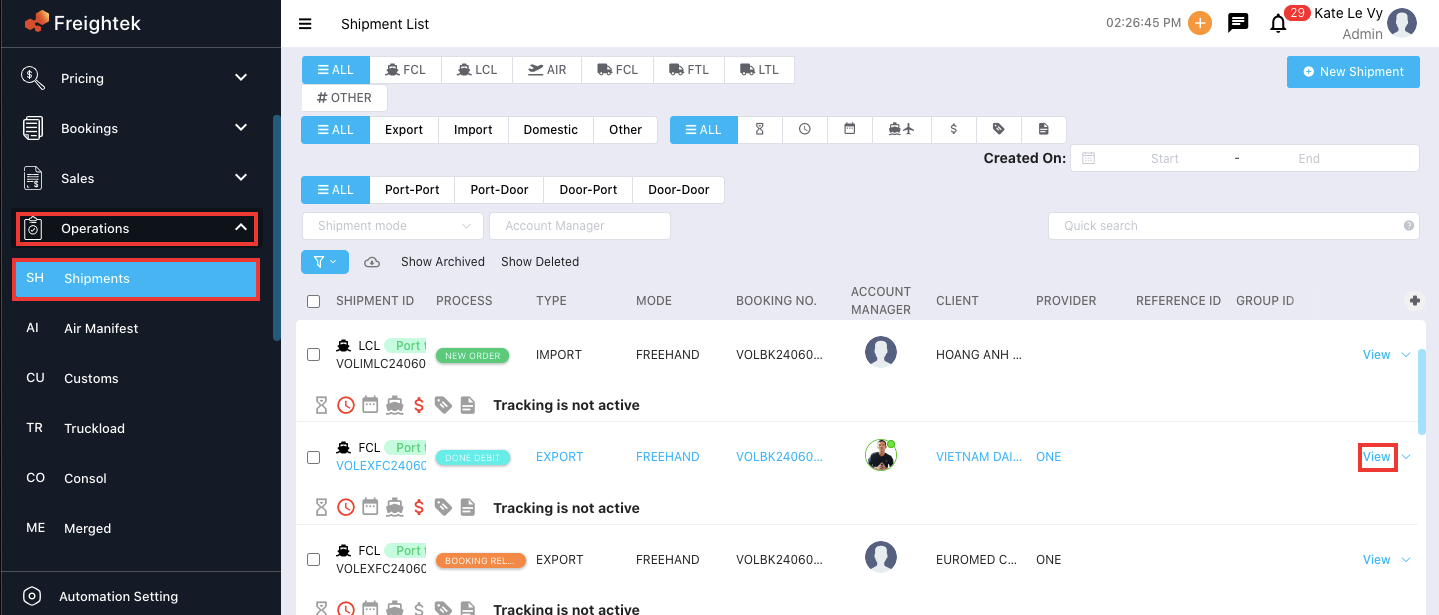
Step 1: Open the shipment
Go to the shipment list and click View on the shipment you need to generate documents for.
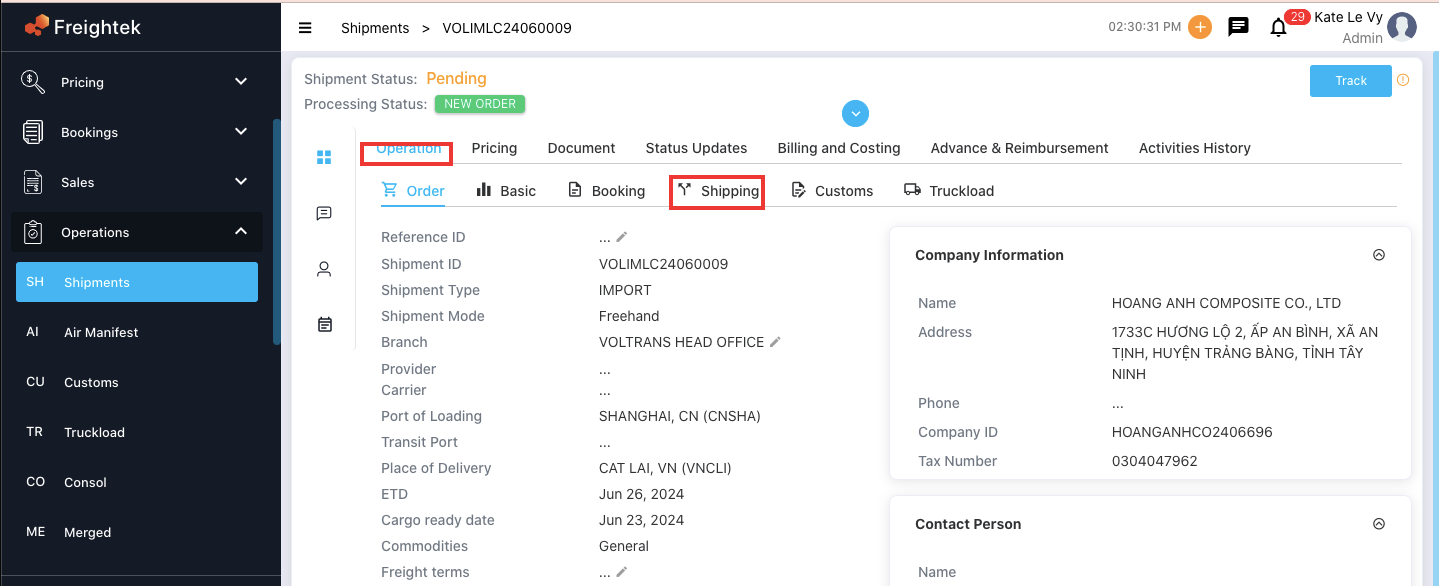
Step 2: Go to the Shipping tab
Inside the shipment, open the Shipping tab under the Operations section.
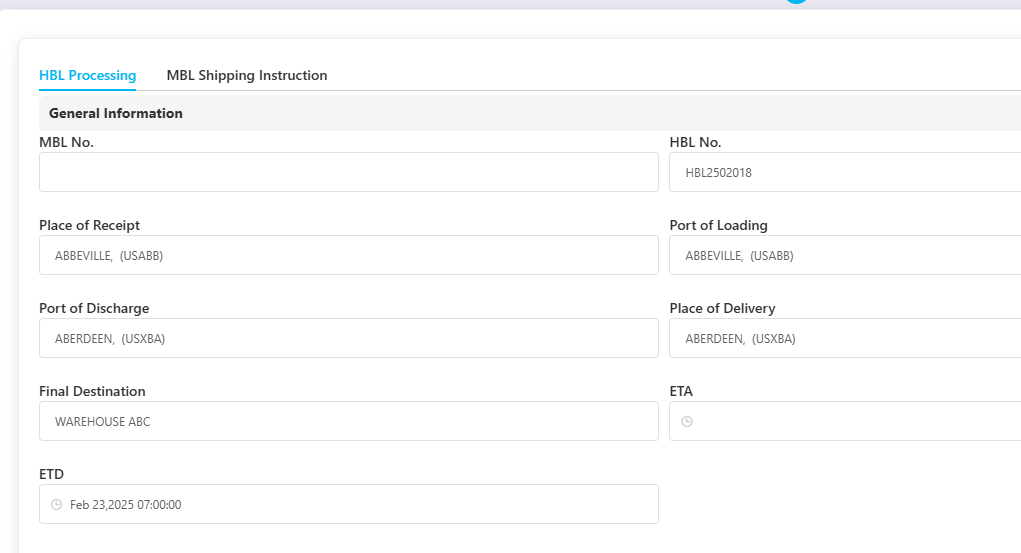
Step 3: Enter the information to be shown on the documents
Fill in all required details.
Below are important notes to ensure the document displays correctly:
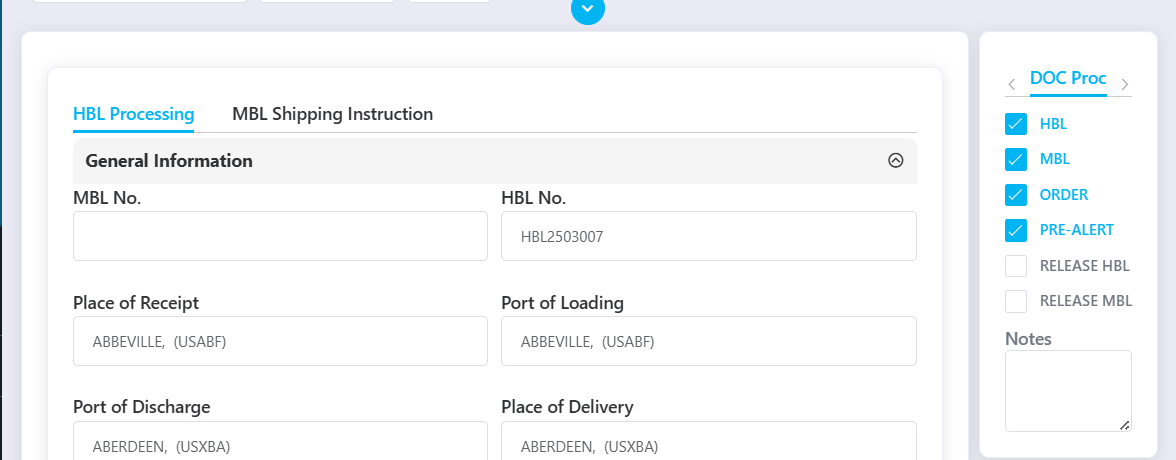
? General Information
Fields such as:
Place of Receipt
Port of Loading
Port of Discharge
Place of Delivery
Final Destination
…can be adjusted according to what needs to appear on the issued document.
Example:
For import shipments, you may add the warehouse name after the port:
“HO CHI MINH, VN (VNSGN) – WAREHOUSE 3”
“CAT LAI – WAREHOUSE 3”
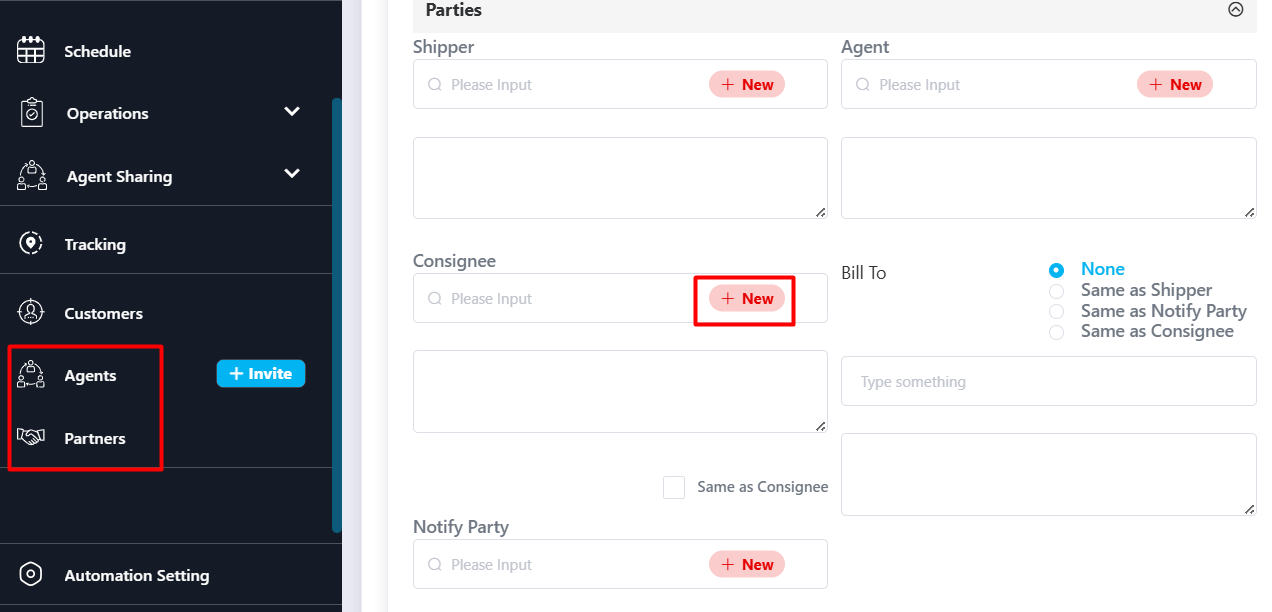
? Parties (Shipper / Consignee / Notify / Others)
These fields pull data from the Partner module.
If the party already exists → type the Name into the Search box and select it.
If it is a new party → click Add to create it (it will be saved to Partner database).
? Doc Process (Document Checklist)
Use the Doc Process section to mark which tasks have been completed during shipment processing (e.g., SI submitted, AN issued, DO released, etc.).
Step 4: Select the document form to issue
Choose the document template you want to generate, such as:
HBL Template
SI Template
Arrival Notice Template
Delivery Order Template
Manifest Template
The system will generate the document using the information you entered.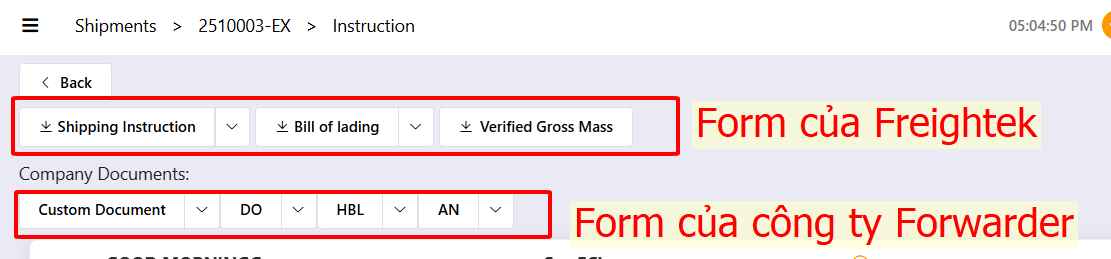
Was this article helpful?
That’s Great!
Thank you for your feedback
Sorry! We couldn't be helpful
Thank you for your feedback
Feedback sent
We appreciate your effort and will try to fix the article