Method 1: Manually entering partner information
Step 1: Go to the Partner List.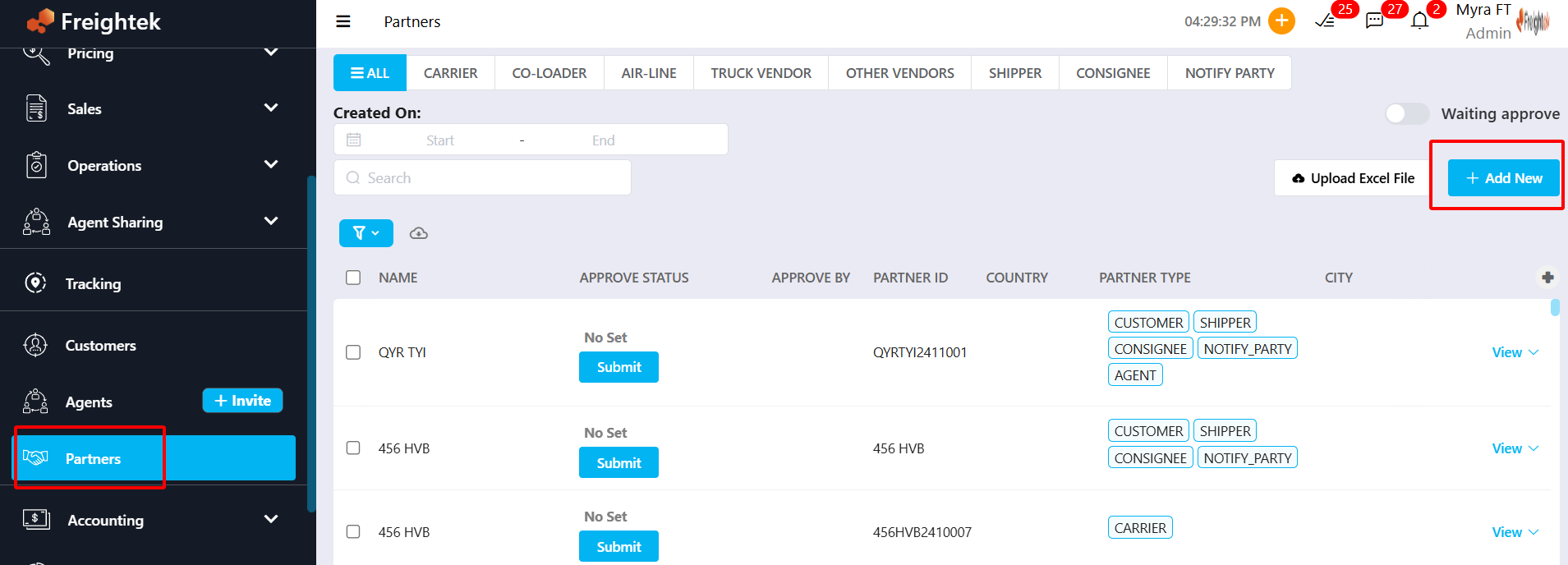
Step 2: Add a new partner
Click + Add New → enter the required information → Create.
Fields include:
Tax Number:
For domestic partners → enter the official tax code.
For overseas partners → use an internal ID format to avoid duplicate entries.
General Information: Can be entered in English or abbreviation for easier tracking.
Example: MSC, YML, COSCO, …Invoicing Information: Billing details including legal name, address, and tax number.
Example: CÔNG TY CỔ PHẦN MSC VIỆT NAM
0103520025Additional Type: Select one or multiple classifications: Carrier, Co-loader, Airline, Agent, Trucking Vendor, Other Vendor
Auto Document Manifest: Information automatically displayed on documents such as: Bill of Lading, Shipping Instruction, Arrival Notice, Delivery Order, VGM, Manifest.
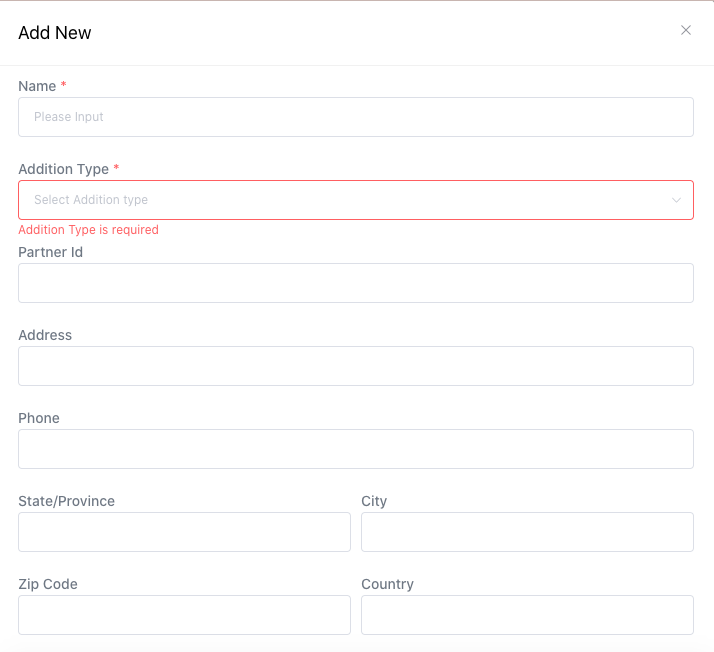
Auto Document Manifest, the system uses Description as the printed information; the Name field is only used for searching.

⚠ Important Note: If a provider is also a Customer, the partner must be created in the Customer List, and the Customer must be assigned additional Provider types. This allows the system to unify them into a single entity for accurate A/R – A/P and reporting.
Method 2: Bulk Import Partners via Excel
Step 1: Go to Partner → Upload Excel File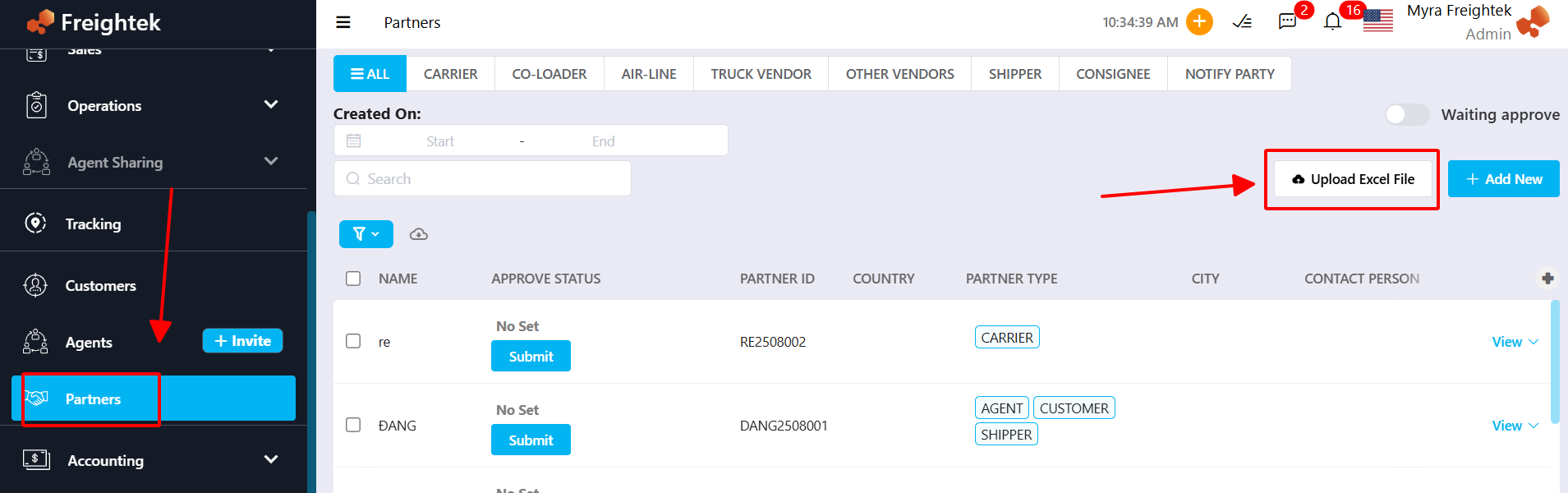
Step 2: Download the template and fill in all required information.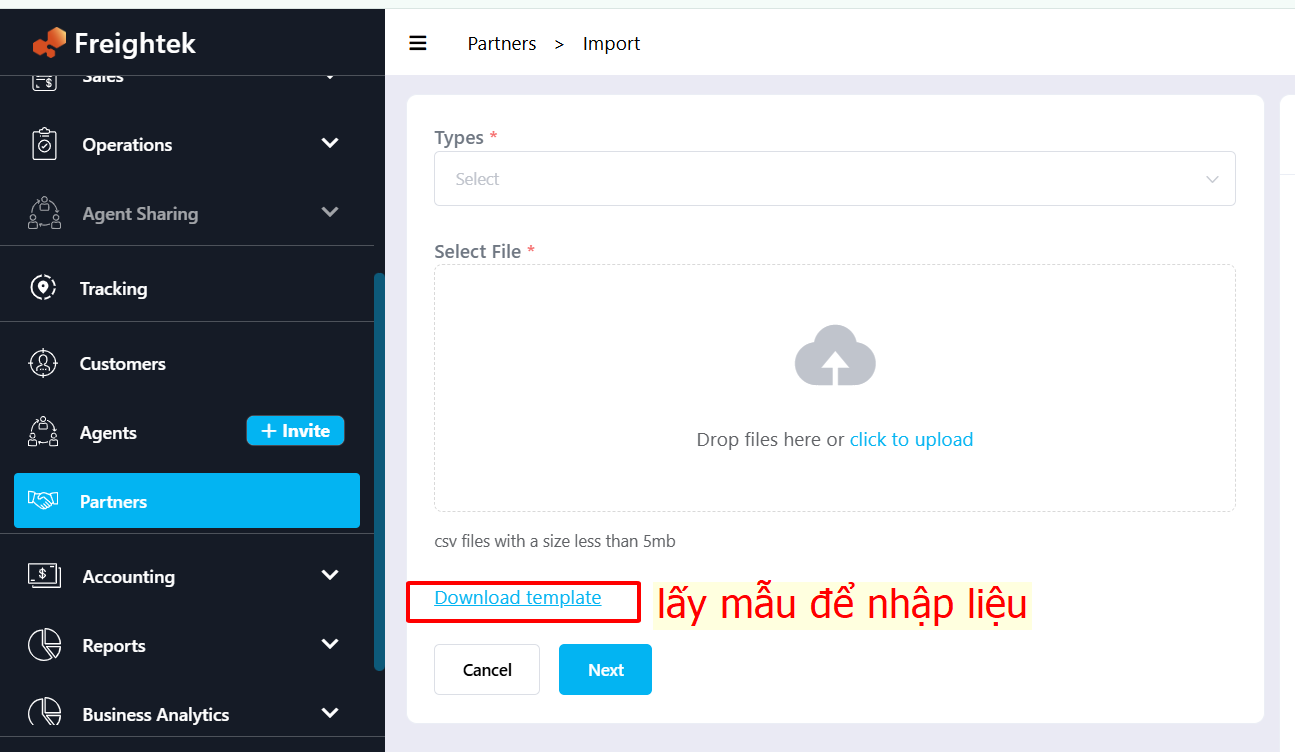
Step 3: Select partner classifications and upload the completed file → click Next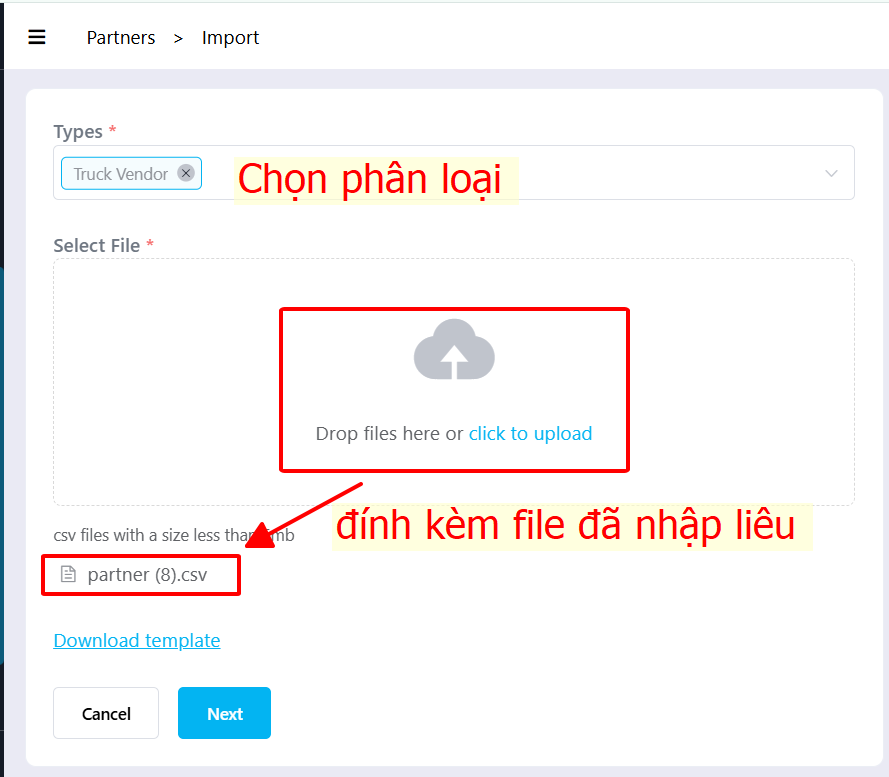
Step 4: Check the mapping of all fields → click Import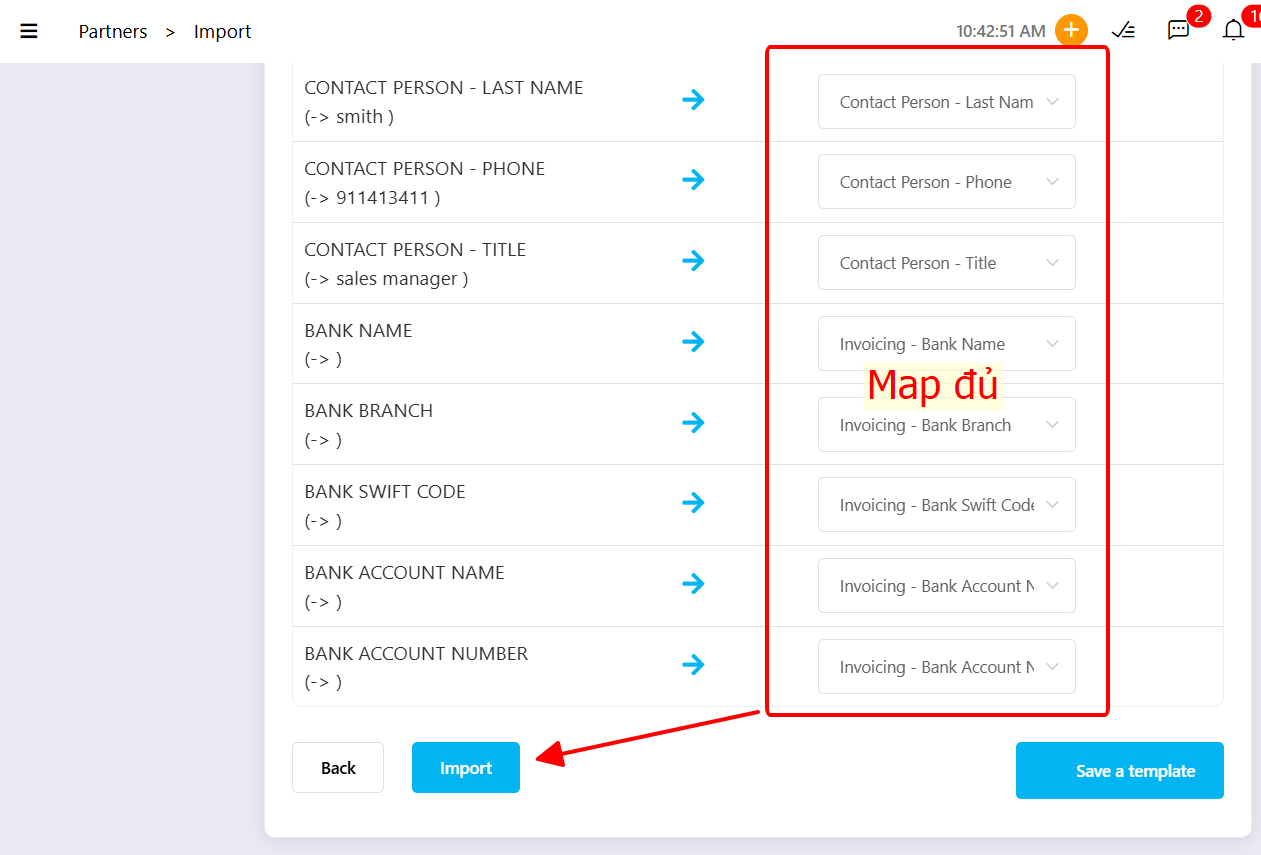
Was this article helpful?
That’s Great!
Thank you for your feedback
Sorry! We couldn't be helpful
Thank you for your feedback
Feedback sent
We appreciate your effort and will try to fix the article