Step 1: Go to the Pricing tab → select Sales Request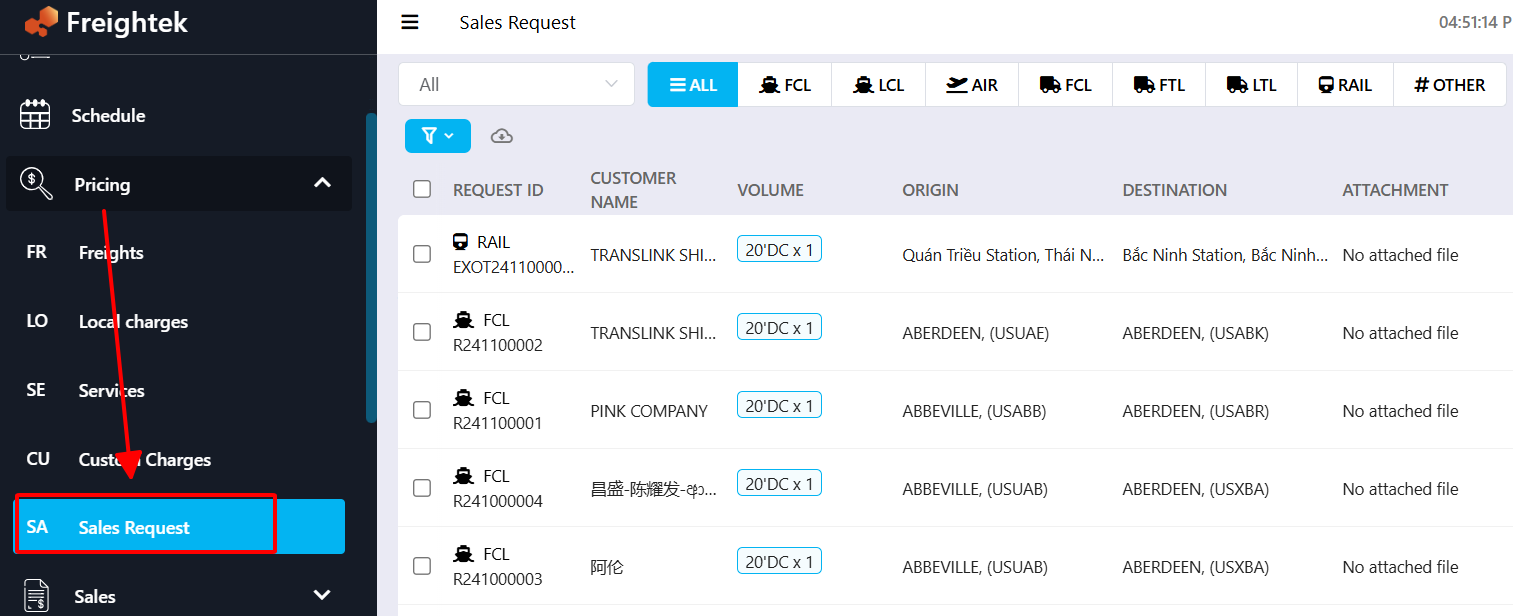
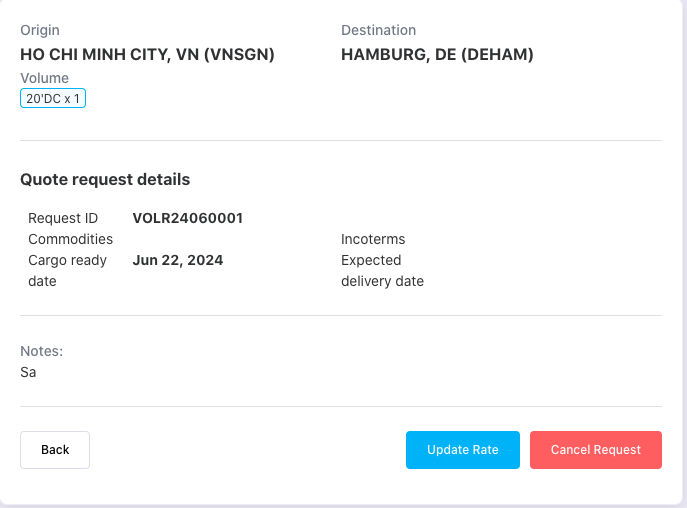
Step 2: Review the request and update the rate
Click Update Rate to update the pricing for this request.
Click Cancel Request to cancel it (a note field will appear for entering the cancellation reason).
Step 3: When you click Update Rate, a rate update window will appear.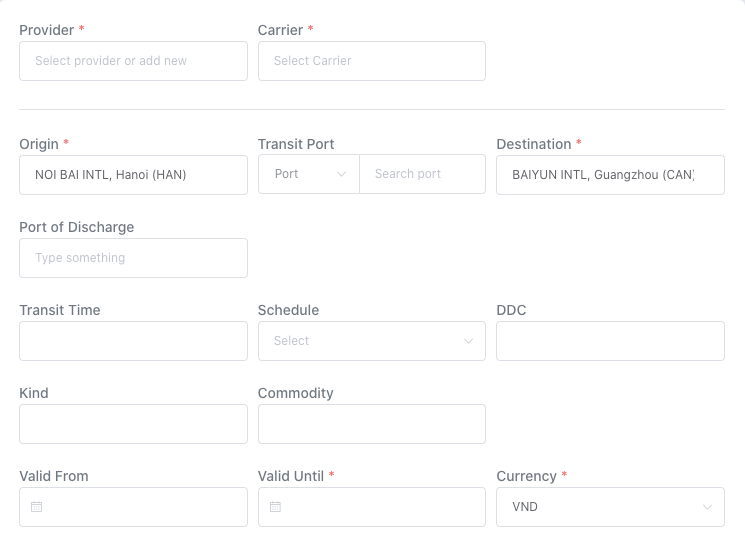 After updating the rate successfully, the request status will change to UPDATED.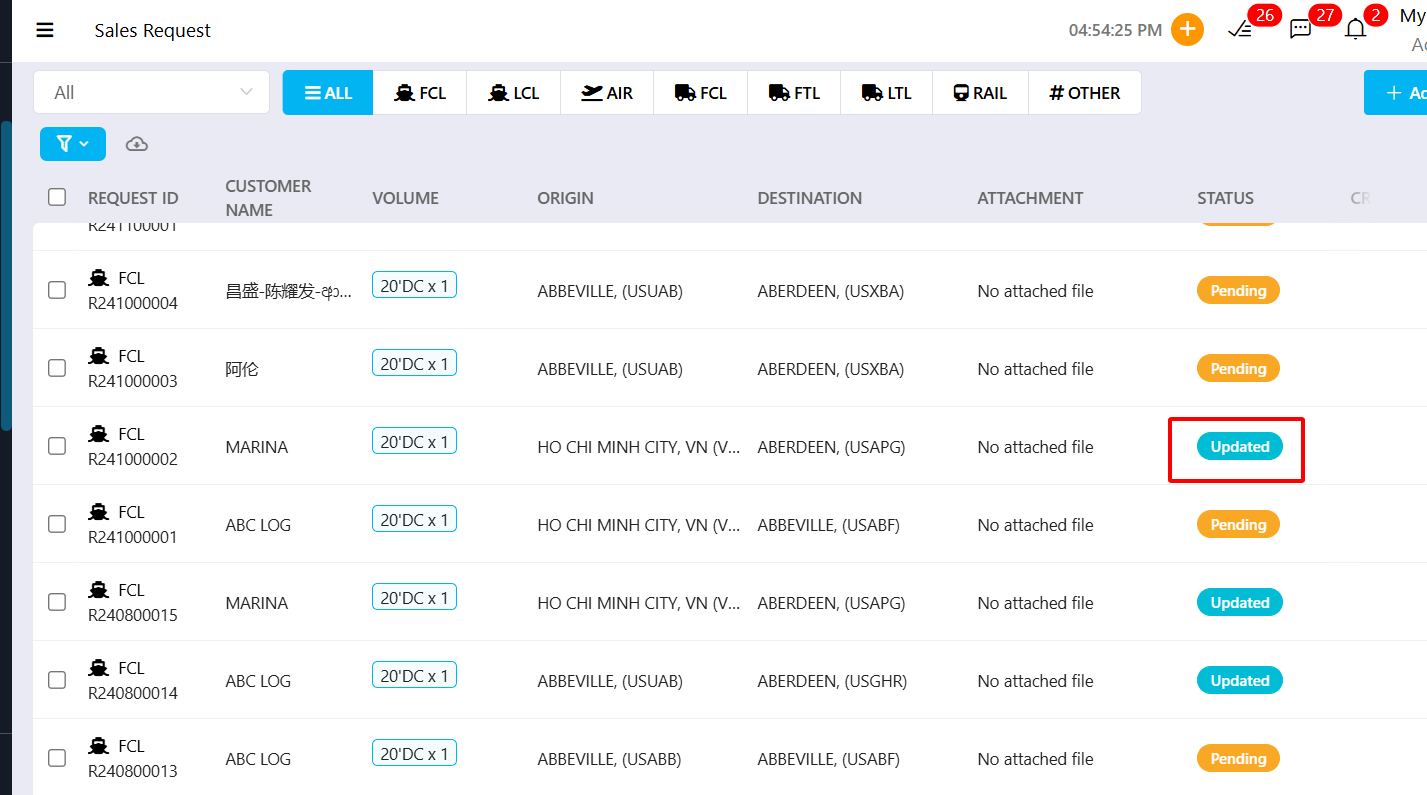
Additional Note: Each request includes a Message section where you can chat and exchange information directly.
Was this article helpful?
That’s Great!
Thank you for your feedback
Sorry! We couldn't be helpful
Thank you for your feedback
Feedback sent
We appreciate your effort and will try to fix the article