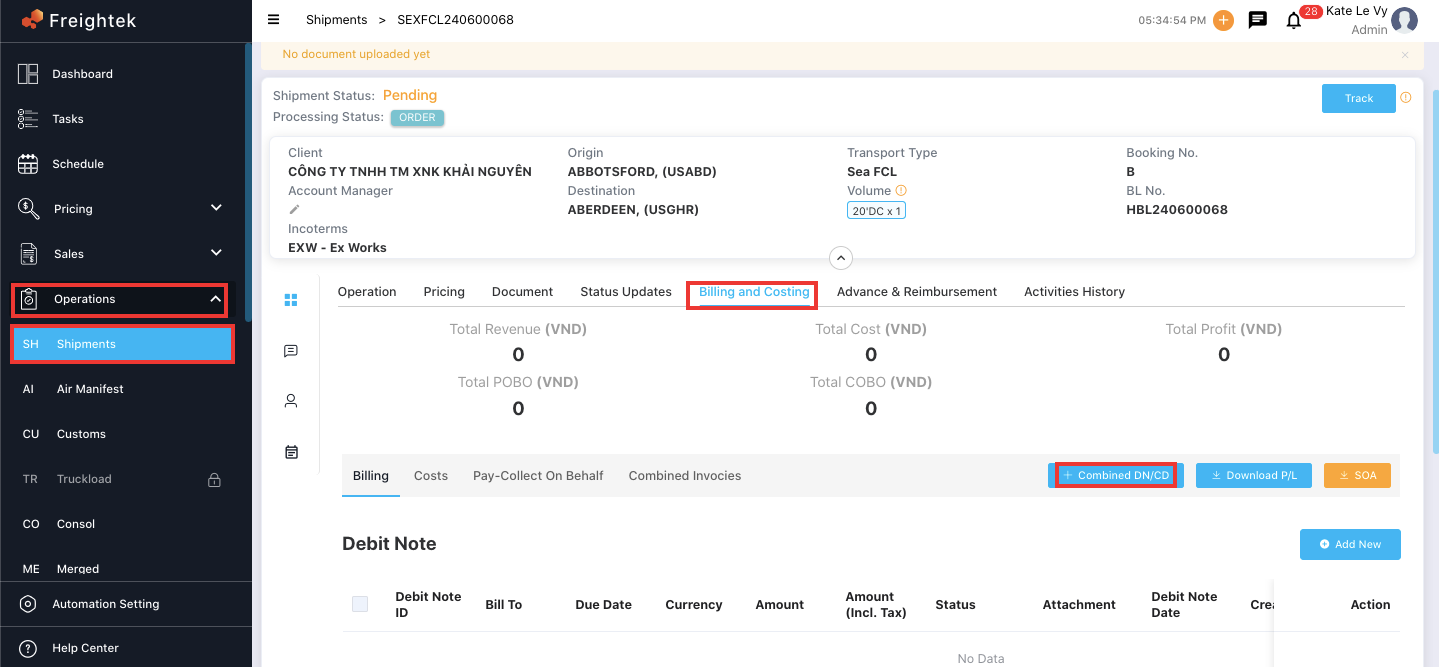
Step 1: Go to Operation > Shipment → select the shipment → click View.
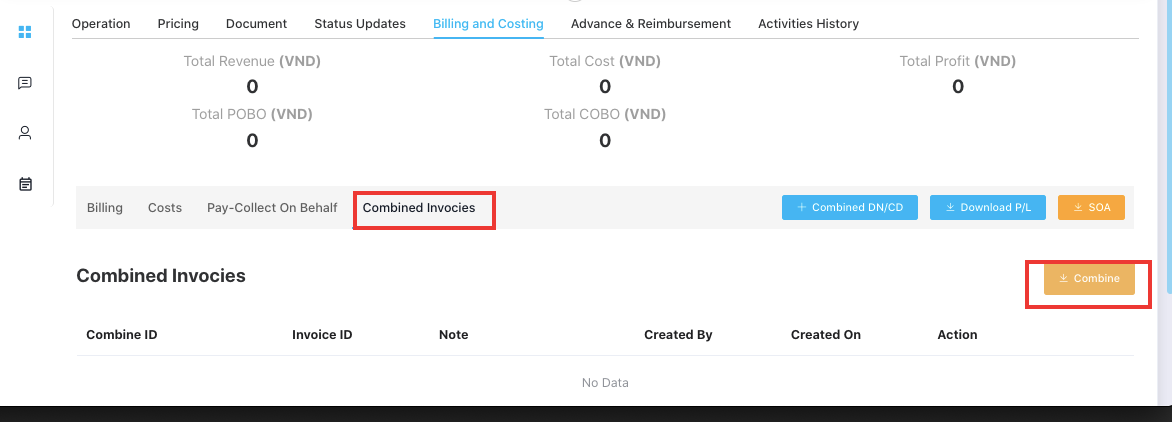
Step 2: Open Billing and Costing → click Combined Invoices.
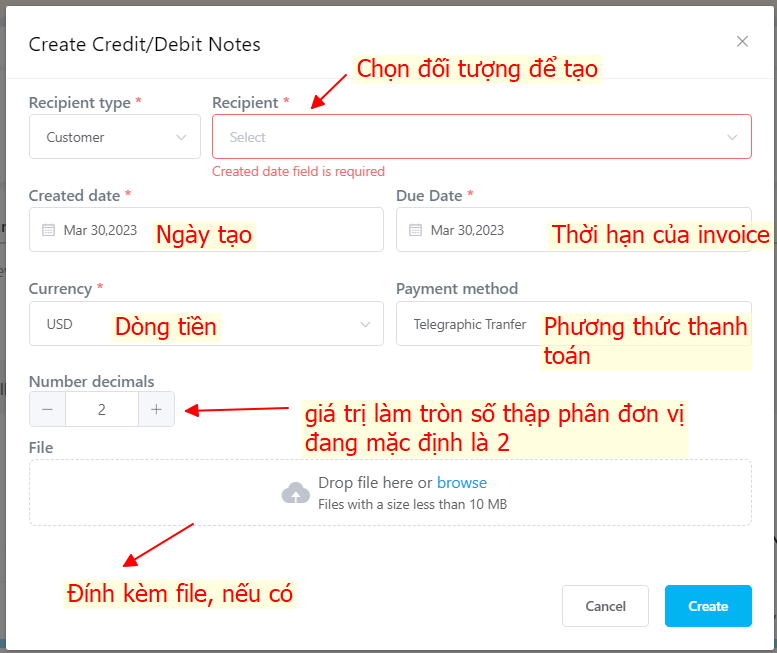
Step 3: Fill in the required information on the screen.
Issuing the Combined Invoice
After creating the combined draft invoice:
Go to Accounting → Revenues.
Locate the invoice with the status “Not Issue.”
Click Issue to officially generate and release the combined invoice.
Once issued, the invoice will be saved and managed under the “Issue Combine” tab.
You will then have two actions available:
View – to open and review the combined invoice
Delete – to remove the combined invoice if needed
Was this article helpful?
That’s Great!
Thank you for your feedback
Sorry! We couldn't be helpful
Thank you for your feedback
Feedback sent
We appreciate your effort and will try to fix the article