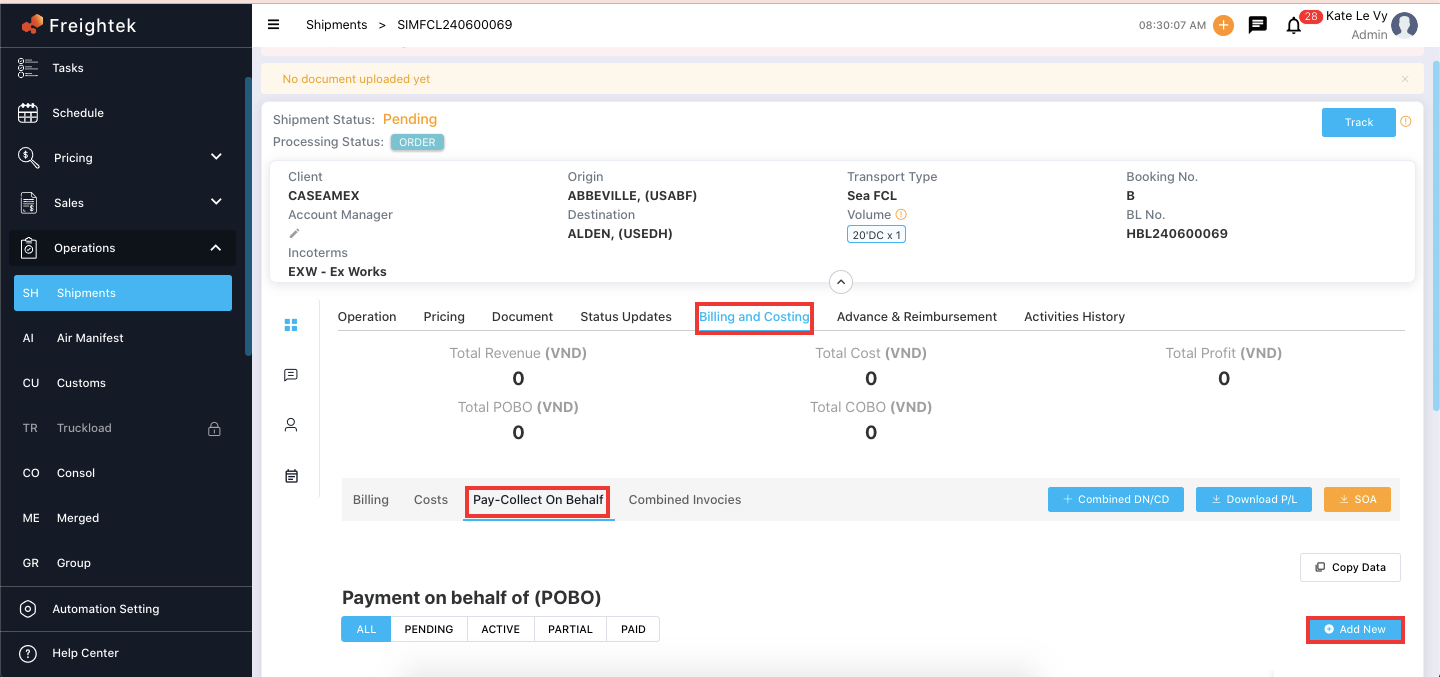
Step 1: Go to Operation → Shipment → select a shipment → View → Billing & Costing → Pay-Collect on Behalf of
Step 2: Click Add New
Step 3: Enter the required information
1. Pay to
Select the party you are paying on behalf of:
Customer
Provider
Custom (manually input)
Select Invoicing Information (Pay to): This is the billing information shown on the vendor’s invoice.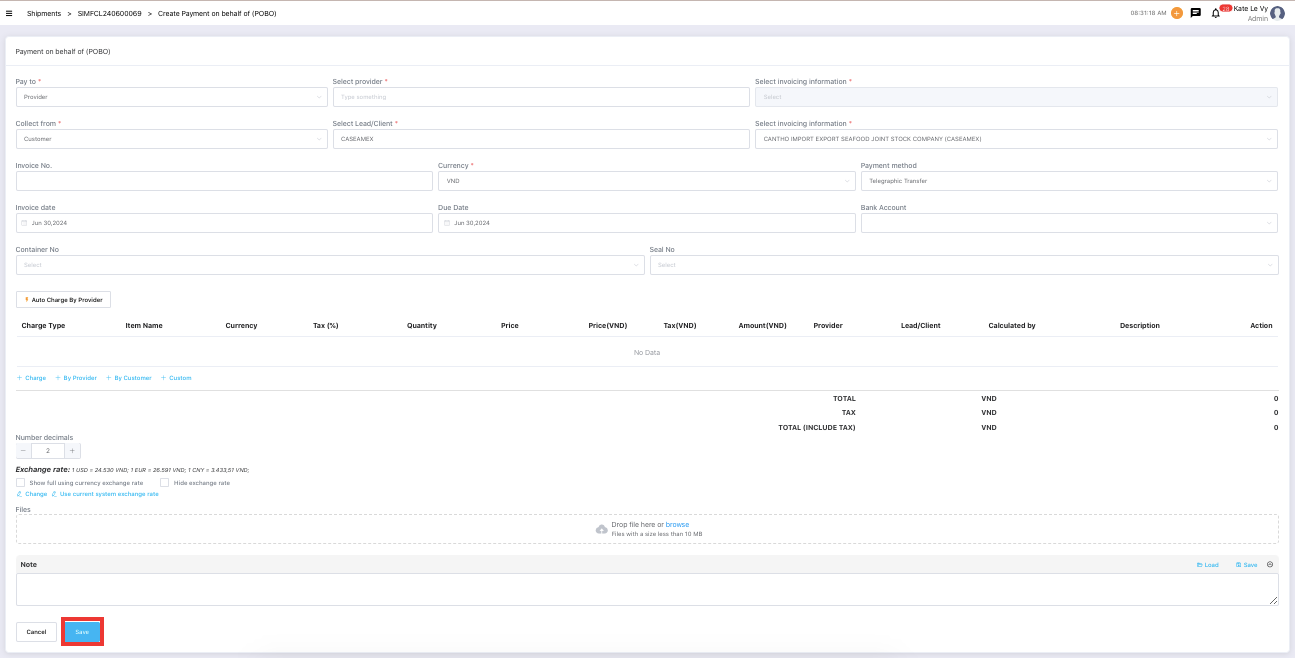
2. Collect from: Select the party you will collect payment from:
Customer
Provider
Custom
Select Invoicing Information: This is the billing information shown on the invoice you issue to your customer.
3. Other fields
Invoice No: Vendor invoice number
Currency: Currency of the transaction
Payment Method: Cash / Telegraphic Transfer
Invoice Date: Date of creating the COBO/POBO
Due Date: Payment due date
System defaults based on invoice date
If the partner has a predefined Credit Period, the system will apply it automatically
4. Charge details: Click Custom to manually add charge items.
5. Number Decimals (rounding)
System default: 2 decimal places
Click (+) or (–) to adjust rounding precision
6. Exchange Rate Settings
Click Change → manually adjust the exchange rate
Click Use currency system exchange rate → use the default exchange rate set in
Settings → Library → Exchange Rate
7. Other fields
Attached Files: Upload documents if needed
Note: Add internal notes
Step 4: Click Save to complete.
The system will automatically generate one COBO (Collect On Behalf Of) and one POBO (Pay On Behalf Of) entry, as shown below.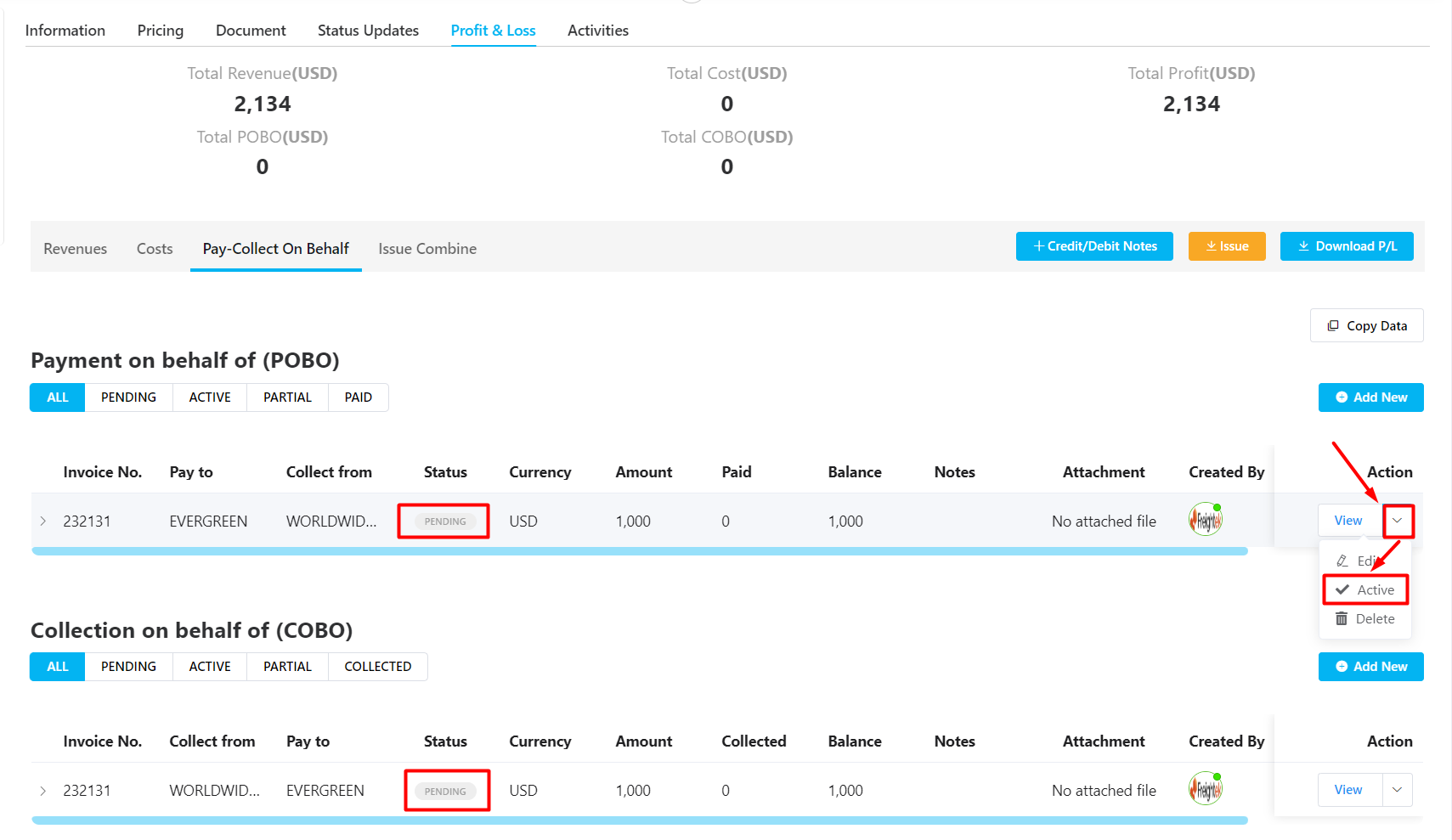
Status Handling
New entries will show Pending
Click Confirm to change status to Active
Once the status becomes Active, the system will automatically create corresponding accounting invoices under the Accounting tab.
You can then proceed with payment recording and debt management.
Was this article helpful?
That’s Great!
Thank you for your feedback
Sorry! We couldn't be helpful
Thank you for your feedback
Feedback sent
We appreciate your effort and will try to fix the article