1. Create a Payment Request for COST
Step 1: Go to the list of invoices to be paid
From the menu, go to Accounting → Cost to view the list of invoices that require a payment request.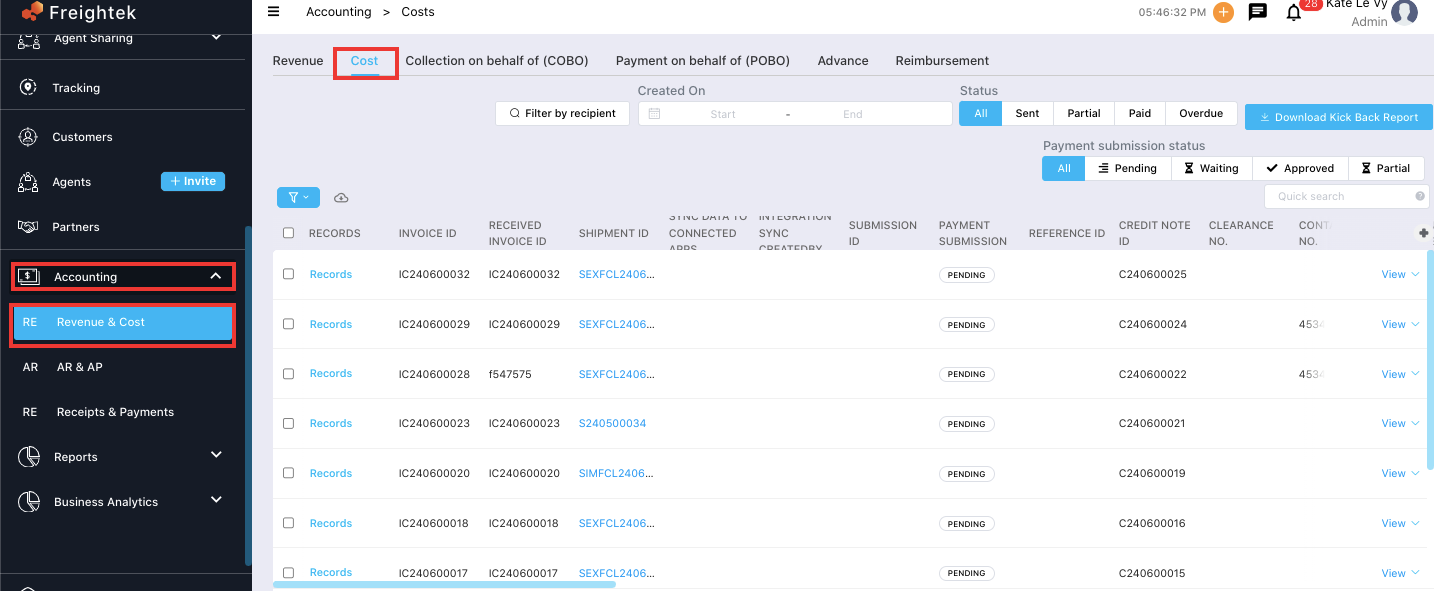
Step 2: Filter by recipient
Use Filter by Recipient to select the vendor or partner that needs to be paid.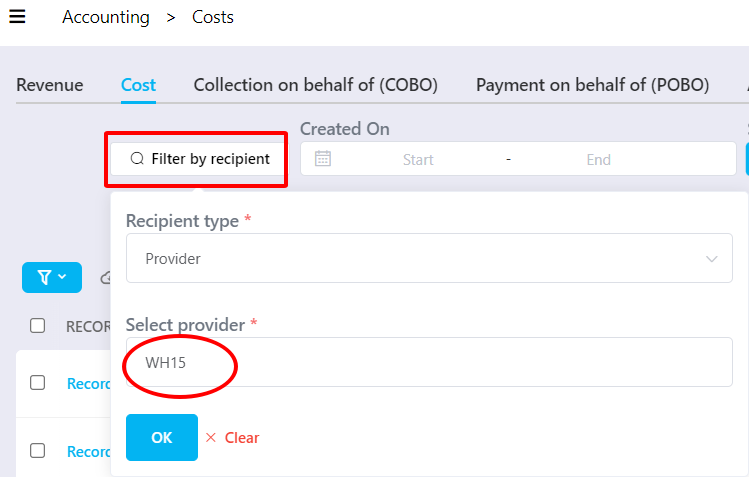
Step 3: Select invoices to be paid
Use Freightek’s filters to find the invoices that require payment → Tick the checkboxes to select them. (Only invoices with Payment Submission Status = Pending can be requested.)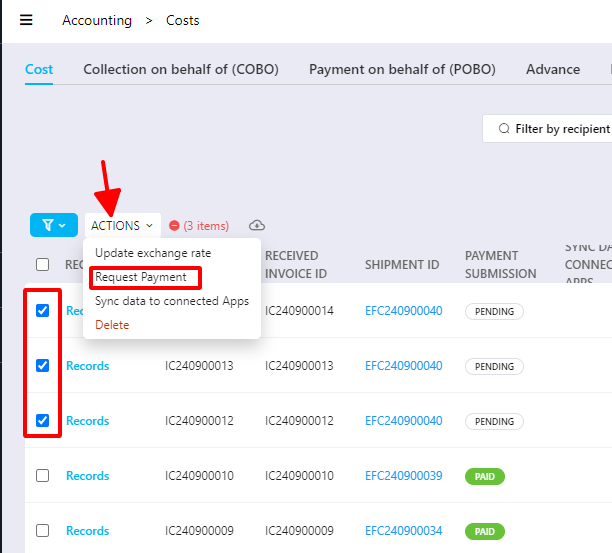
Then follow: (1) Action → (2) Request Payment → (3) Click Request in the popup window to submit the payment request.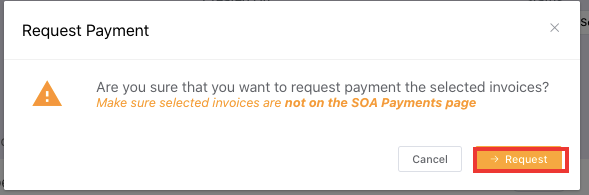
After the request is created successfully:
The Payment Submission column will change from Pending → Waiting
The payment request will appear in the Payment Submission tab for approval and tracking

Explanation of Payment Request Statuses
Waiting: The payment request has been created and is pending approval.
Approved: The payment request has been reviewed and approved.
Partial: A portion of the requested amount has been paid.
Paid: The full requested amount has been paid.
Reject: The payment request has been rejected.
2. Create a Payment Request for POBO
Step 1: Go to the list of invoices to be paid
From the menu, go to Accounting → POBO to view invoices requiring a payment request.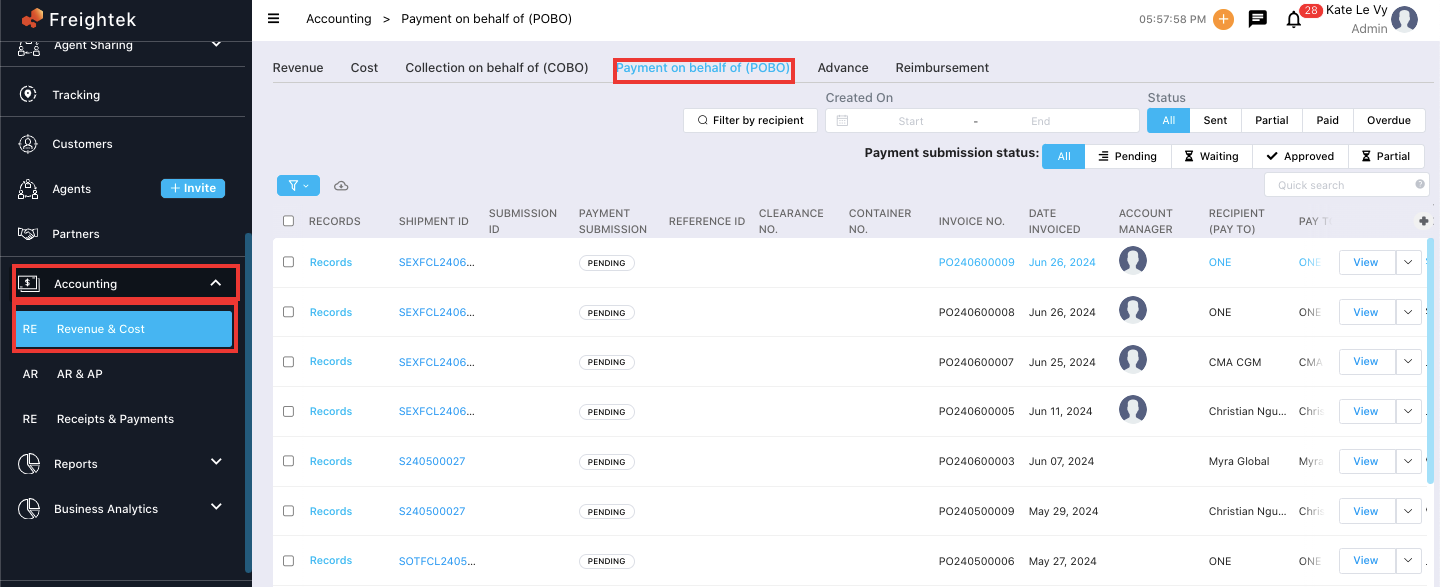
Step 2: Select invoices to be paid
Use filters to search for the invoices → Tick the checkboxes for invoices that need payment.
(Only invoices with Payment Submission Status = Pending can be requested.)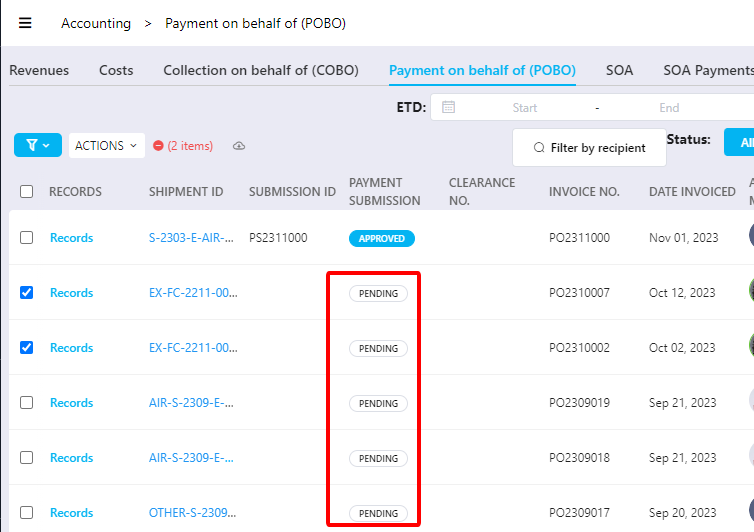
Step 3: Submit the payment request: (1) Action → (2) Request Payment → (3) Click Request in the popup window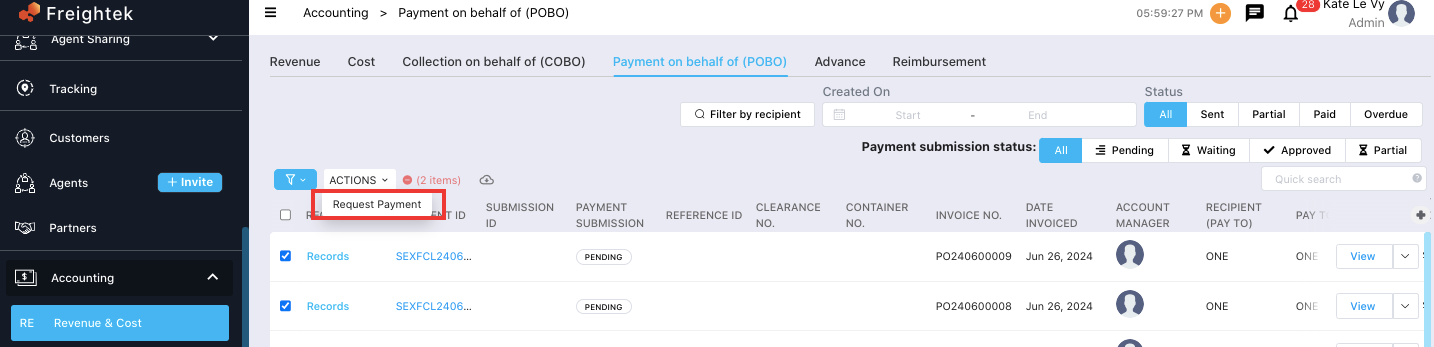
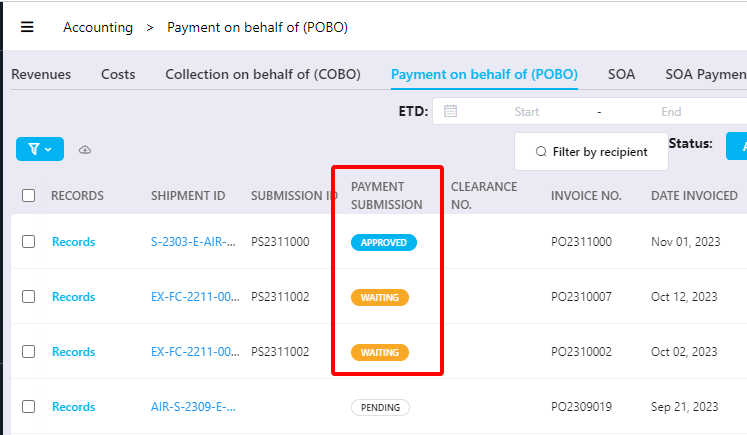
Once submitted successfully:
Payment Submission status changes from Pending → Waiting
The request will appear in the Payment Submission tab for approval and processing
Was this article helpful?
That’s Great!
Thank you for your feedback
Sorry! We couldn't be helpful
Thank you for your feedback
Feedback sent
We appreciate your effort and will try to fix the article