Management expenses refer to all company costs not related to any shipment, such as office supplies, office rent, electricity, water, and other administrative expenses.
Step 1: Create an Expense (for the person who needs to be paid)
Go to: Accounting → Revenue & Cost → Expense → Add New Expense
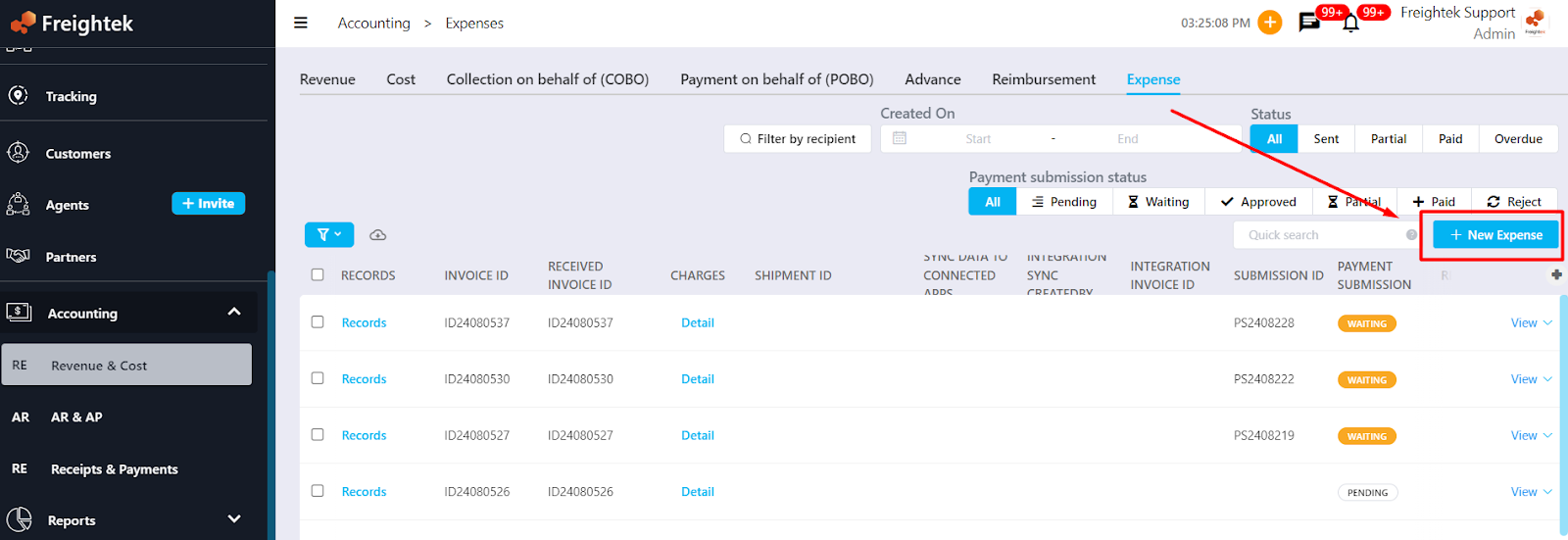
Enter the expense details and attach all supporting documents/files before saving the Expense
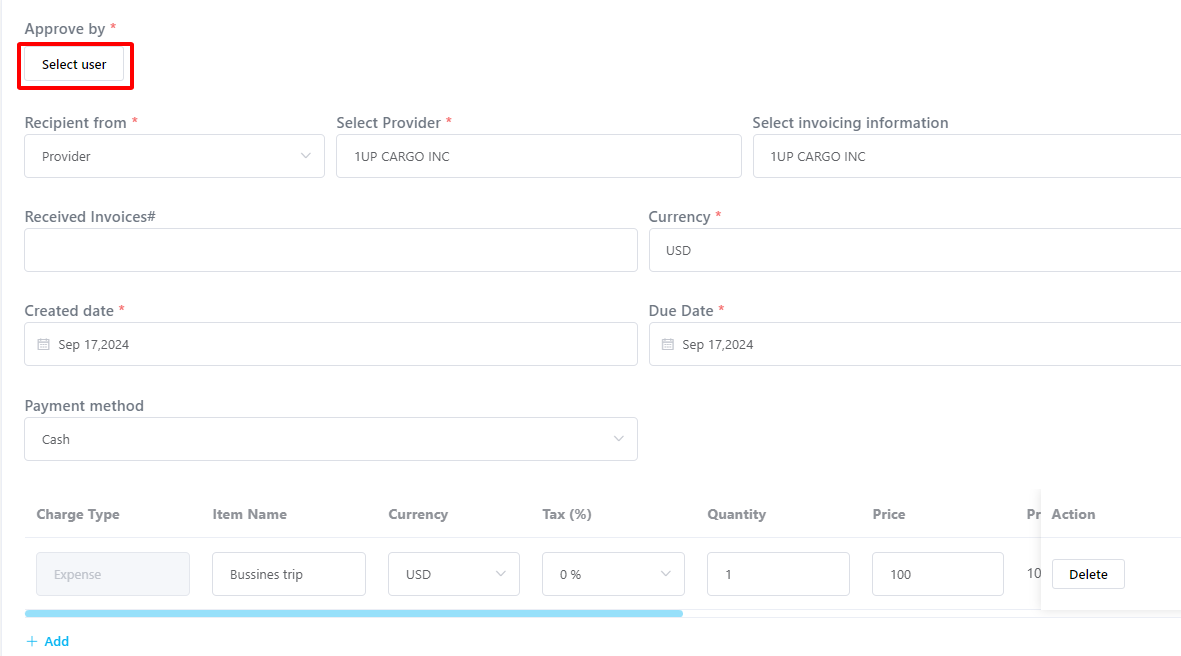
Step 2: Approve the Expense (for the approver)
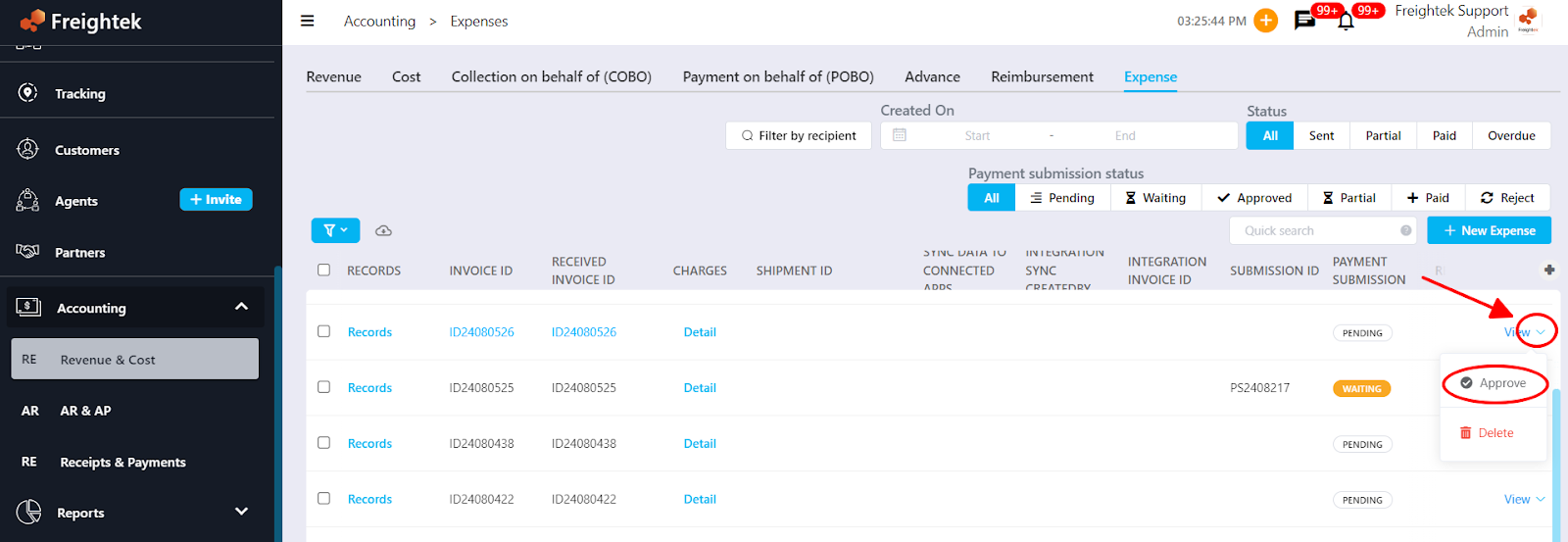
Select the Expense with status “Pending” → Click the arrow next to View → Choose Approve or Reject
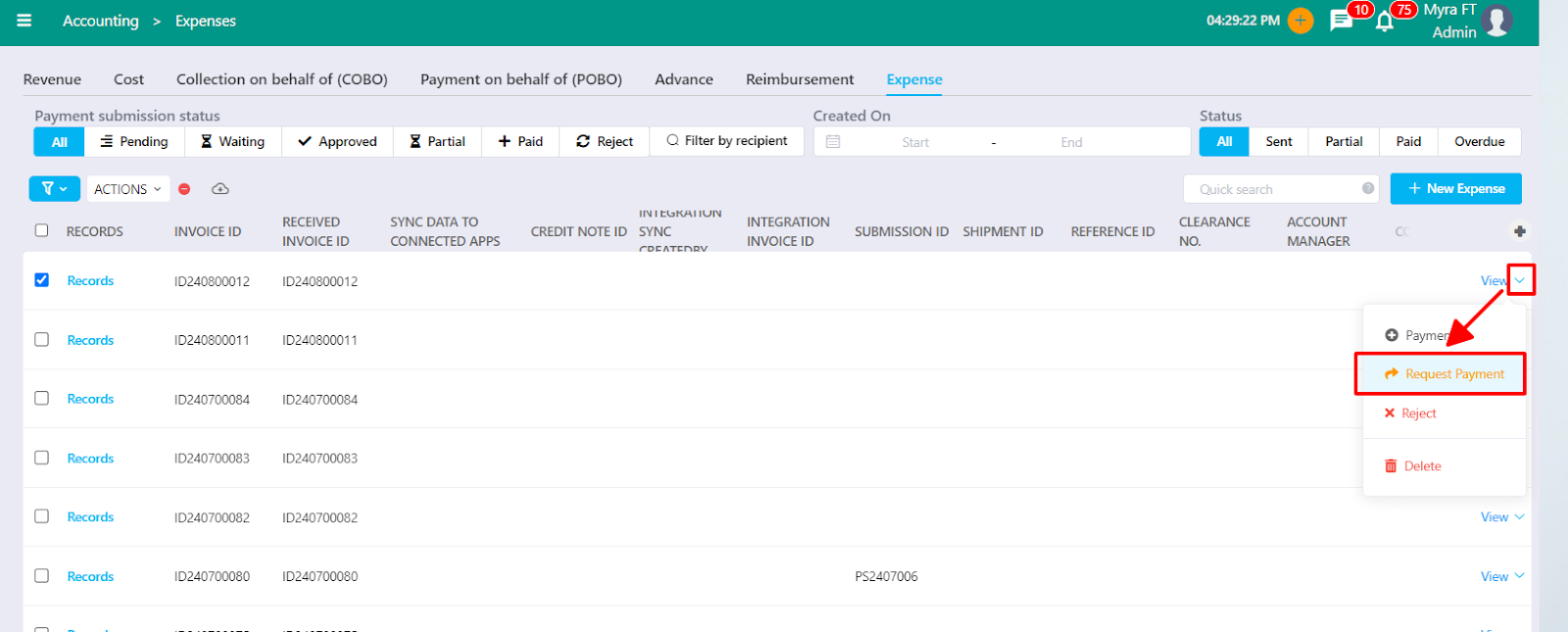
Step 3: Submit a Payment Request (after the expense is approved)
Once the Expense is Approved, create a Request Payment for the Accounting team to proceed with payment.
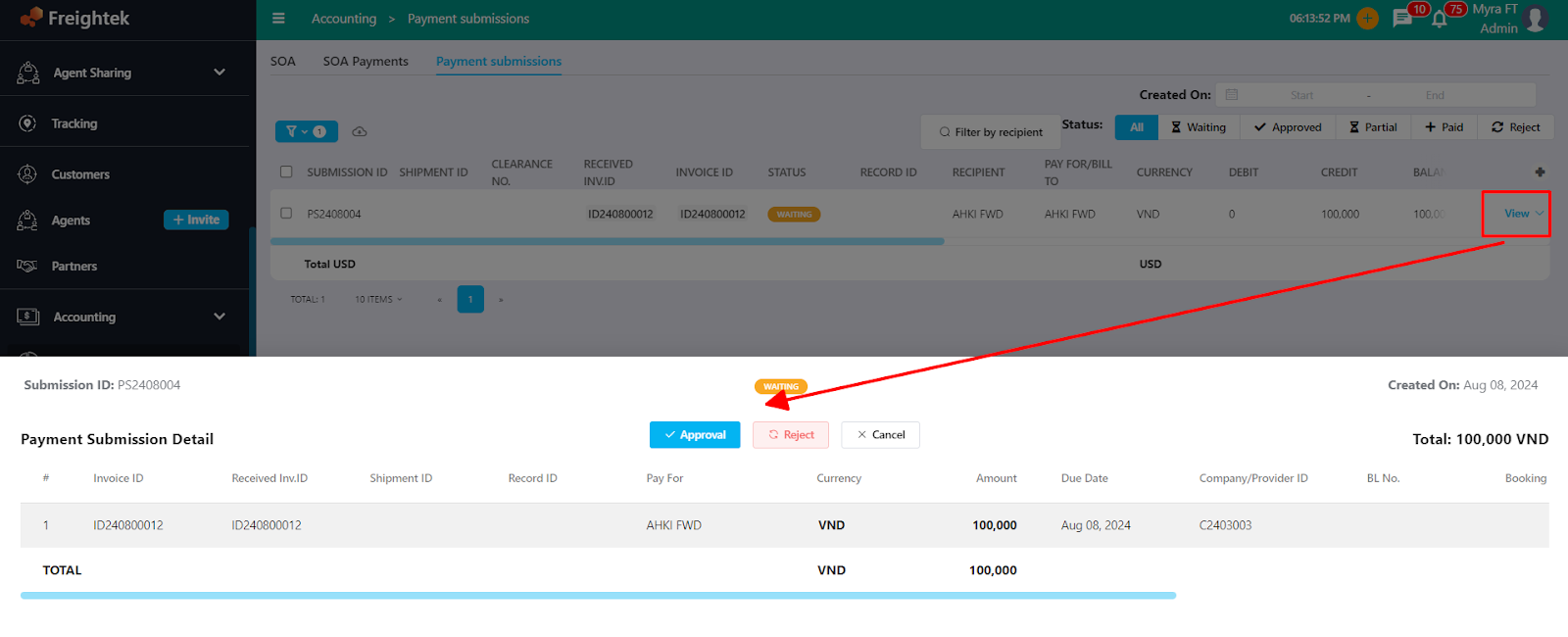
Step 4: Approve the Payment Request
Go to: Report → SOA → Payment Submission → Open the Request with status “Pending” → Choose Approve or Reject
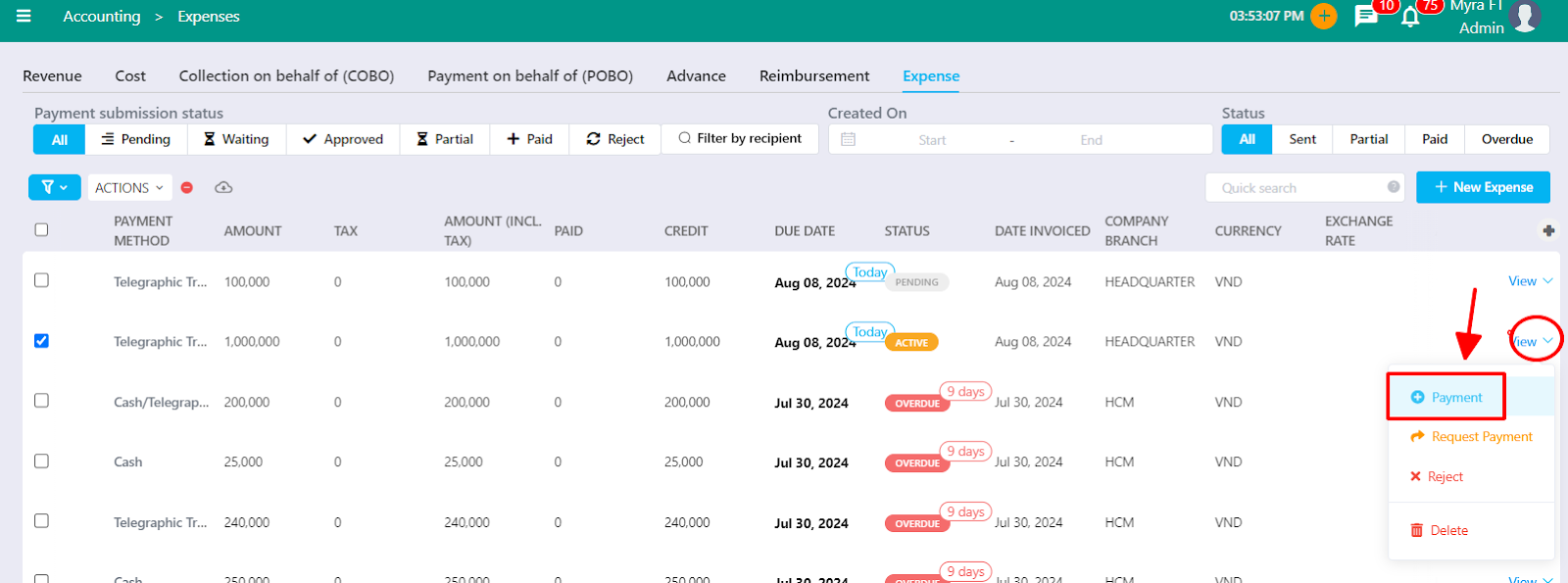
Step 5: Process the payment
The Accounting team records the payment by selecting the Approved request → clicking Payment.
Was this article helpful?
That’s Great!
Thank you for your feedback
Sorry! We couldn't be helpful
Thank you for your feedback
Feedback sent
We appreciate your effort and will try to fix the article