1. Set up Expense Categories
Step 1: Go to Automation Settings → Pricing → Expenses/Incomes
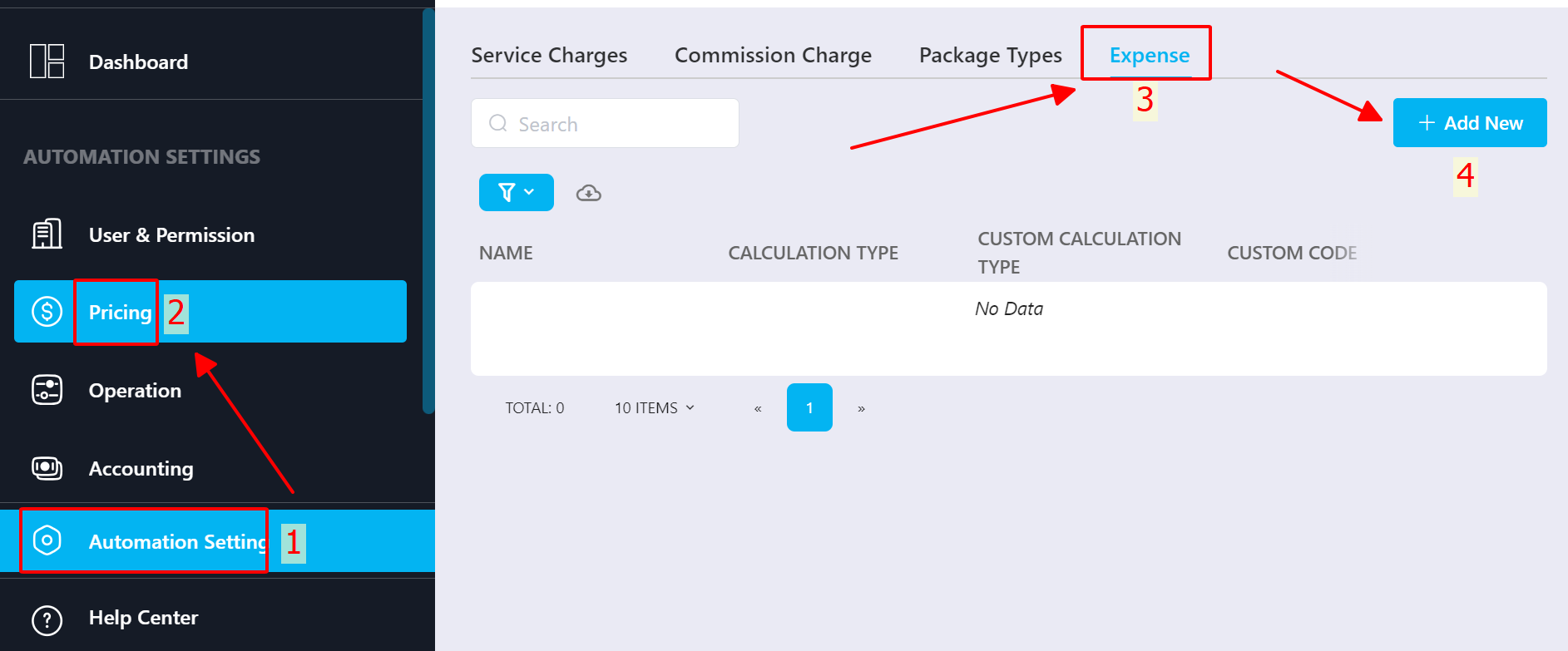
Step 2: Click +Add New to create a new expense category → Save
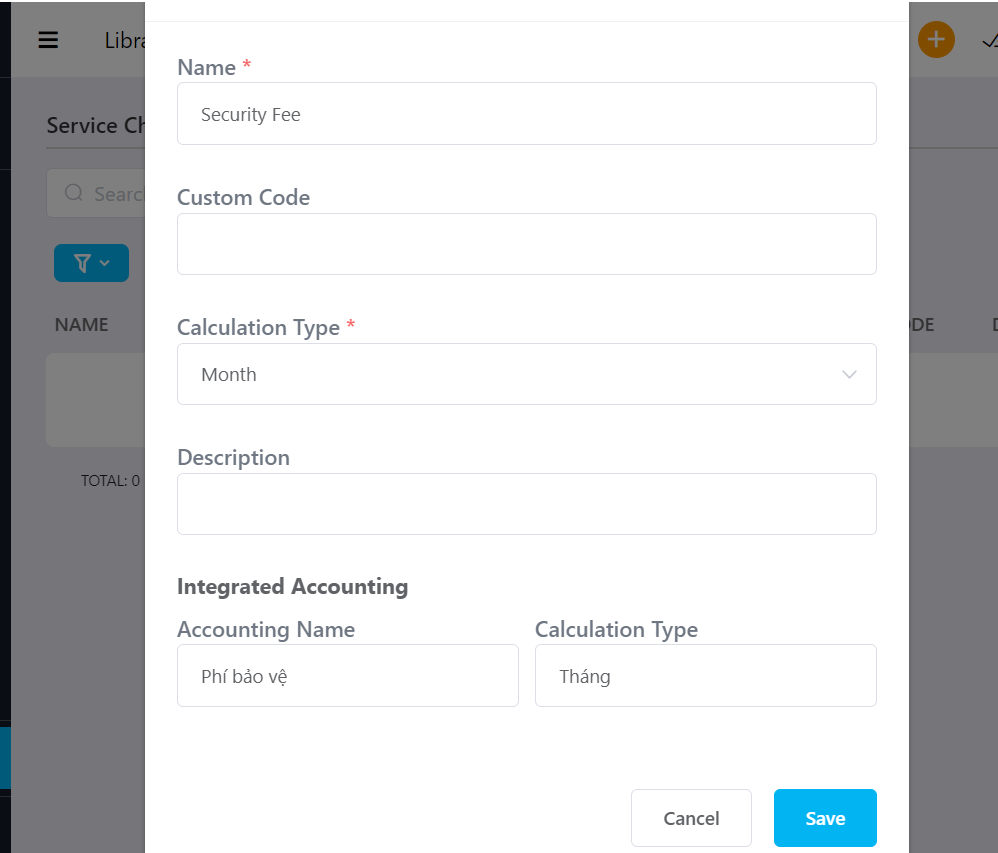
Fields include:
Name: Expense name
Custom code: Optional code
Calculation type: Unit of calculation
Description: Detailed description
Integrated Accounting
Accounting name: Name displayed on invoice
Calculation type: Unit displayed on invoice
2. Add the Paying Entity (Vendor / Staff)
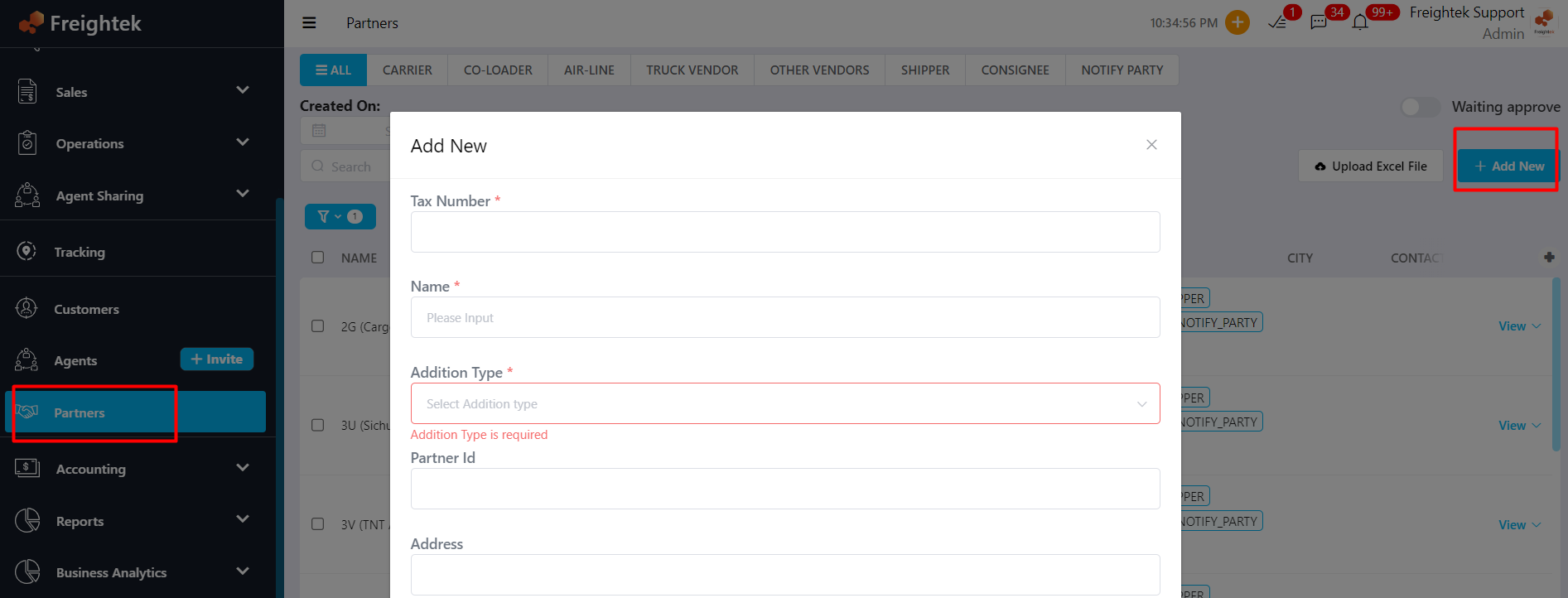
Go to Partner → + Add New
Fill in required information → Select Type: Other Vendor → Save
3. Create an Expense Record
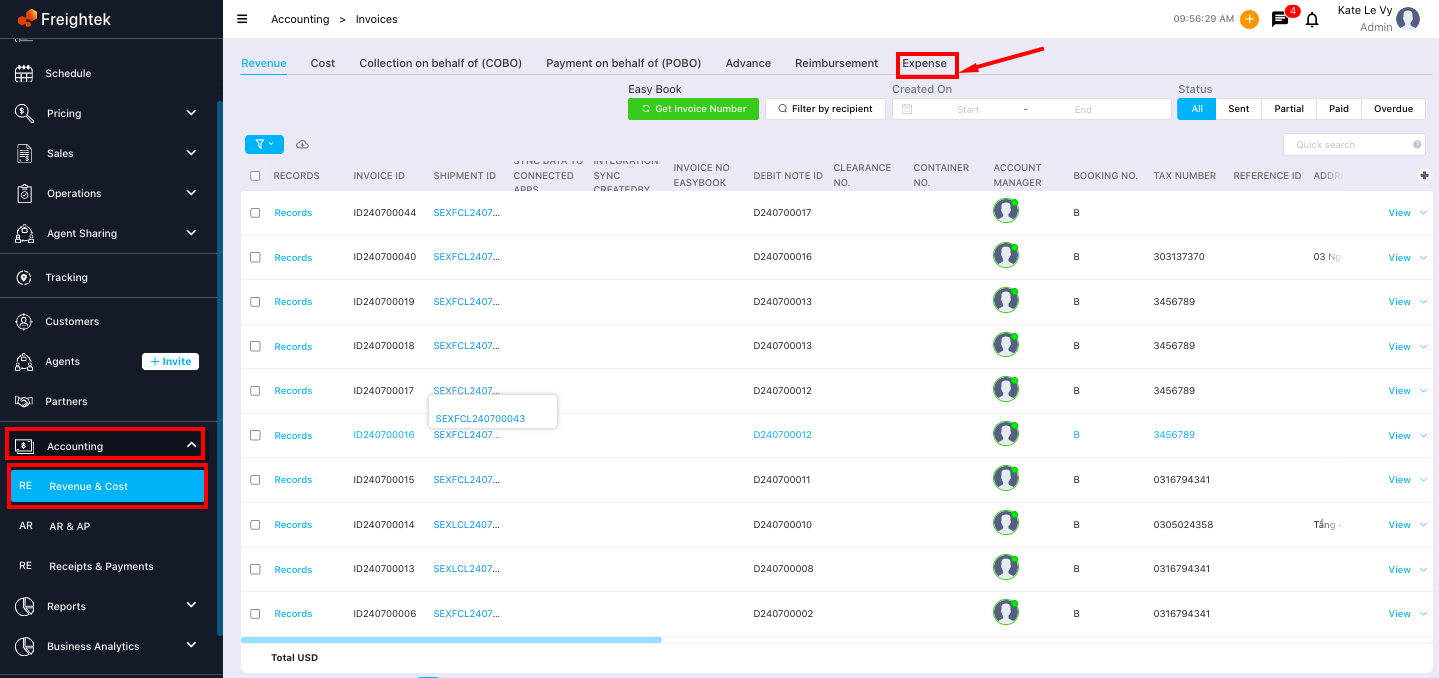
Step 1: Go to Accounting → Revenue & Cost → Expense
Step 2: Click New Expense
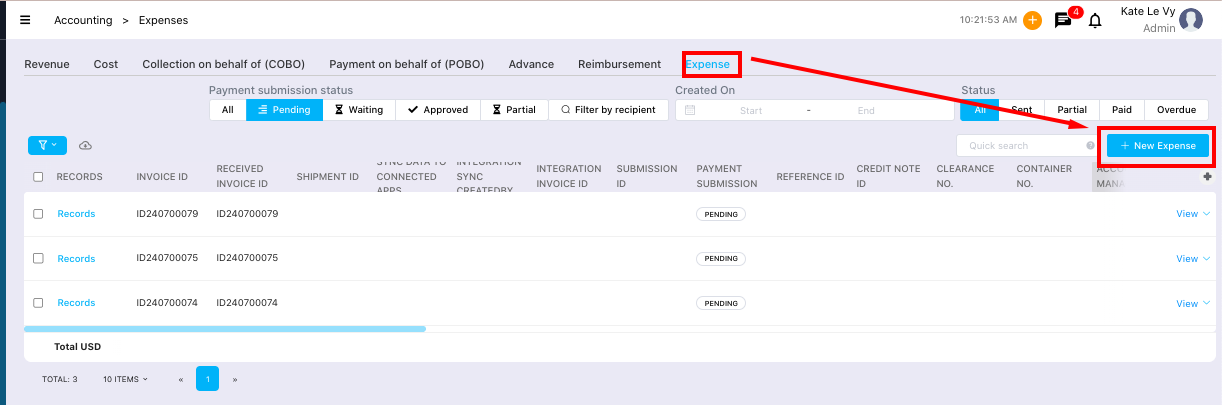
Step 3: Fill in all required fields and add expense line items (Upload invoices if available), then click Save.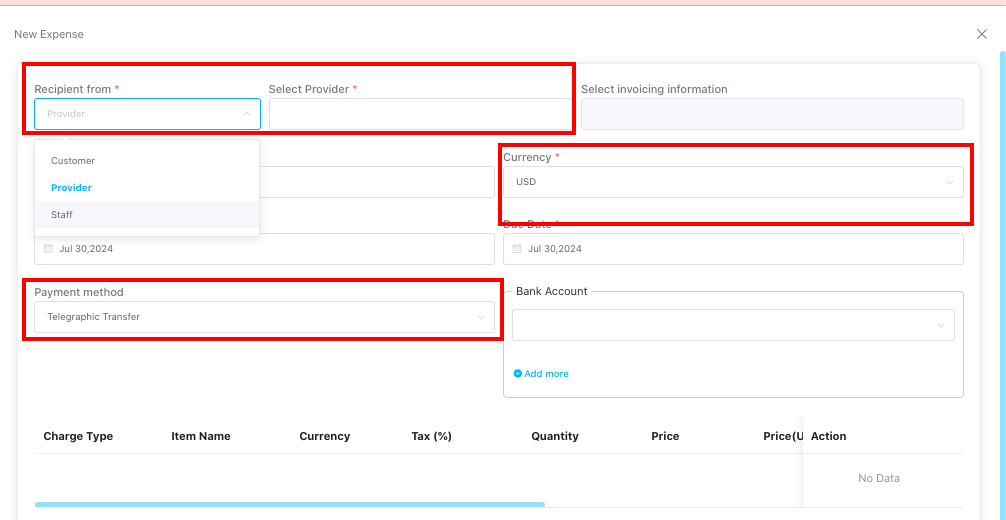
Notes:
If the expense is paid directly to the vendor, select Provider
If the expense was paid by staff and needs reimbursement → select Staff,
and under Invoicing Information, choose the vendor’s invoicing details
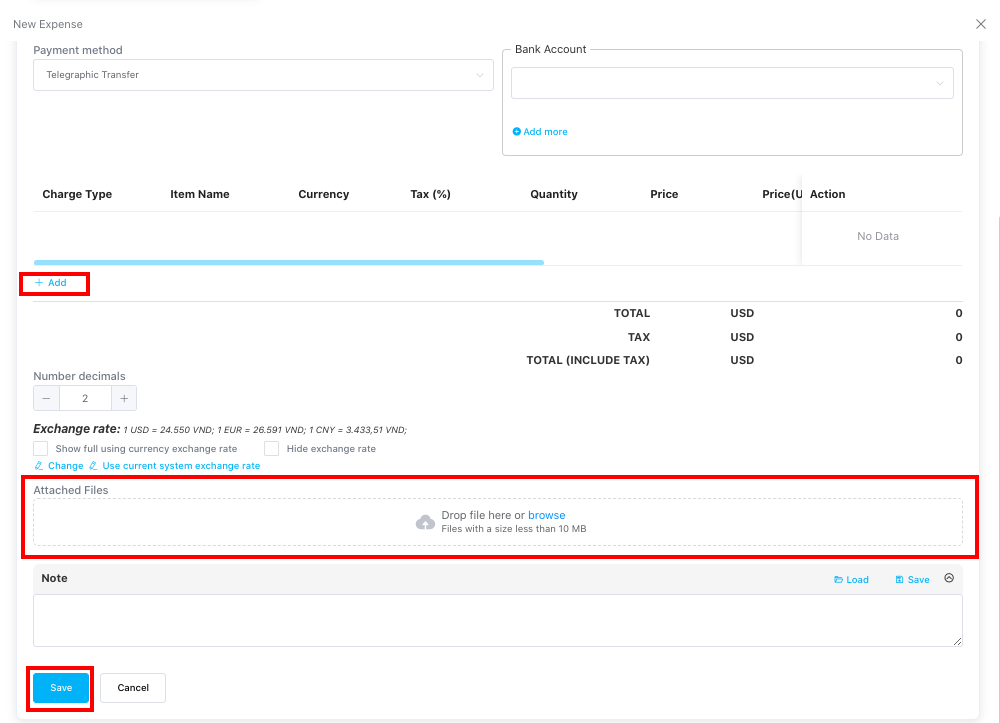
Make sure to upload related files/invoices if any.
Step 4: Click the arrow next to View → Approve
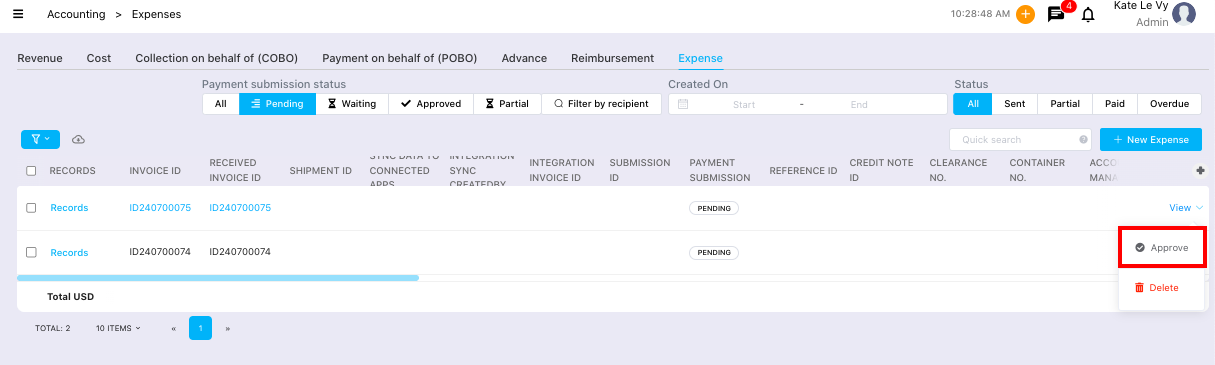
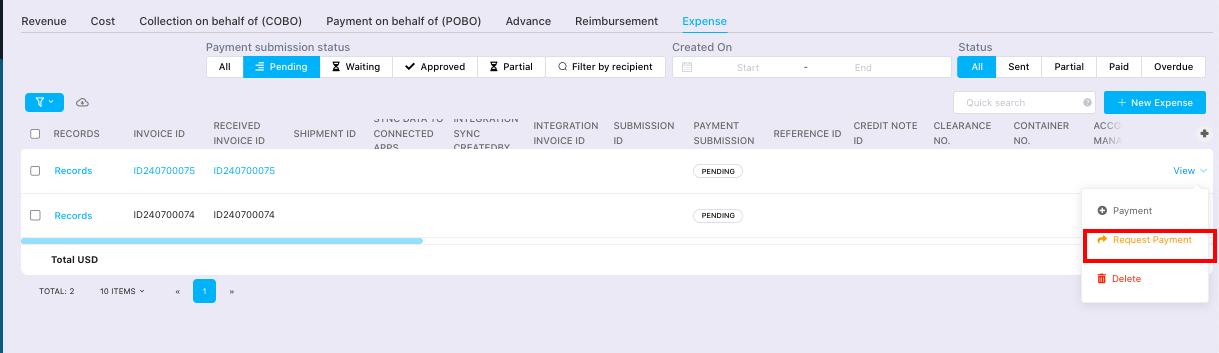
Step 5: Click the arrow next to View → Request Payment
Step 6: Click Request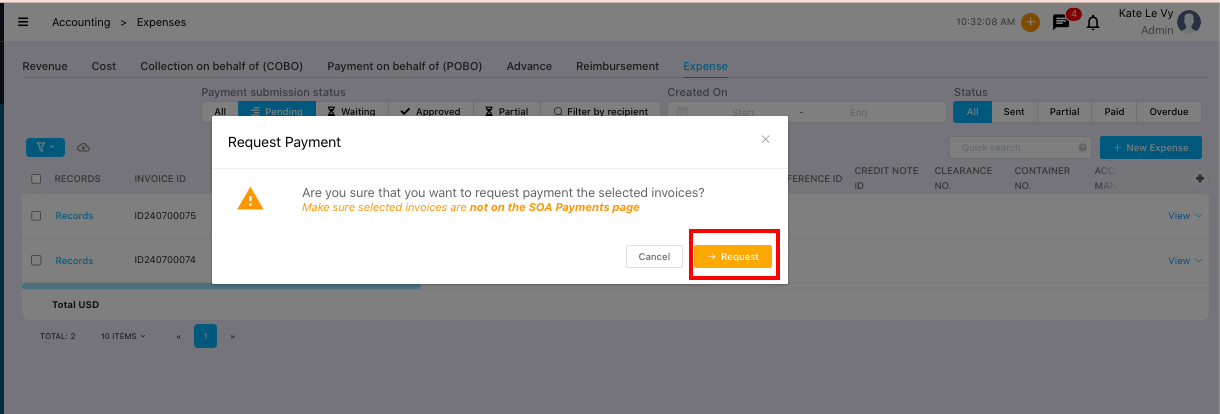
Was this article helpful?
That’s Great!
Thank you for your feedback
Sorry! We couldn't be helpful
Thank you for your feedback
Feedback sent
We appreciate your effort and will try to fix the article