ADVANCE
Step 1: Create an Advance request (for the person requesting the advance)
Go to: Accounting → Revenue & Cost → Advance → Add New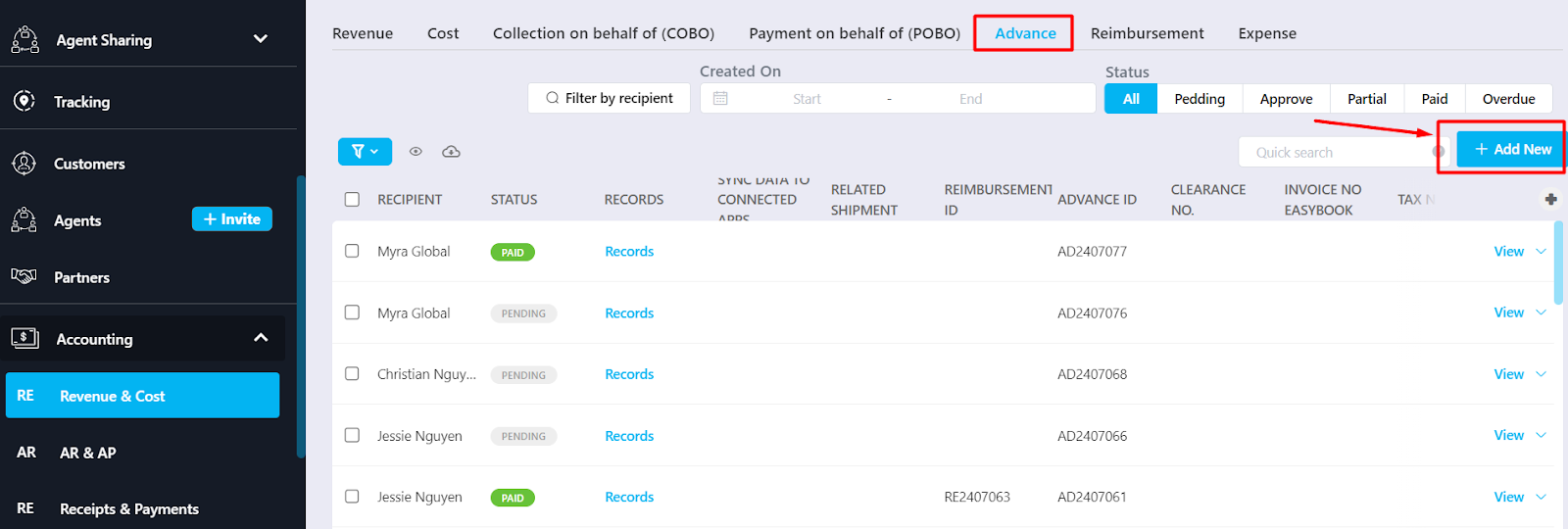
Note: Select the correct staff requesting the advance and enter a detailed description in the Description field before saving the Advance.
Step 2: Approve the Advance (for the approver)
Select the Advance with status Pending → Click the arrow next to View → Click Confirm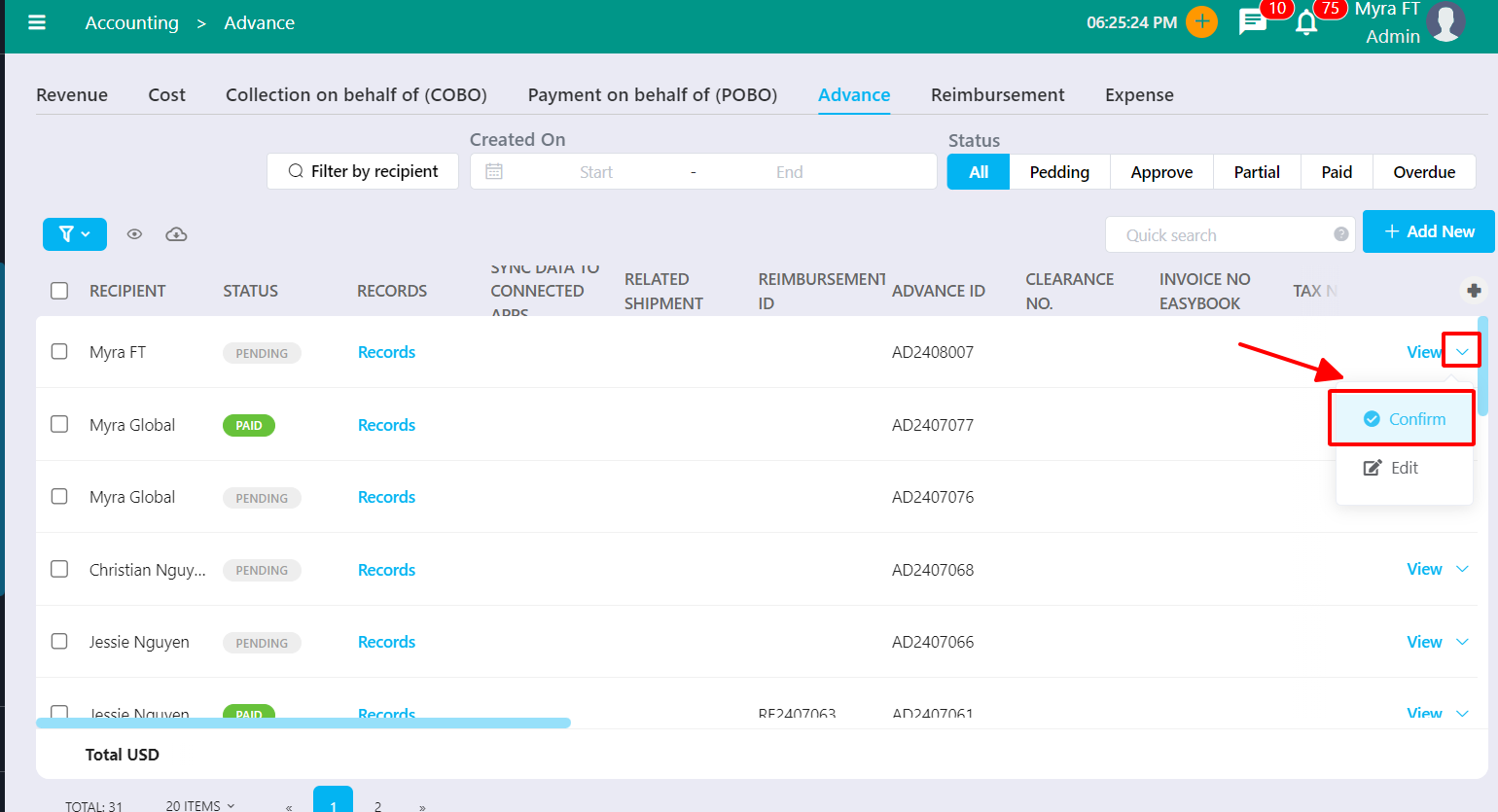
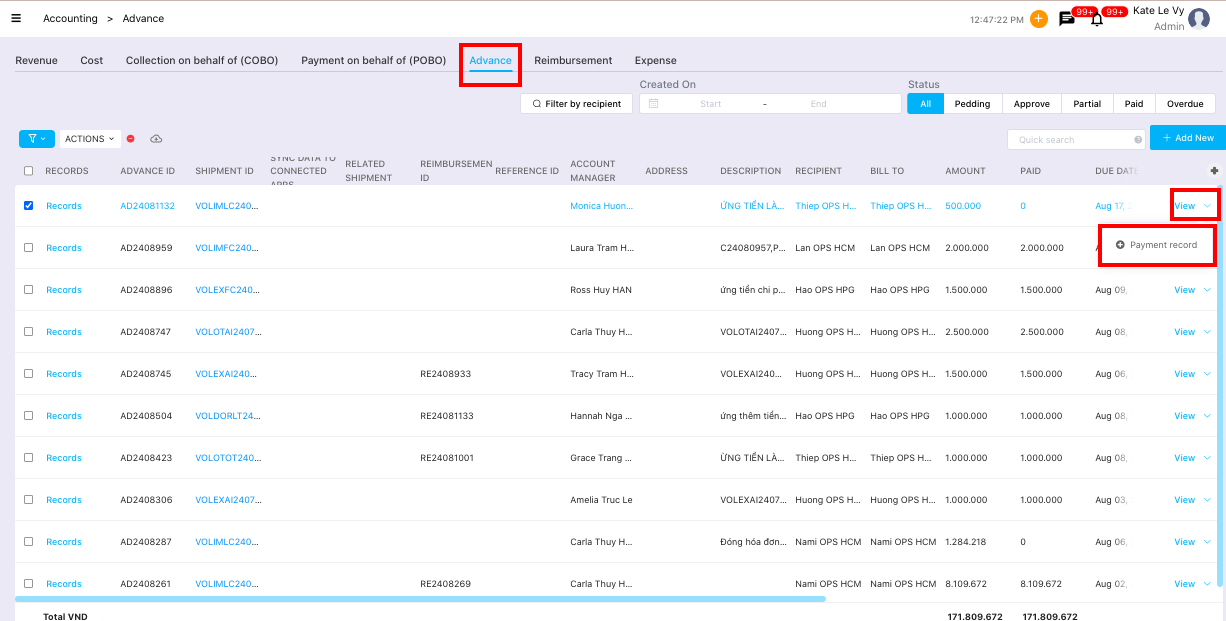
Step 3: Disburse the Advance
REIMBURSEMENT
Step 1: Create the actual expense in Expense
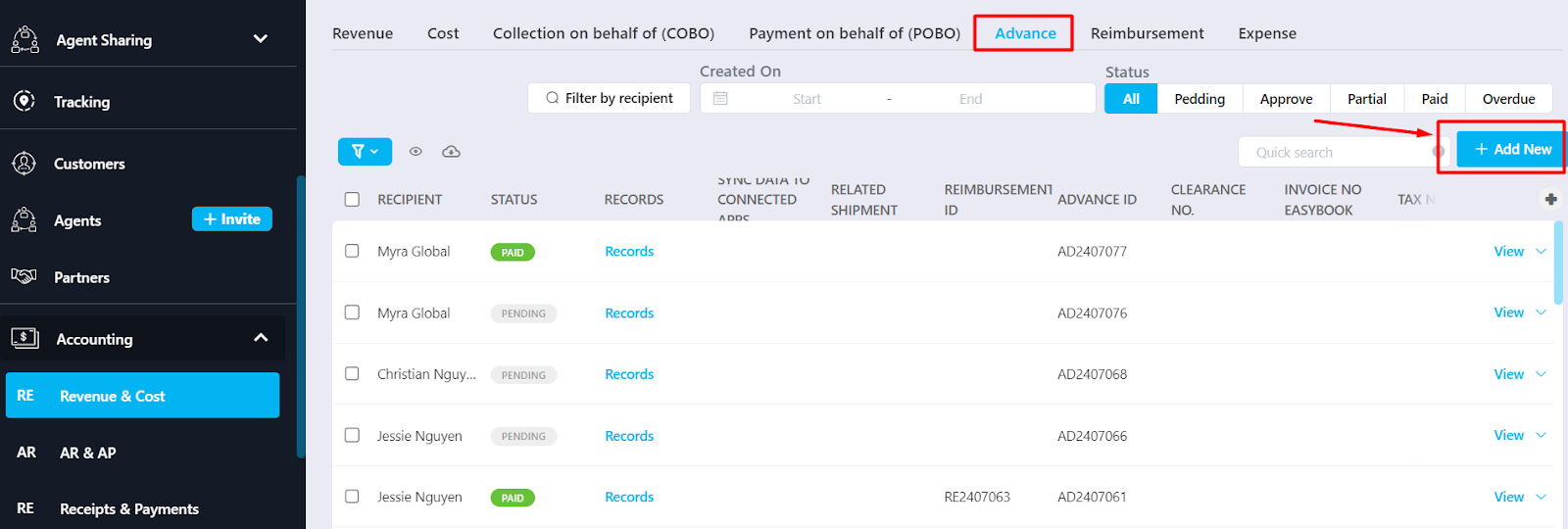
Go to: Accounting → Revenue & Cost → Expense → Add New Expense
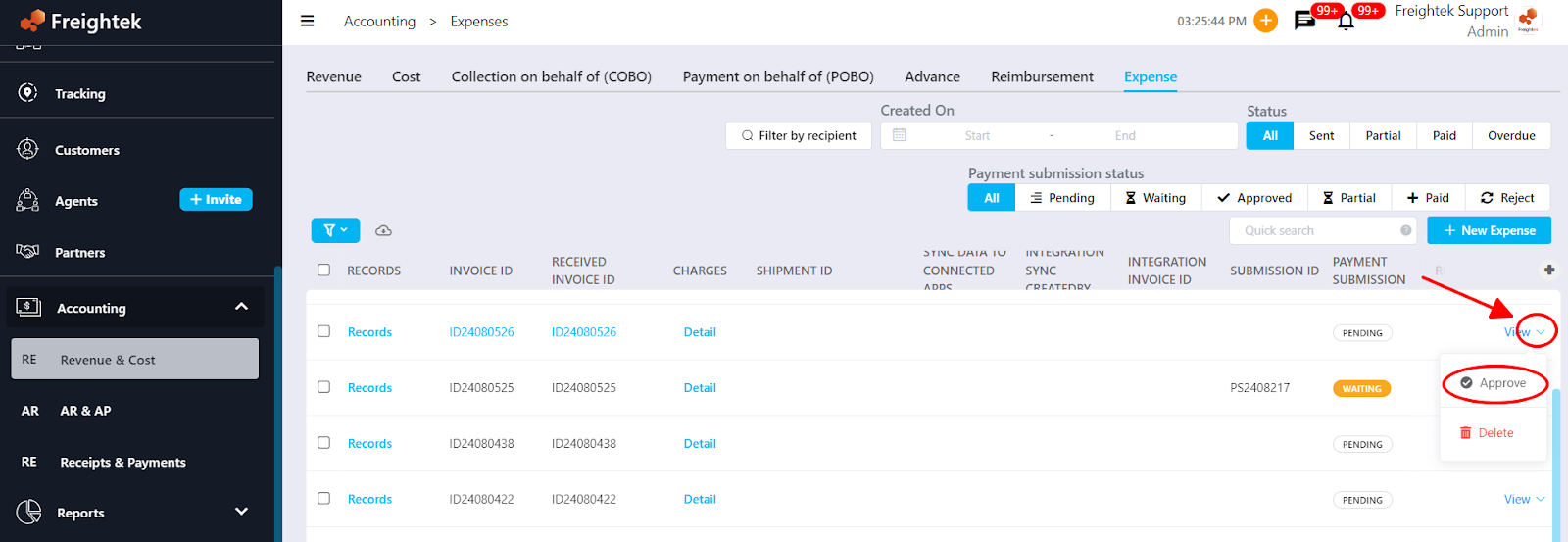
Step 2: Approve the actual expense (for the approver)
Select the Expense with status Pending → Click the arrow next to View → Click Approve or Reject
Step 3: Submit a Payment Request for the approved Expense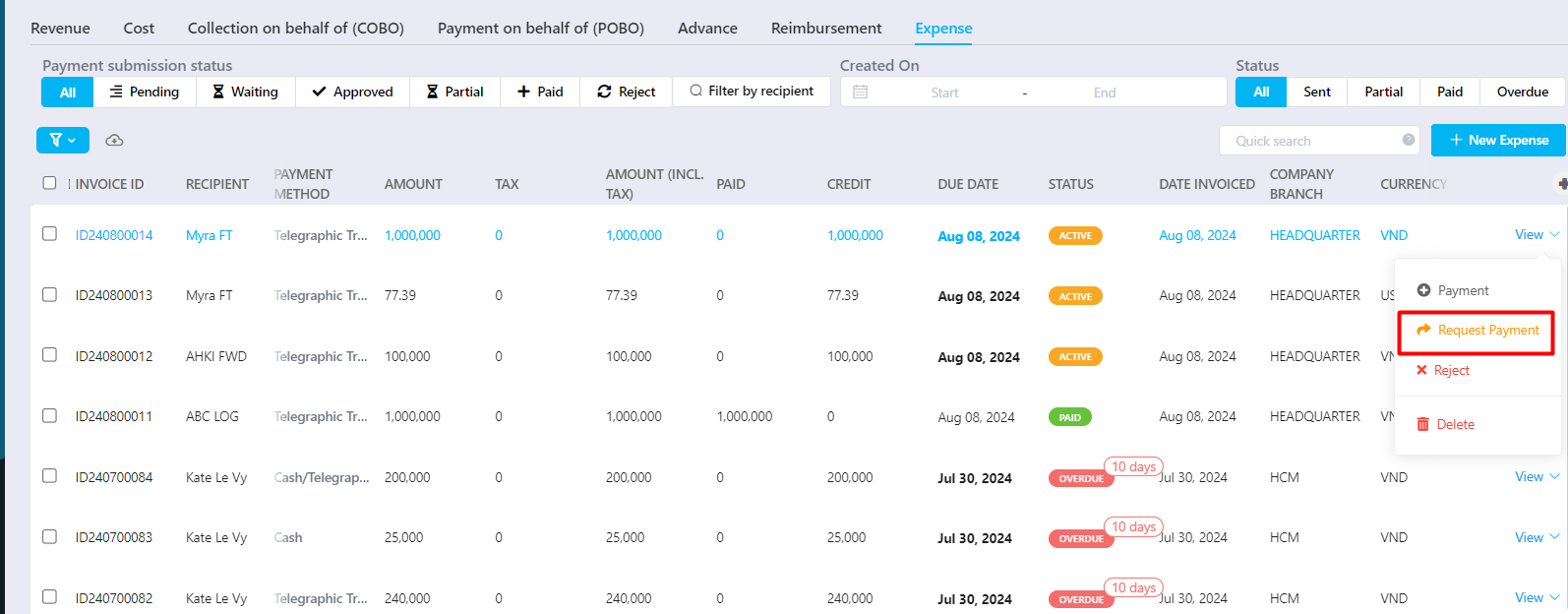
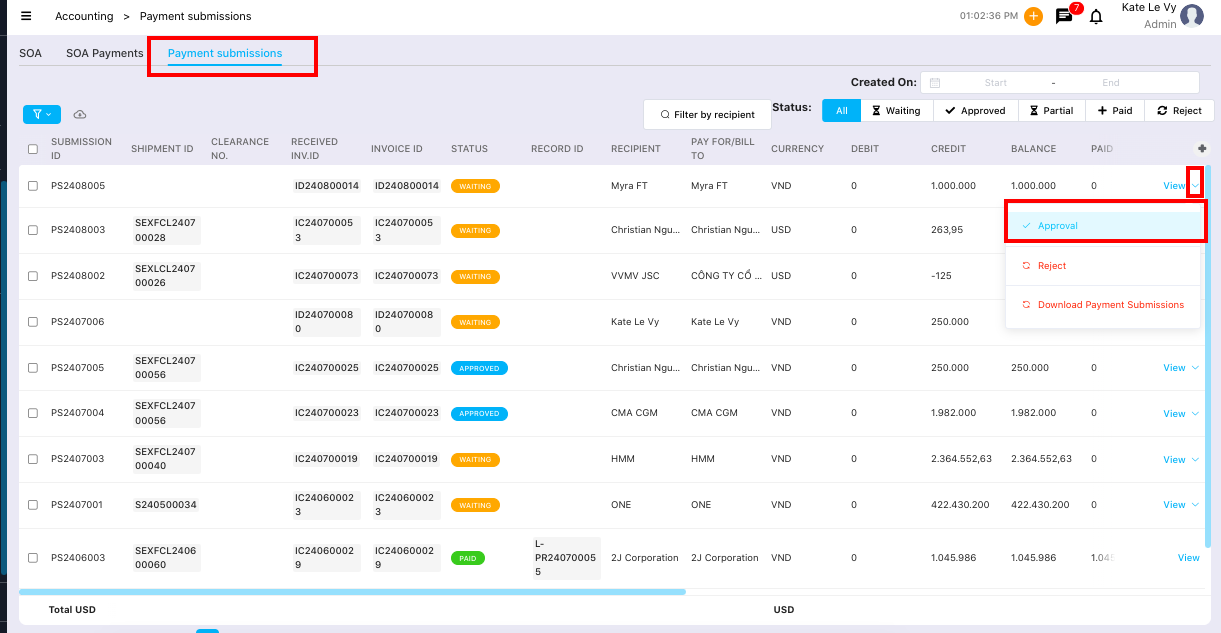
Step 4: Accounting approves the Payment Request
Go to: Report → SOA → Payment Submission → Open the Request with status Pending → Click Approve or Reject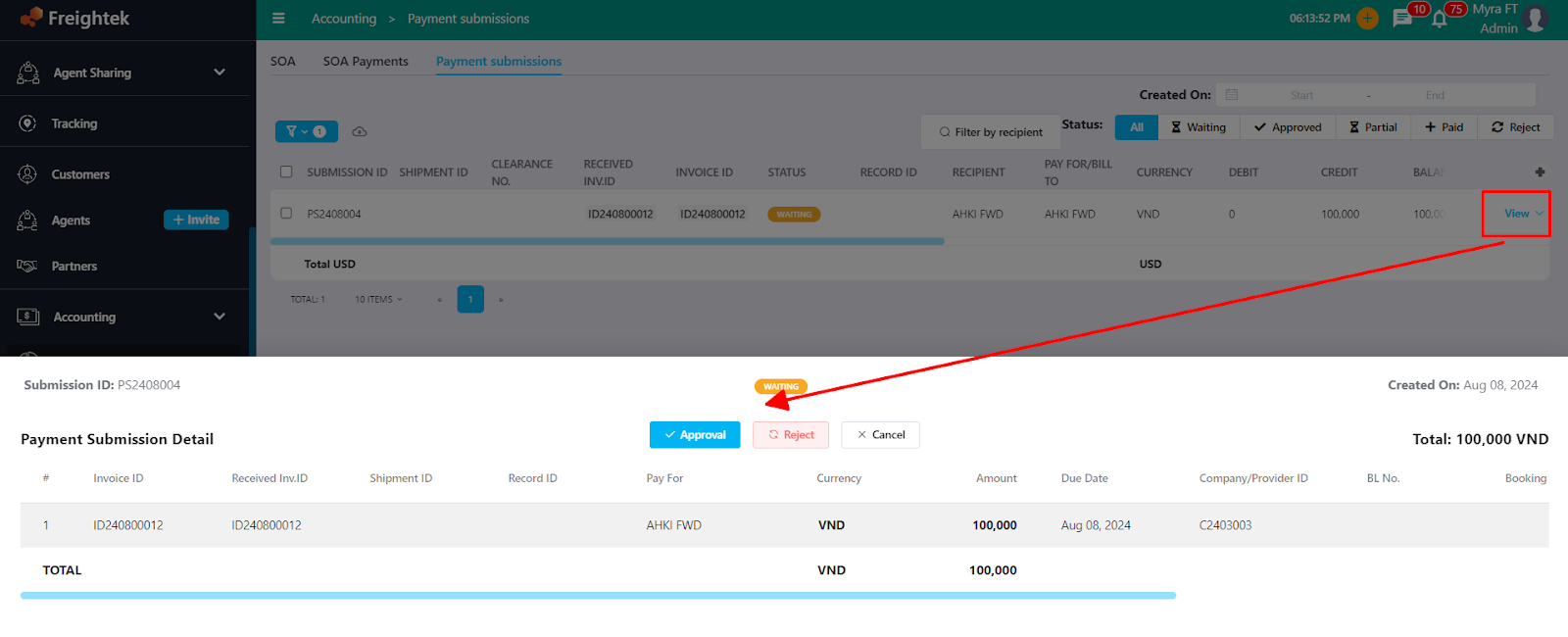
Step 5: Create a Reimbursement for the original Advance
Go to: Accounting → Revenue & Cost → Reimbursement → Add New
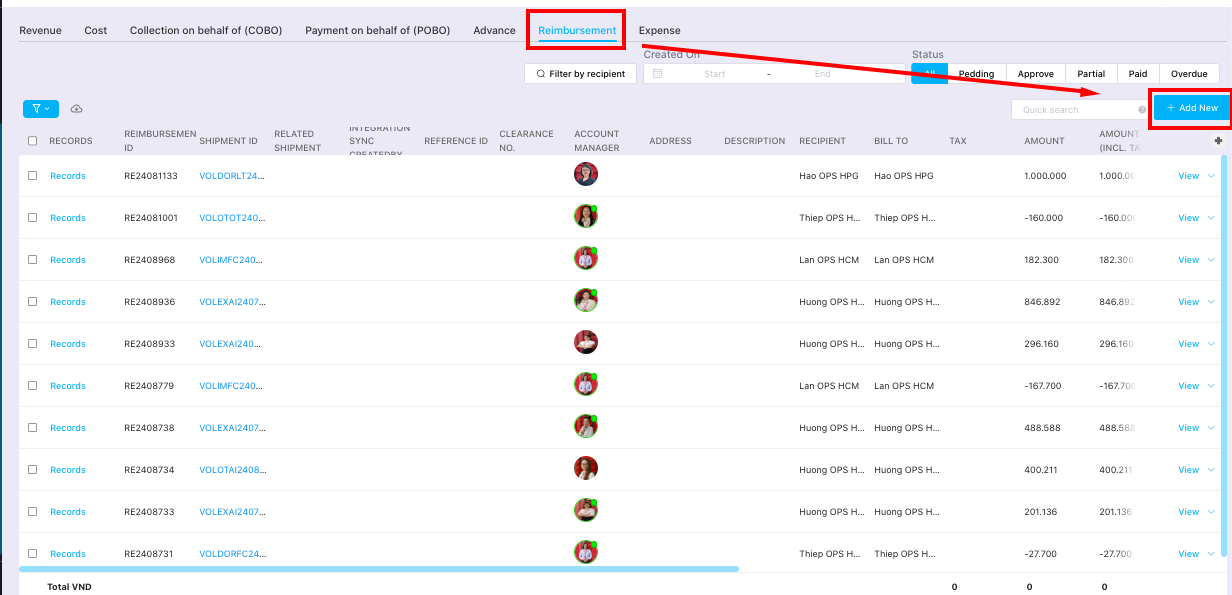
Select the Staff requesting reimbursement and select the related Advance ID.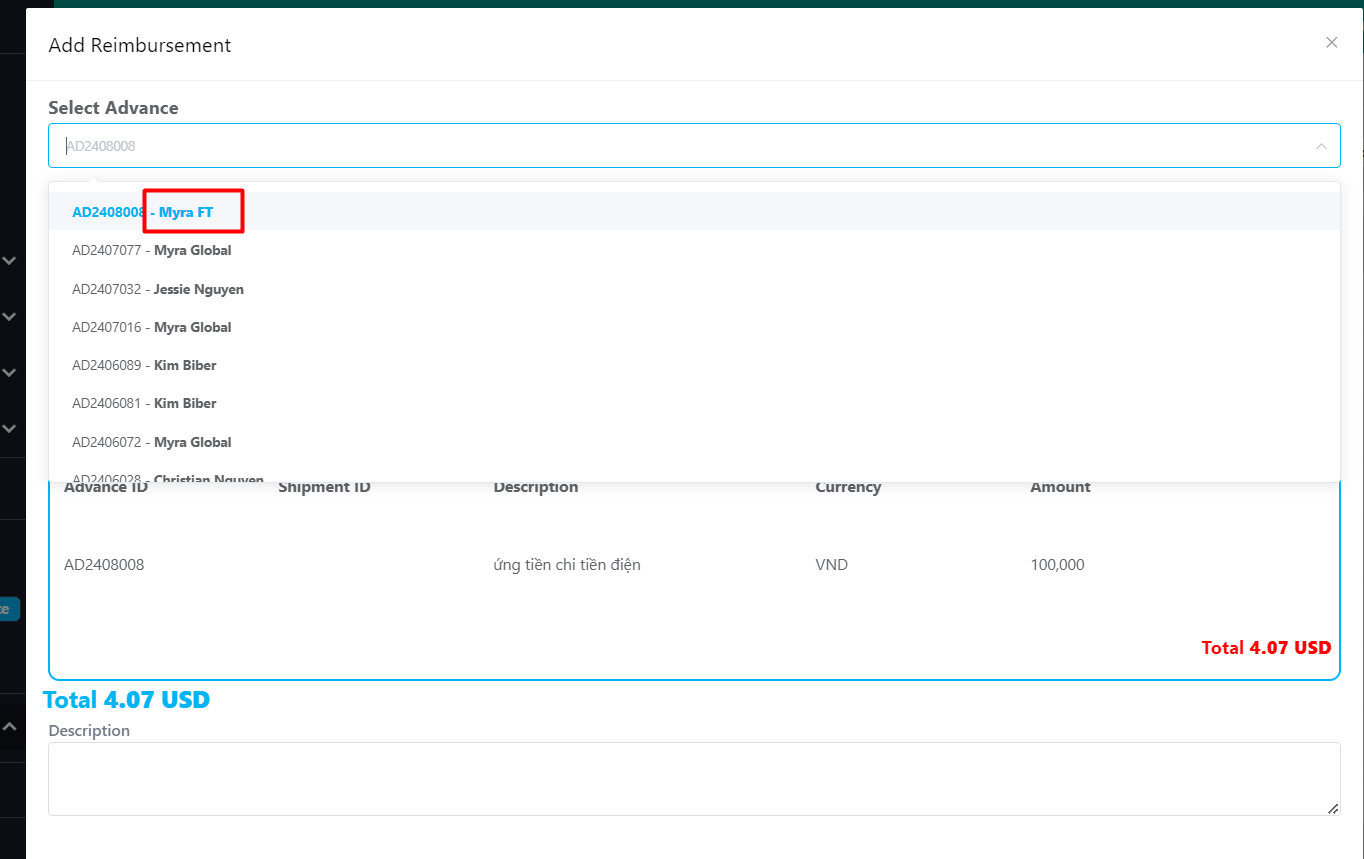
Step 6: Accounting processes Reimbursement collection & payment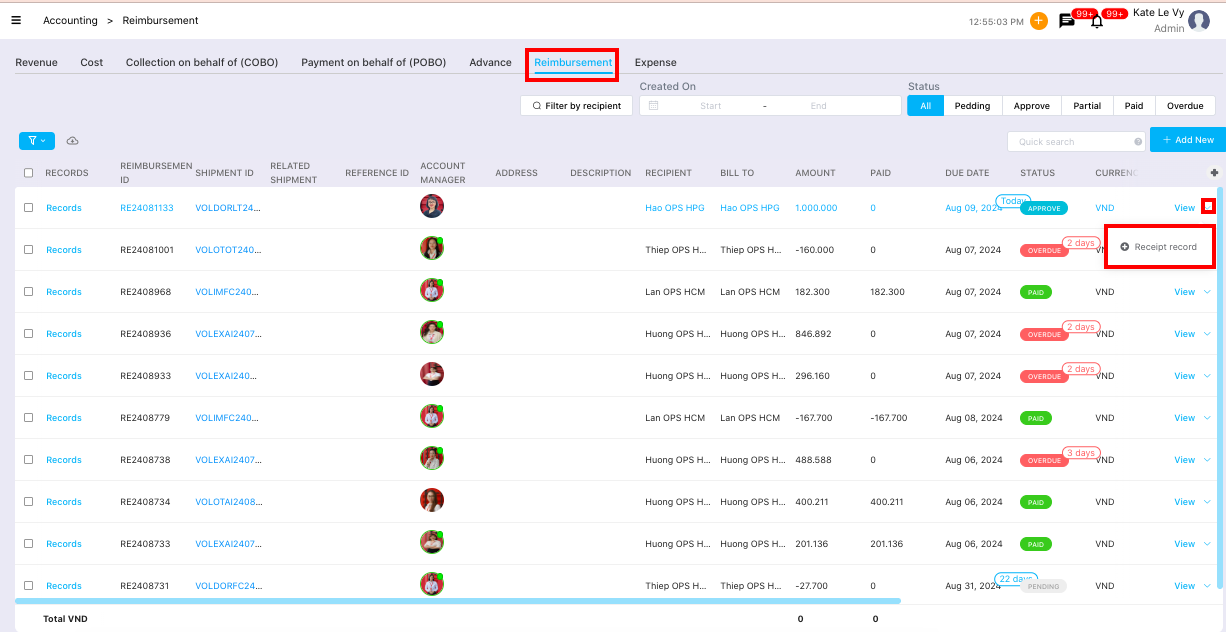
Was this article helpful?
That’s Great!
Thank you for your feedback
Sorry! We couldn't be helpful
Thank you for your feedback
Feedback sent
We appreciate your effort and will try to fix the article