When a customer wants to divide a single order into several smaller orders, you can use the Split Shipment feature.
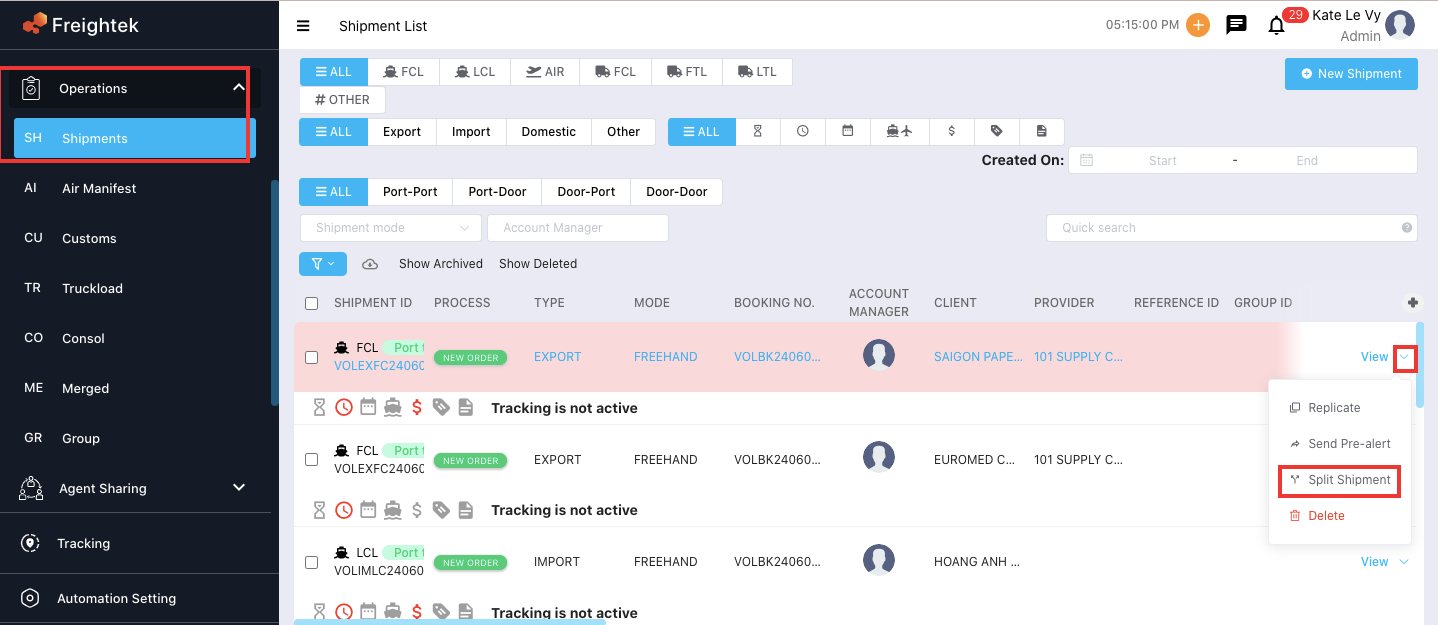
Step 1: Go to Operations > Shipment → click the arrow next to View on the shipment you want to split.
Step 2: Select Split Shipment.
Step 3: The Split Shipment screen will appear.
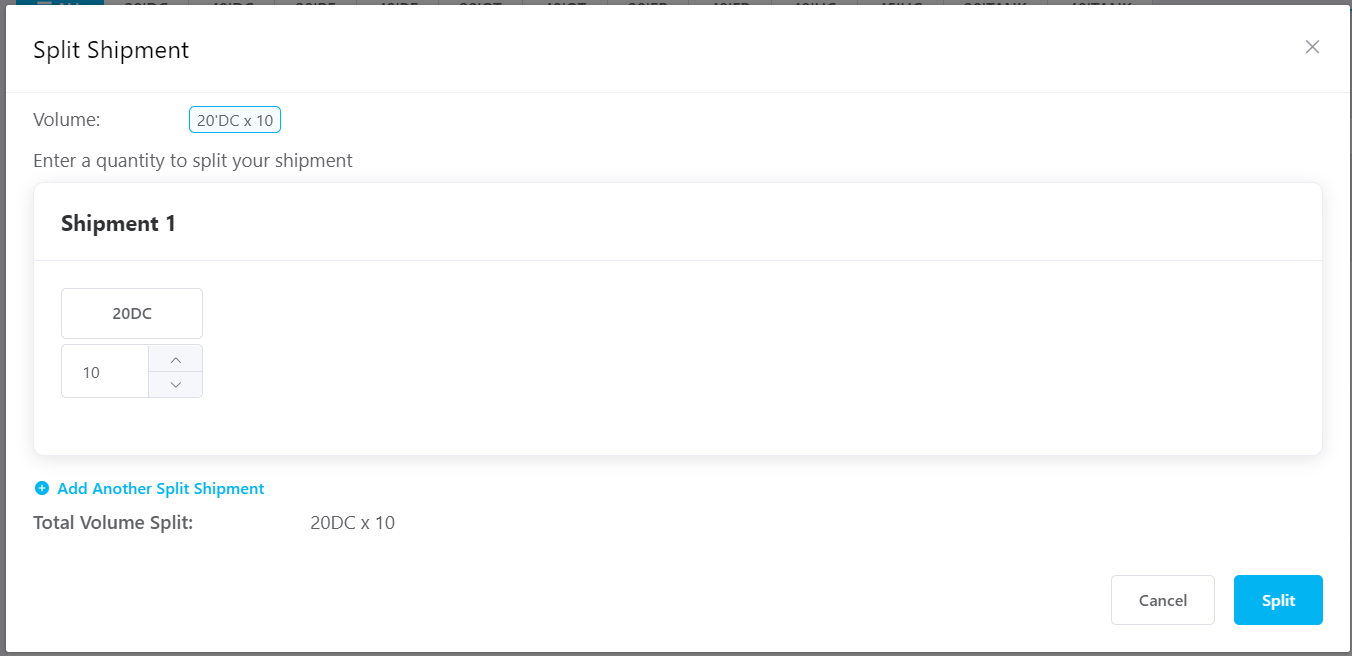
How to split one large shipment into multiple smaller shipments
Step 1: Click Add Another Split Shipment to create additional shipments.
Step 2: Reduce or adjust the number of containers for each new split shipment.
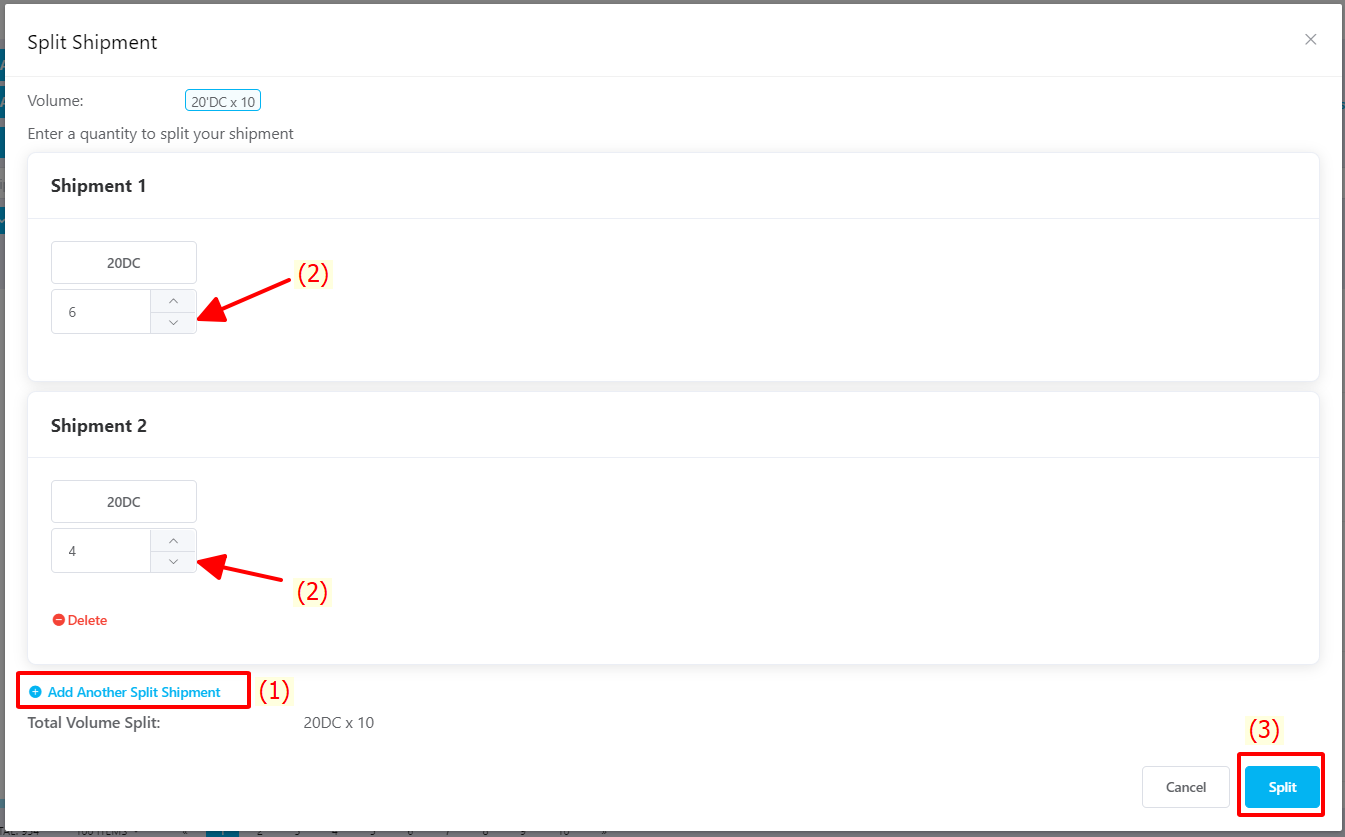
Step 3: Click Split to complete the process.
Was this article helpful?
That’s Great!
Thank you for your feedback
Sorry! We couldn't be helpful
Thank you for your feedback
Feedback sent
We appreciate your effort and will try to fix the article