How to Create a Shipment Group
Step 1: Select the shipments you want to group
Go to Operations → Shipments → Use the Filter to find the shipments → Tick the shipments you want to include in the group.
Step 2: Choose “Create New Group”
Click Actions on the top bar → Select Create New Group.

Step 3: Group created successfully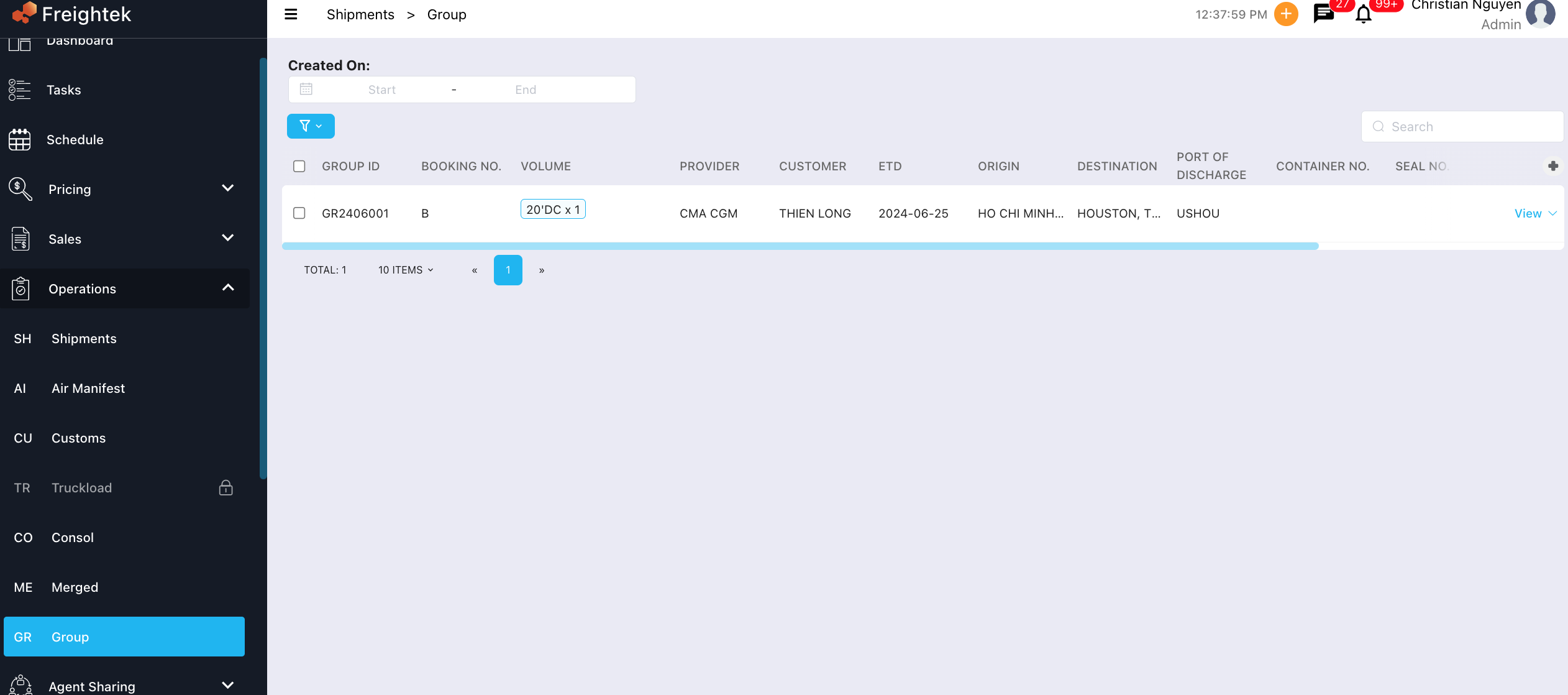
After saving:
The system will create one group containing the selected shipments
A new menu Group (GR) on the left panel will display all shipment groups
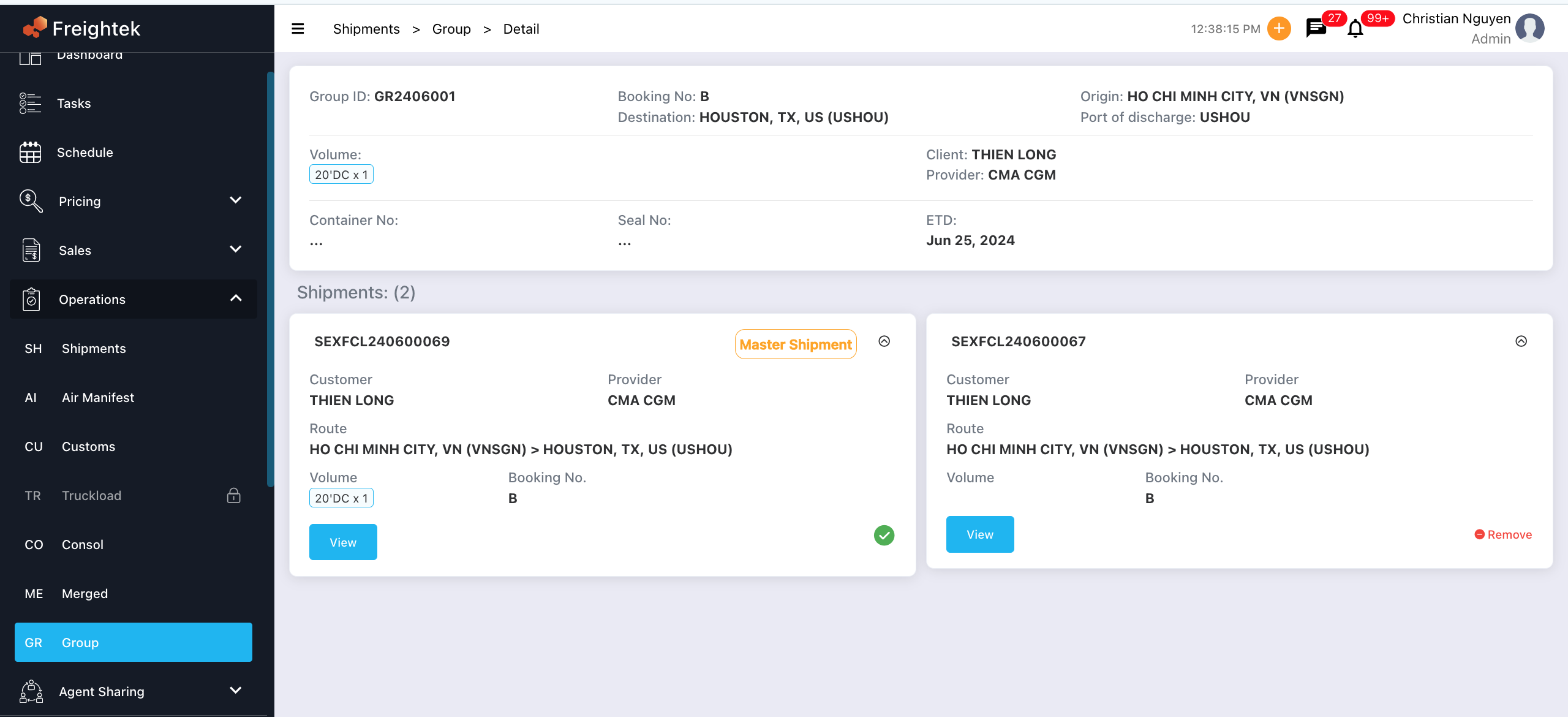
Inside the group, the system will show:
Master Shipment (main order)
Sub Shipments (child orders)
Was this article helpful?
That’s Great!
Thank you for your feedback
Sorry! We couldn't be helpful
Thank you for your feedback
Feedback sent
We appreciate your effort and will try to fix the article