This process explains how to approve a Forecast Space request submitted by Sales and automatically generate a shipment.
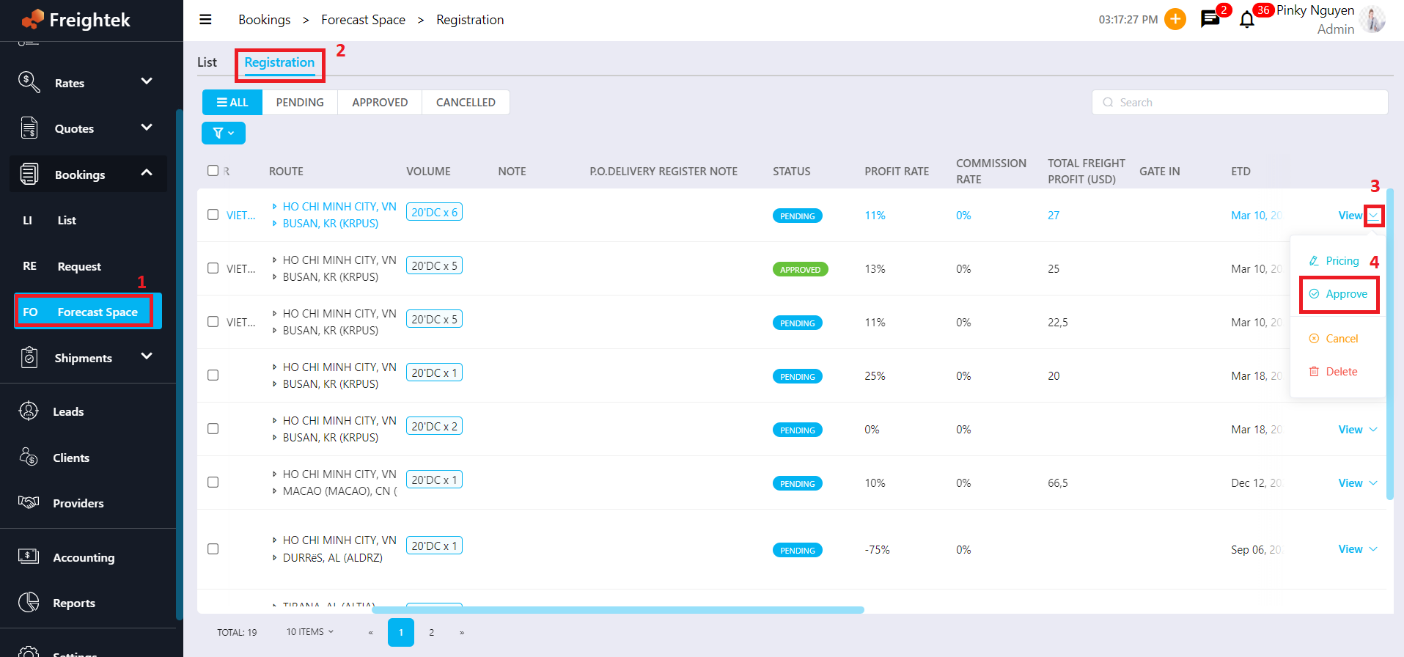
Step 1: Go to Booking → Forecast Space → Registration
Step 2: Approve the Sales Registration
Select the Sales registration you want to approve.
Hover over the arrow next to View → click Approve.
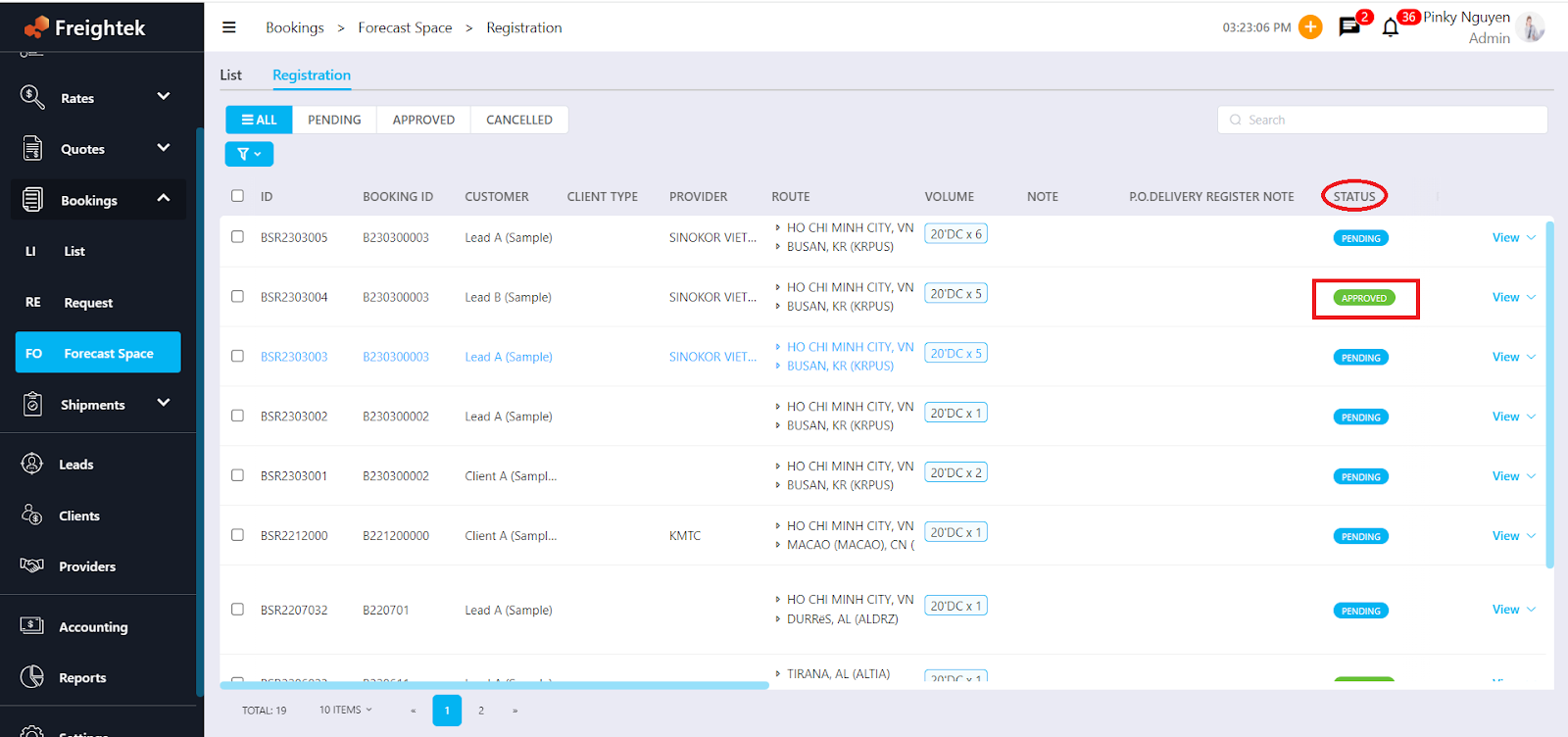
After approval:
The Status of the selected Space will update to Approved.
The system will automatically release the shipment.
A new Shipment will appear under Shipment → List.
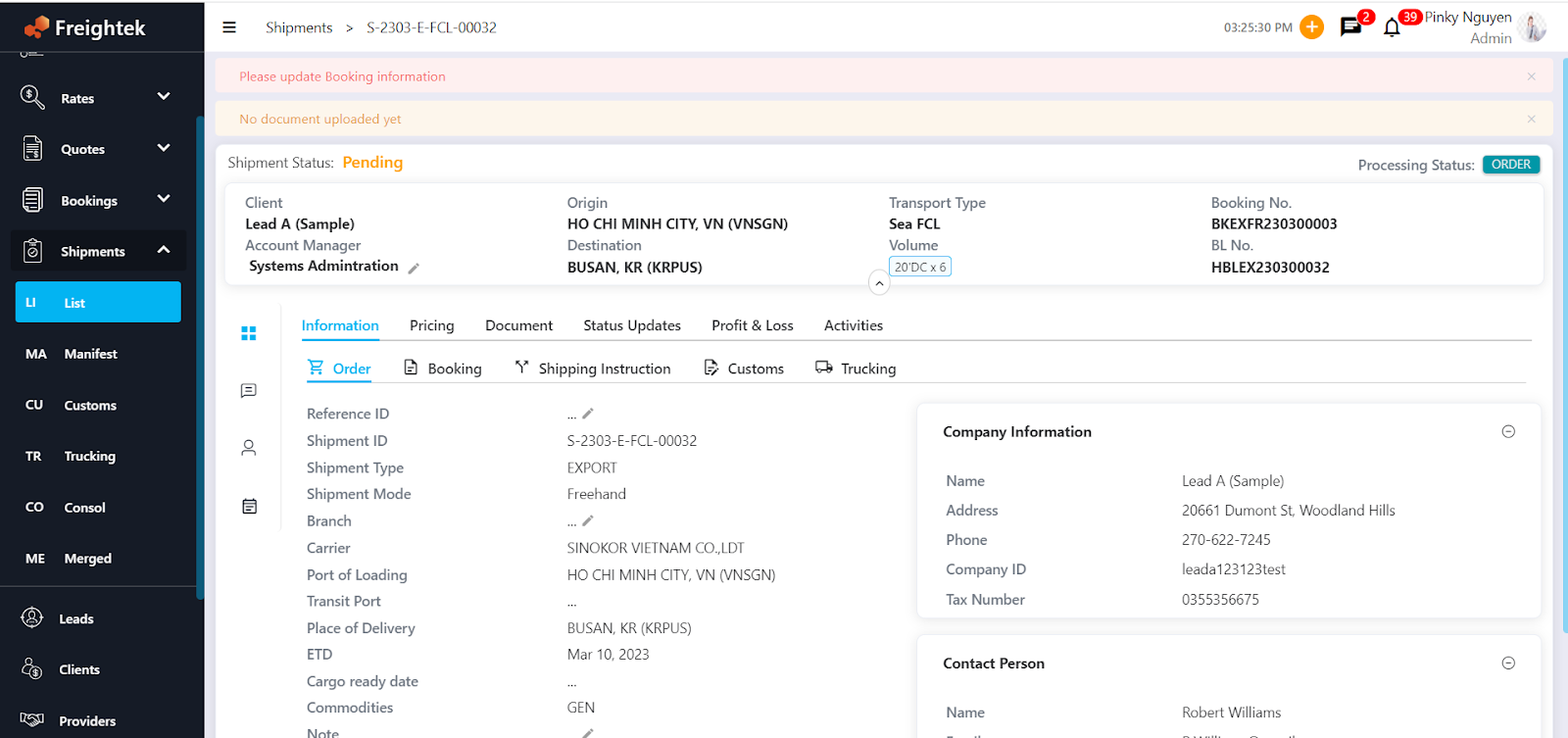
Step 3: Review and Update the Shipment's Booking Information
Once the Booking is created and the Shipment is released:
Open the shipment in Shipment → List
Review booking details (ETD/ETA, Vessel/Voyage, Cut-offs, Container details…)
Update the Booking Status and any missing information
This ensures that the order is ready for processing by the Operation team.
Was this article helpful?
That’s Great!
Thank you for your feedback
Sorry! We couldn't be helpful
Thank you for your feedback
Feedback sent
We appreciate your effort and will try to fix the article