Below are the steps to add a general sales markup strategy.
Step 1: Click Automation Setting → Sales → Add New Group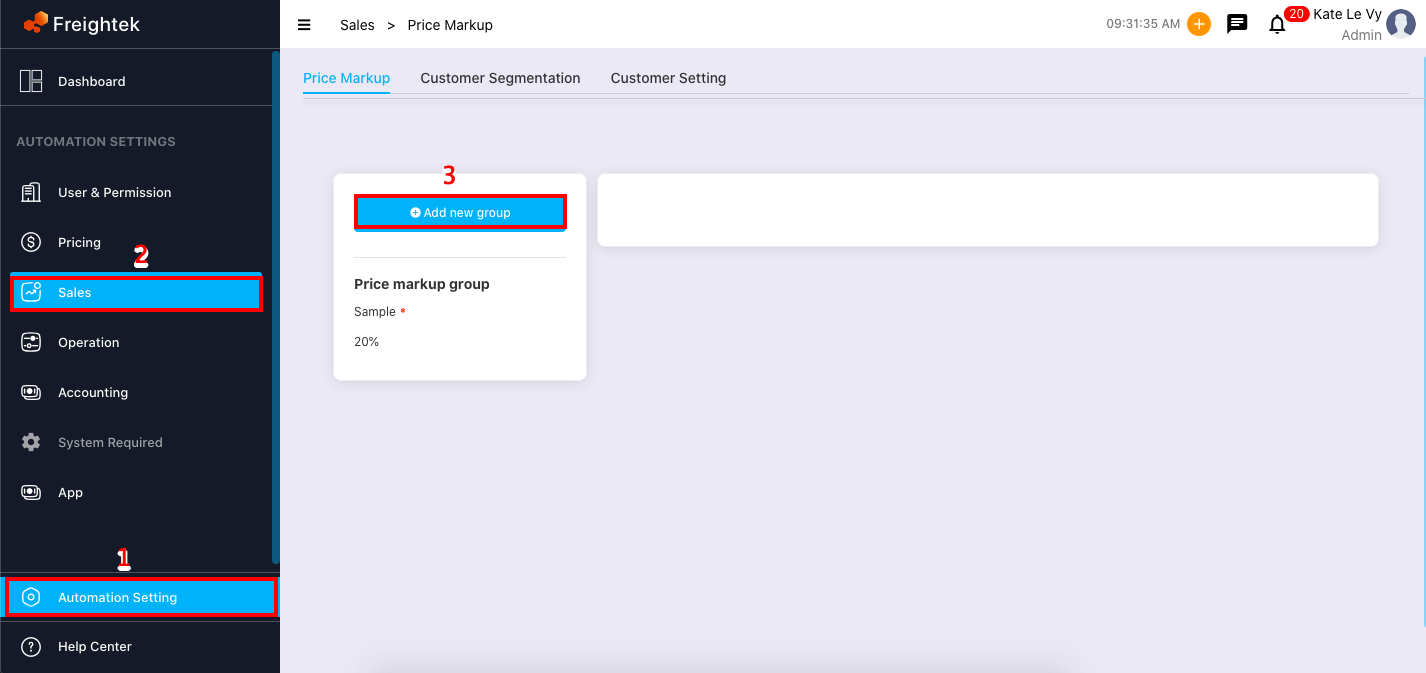
Step 2: Enter the required information.
Note: Name is the default name for the general markup group.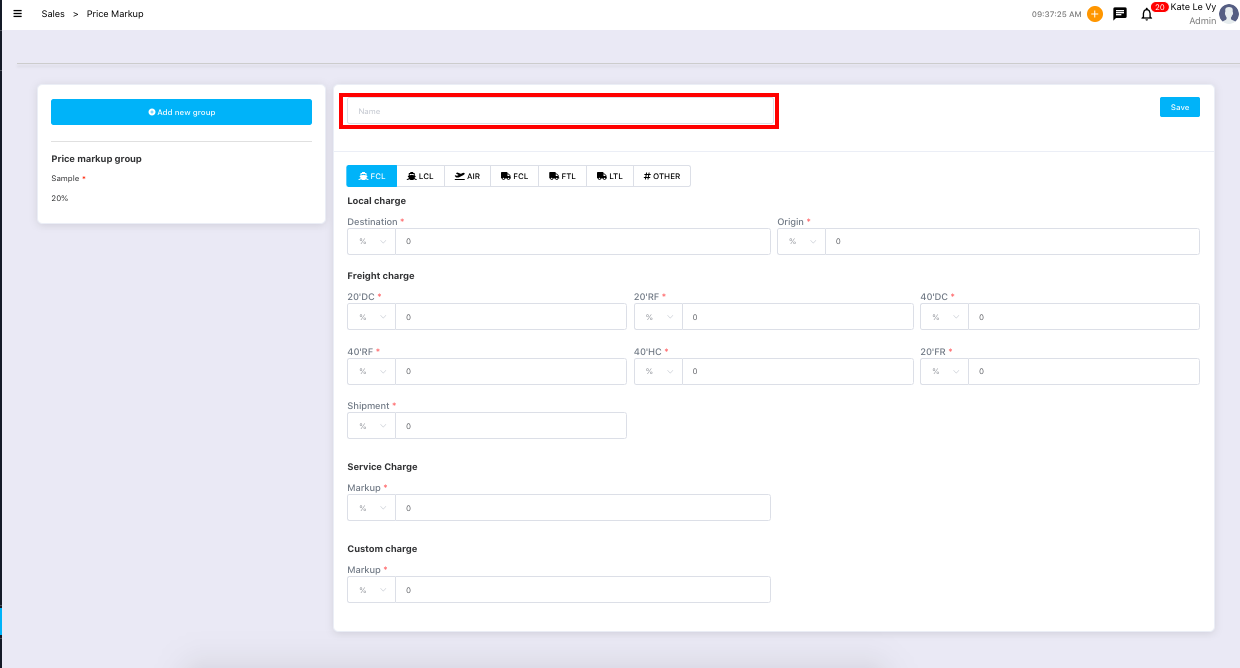
Step 3: Click Save to store the newly created markup group.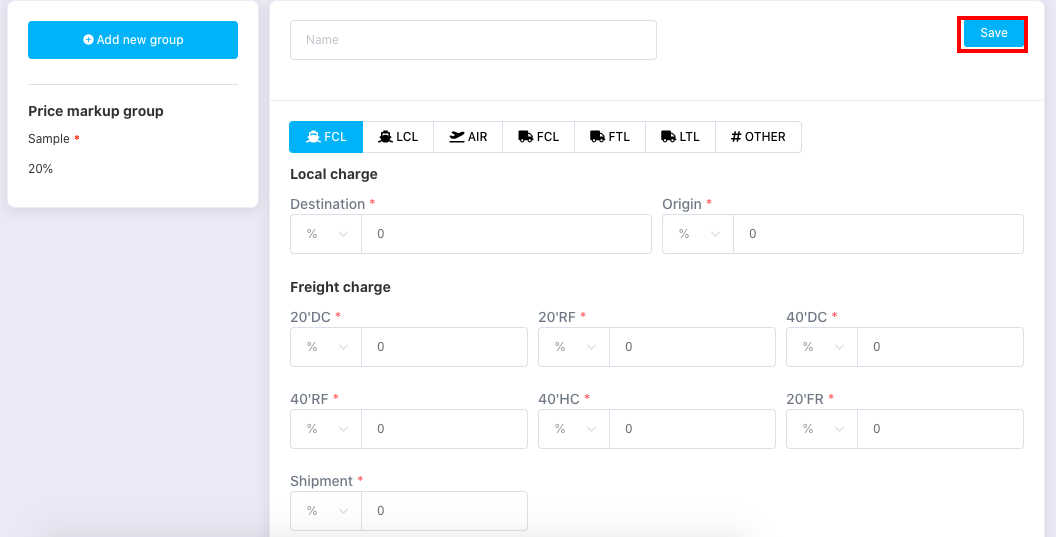
Was this article helpful?
That’s Great!
Thank you for your feedback
Sorry! We couldn't be helpful
Thank you for your feedback
Feedback sent
We appreciate your effort and will try to fix the article