Step 1: Submit Customer / Agent / Vendor
After creating a new Customer, Agent, or Vendor, the creator clicks Submit to send the record to the Manager for review.
The Manager will evaluate whether the Customer/Agent/Vendor meets the required criteria and can be approved for use.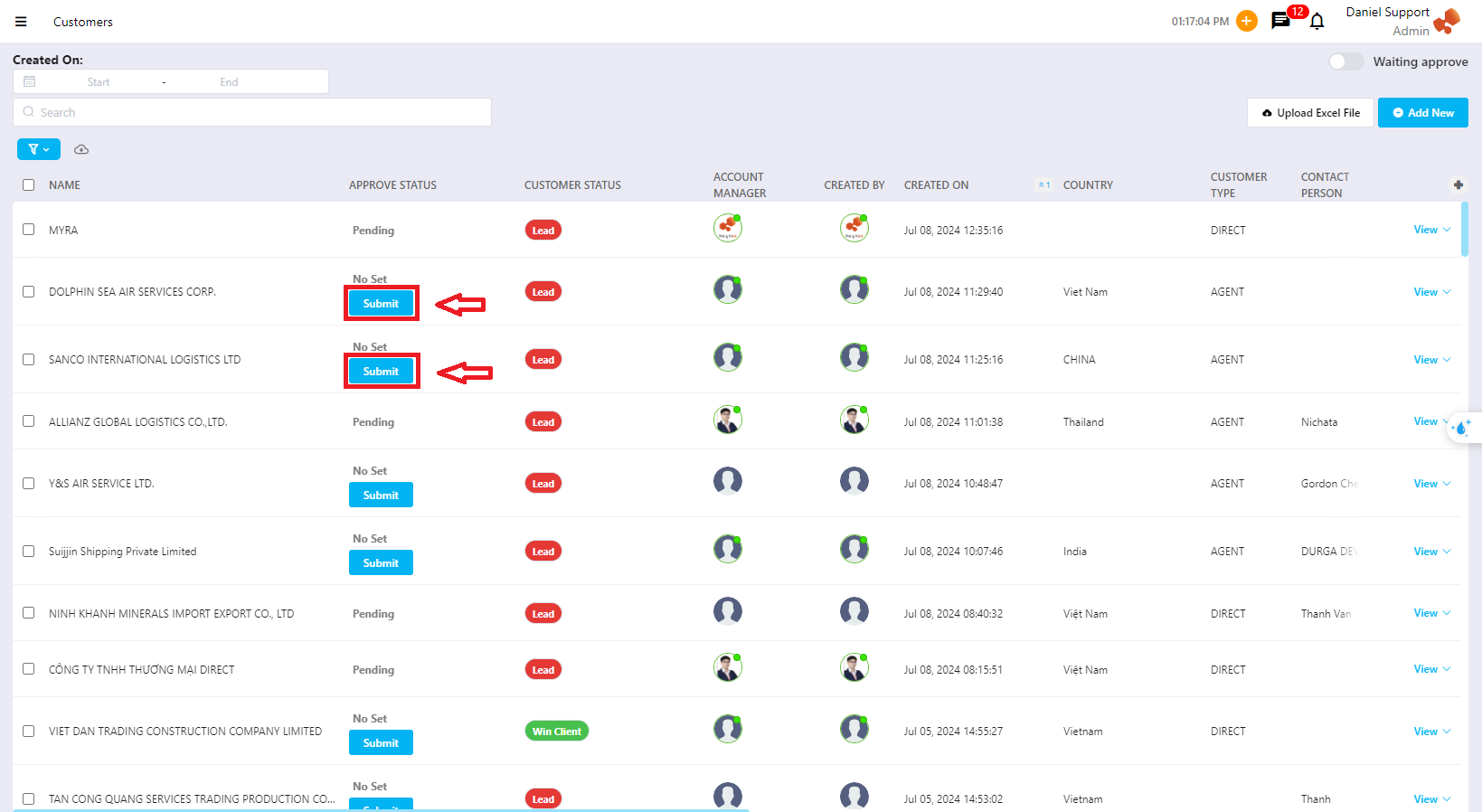
Step 2: Approve Customer / Agent / Vendor
Case 1: Approve
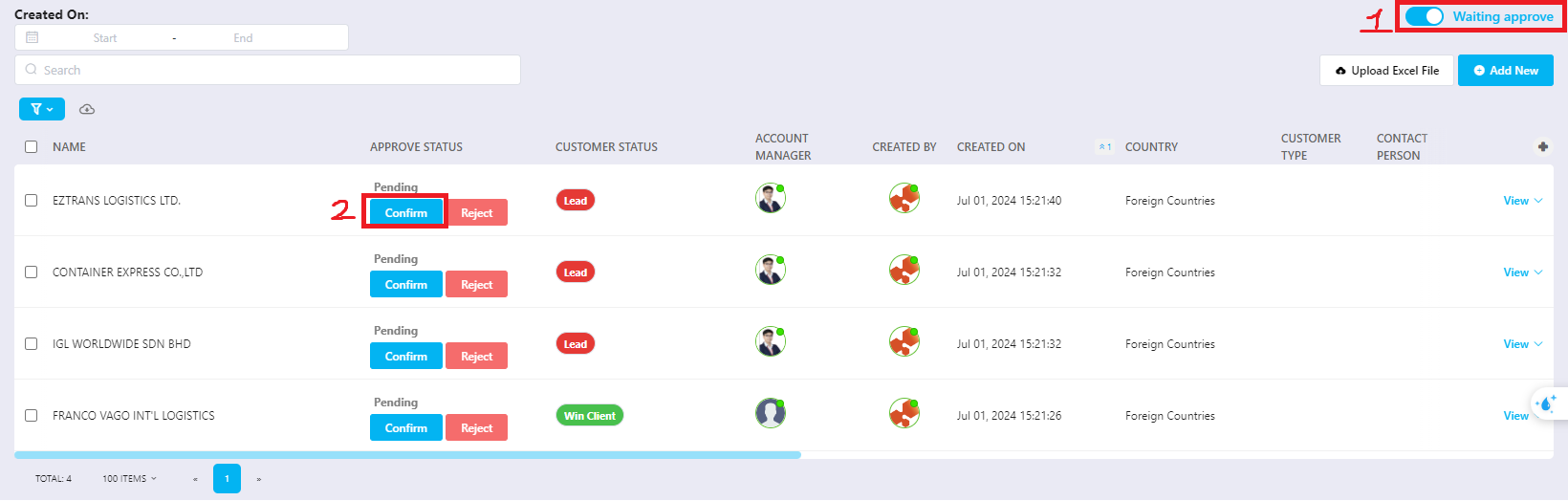
The Manager filters the list to view all pending Customers/Agents/Vendors requiring approval.
After reviewing and confirming that all information is complete and acceptable, the Manager clicks Approve.
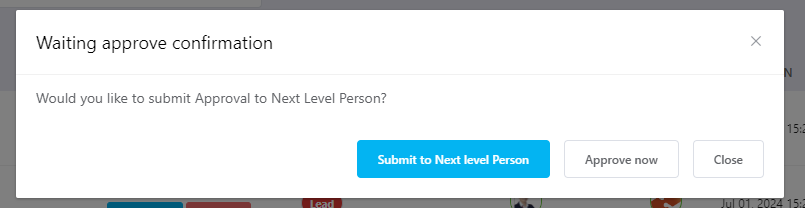
The system will ask whether the record should be escalated to the next approval level:
Submit to Next Level Person → escalate approval
Approve Now → approve immediately at the current level
Close → exit without approving
Case 2: Reject
If the Manager does not want the creator to proceed with this Customer/Agent/Vendor, the Manager selects Reject.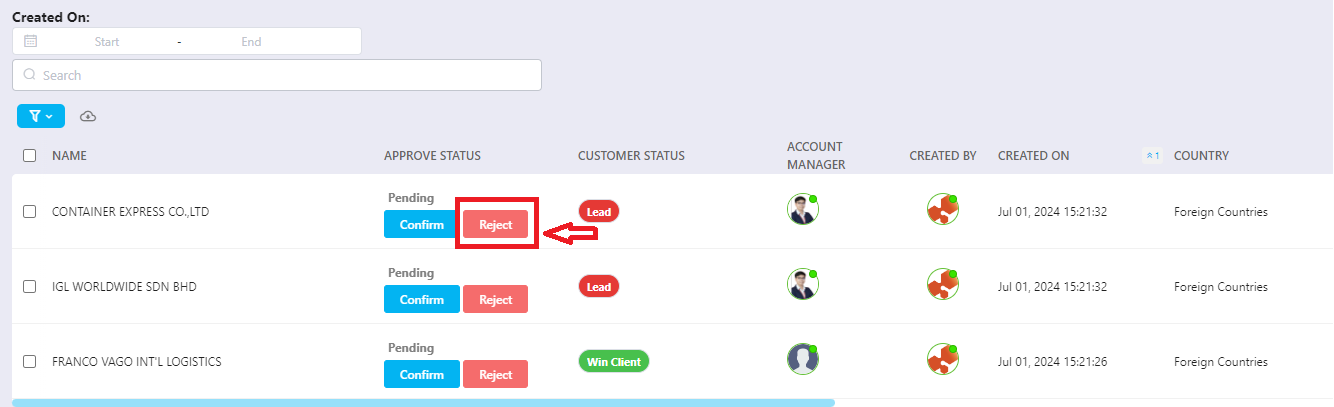
Step 3: Approval by Higher Level
If the record is escalated, the higher-level Manager reviews and:
Selects Confirm to approve
Or Reject if the record is not acceptable

Was this article helpful?
That’s Great!
Thank you for your feedback
Sorry! We couldn't be helpful
Thank you for your feedback
Feedback sent
We appreciate your effort and will try to fix the article