When you need to update booking details such as vessel name, voyage number, cut-off time, etc., for multiple shipments at once, you can use the bulk edit feature.
Step 1: Select the shipments to edit
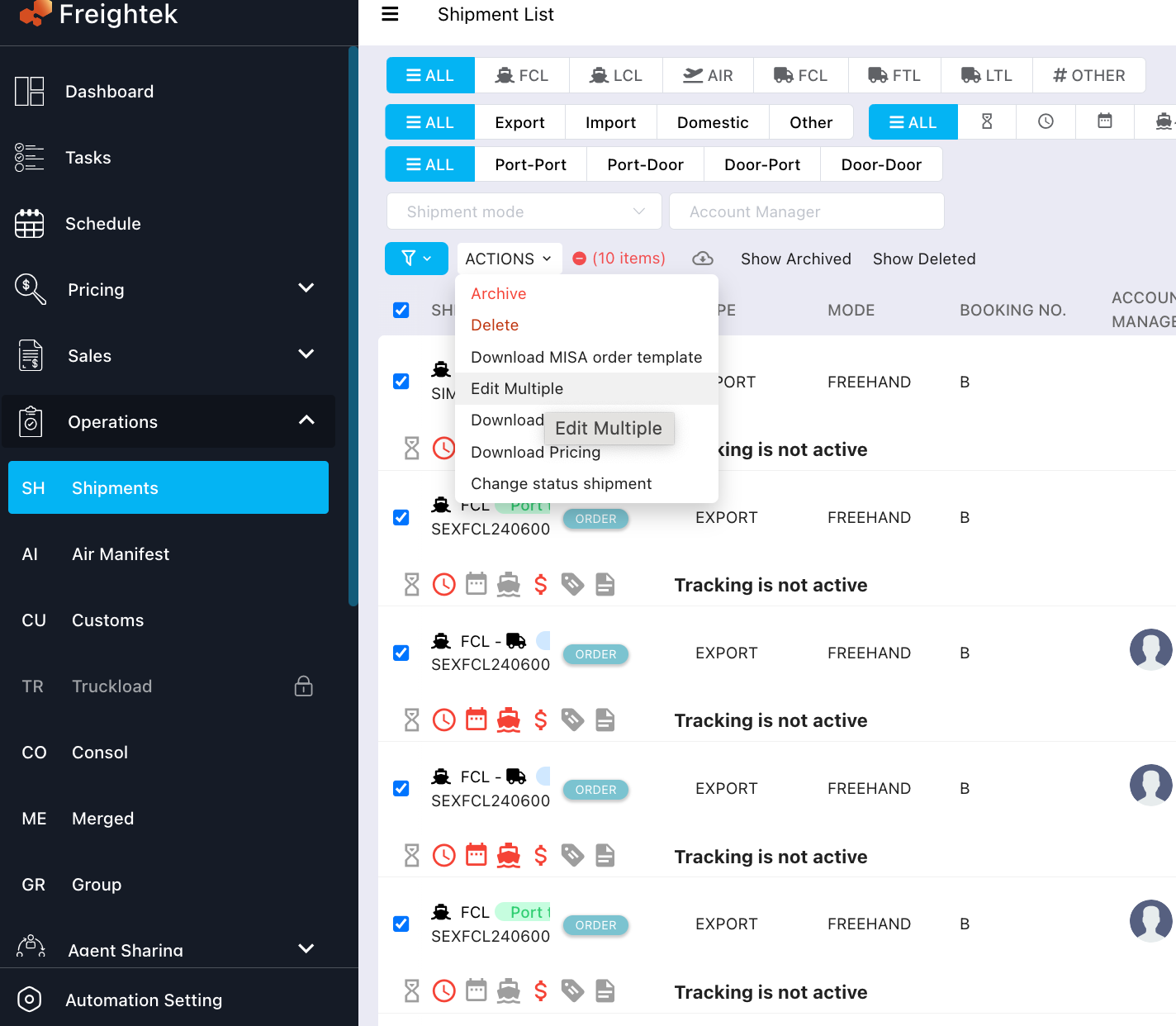
Go to Operations ➝ Shipments ➝ use Filter to find the shipments you want to update ➝ tick the checkboxes to select them ➝ click Action ➝ Edit Multiple.
Step 2: Edit and save
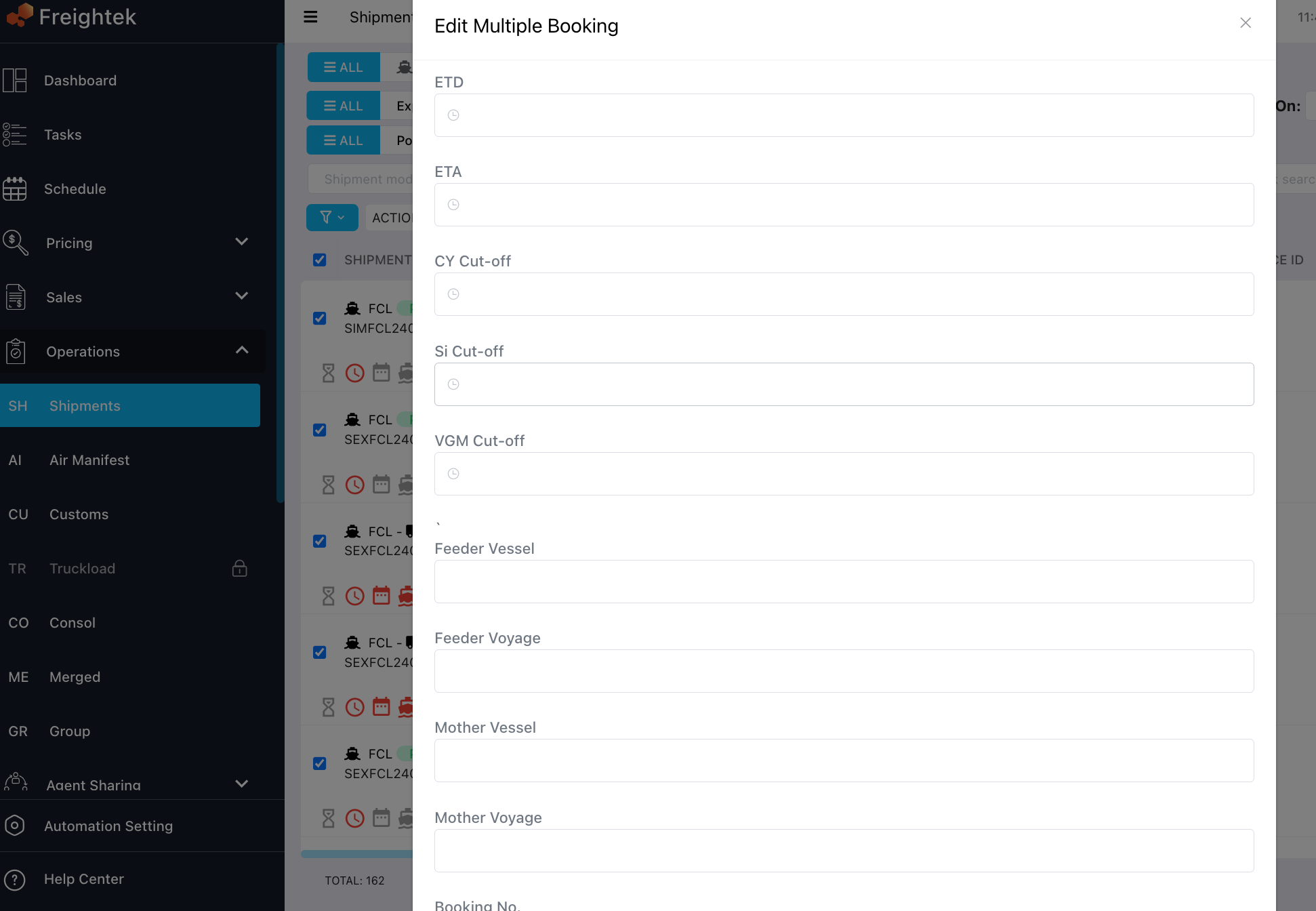
A bulk-edit screen will appear showing the selected shipments.
Update the booking information as needed, then click Save to apply the changes to all selected shipments.
Was this article helpful?
That’s Great!
Thank you for your feedback
Sorry! We couldn't be helpful
Thank you for your feedback
Feedback sent
We appreciate your effort and will try to fix the article