Step 1: Go to Operations > Shipment, and use the Filter to locate the shipment you want to review.
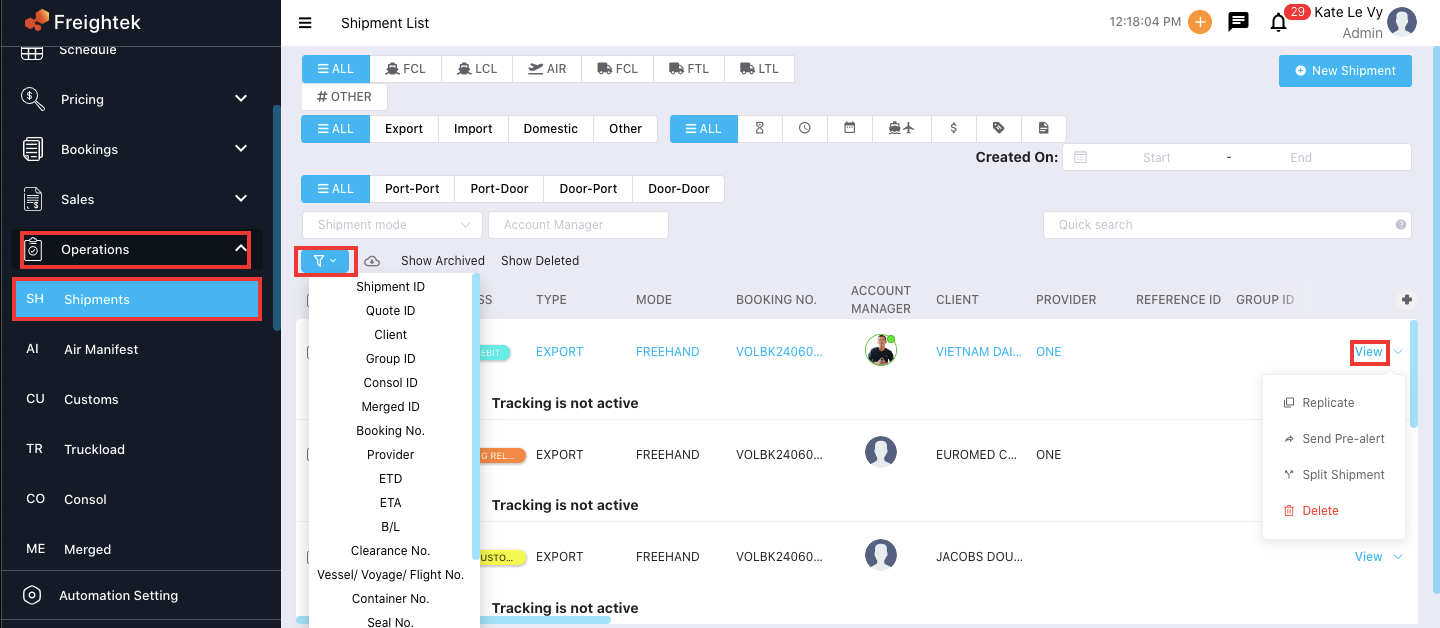
Step 2: Click View on the selected shipment. Go to the Information > Booking tab to review the booking details. If you need to update or add any information, click Edit.
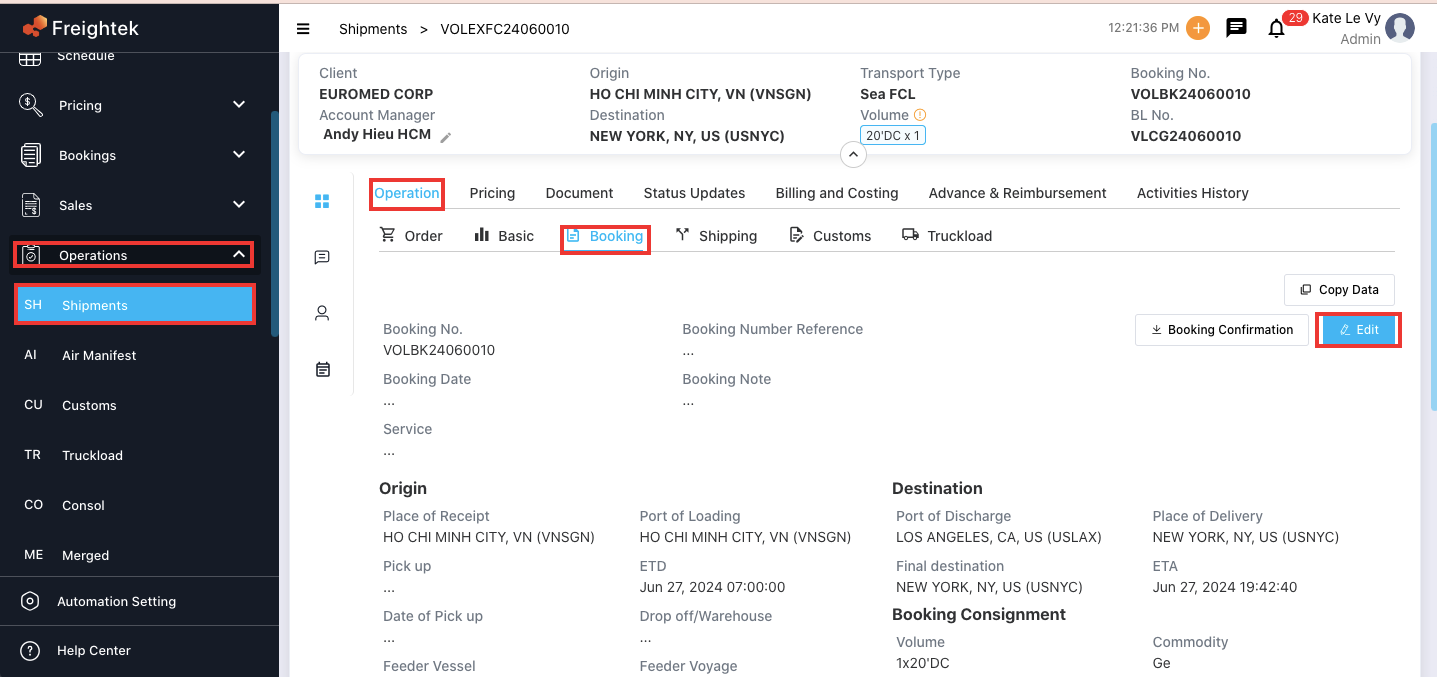
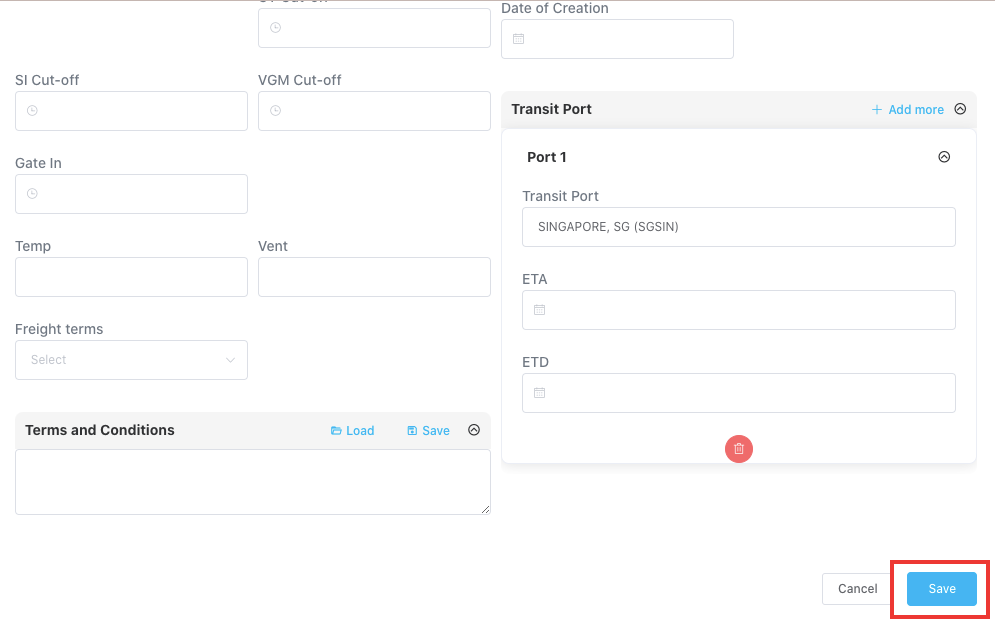
Step 3: After reviewing or updating the information, click Save.
Step 4: Download the Booking Confirmation using the Booking Confirmation button to send it to the customer.
Was this article helpful?
That’s Great!
Thank you for your feedback
Sorry! We couldn't be helpful
Thank you for your feedback
Feedback sent
We appreciate your effort and will try to fix the article