When new orders are submitted by the Sales team, they will appear in your Shipment list.
Step 1: Go to Operation ➝ Shipment ➝ select the shipment ➝ View to open the order.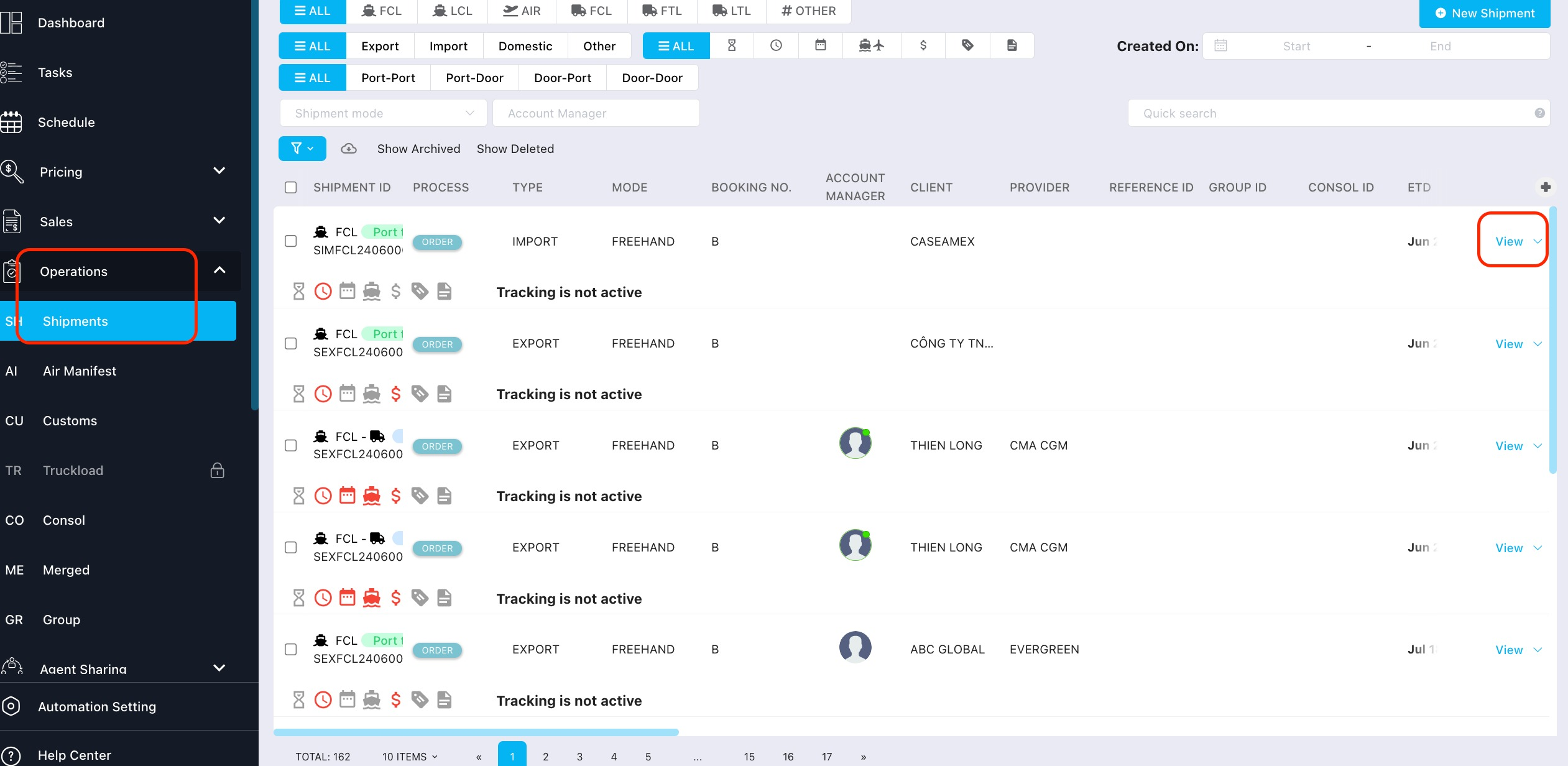
Step 2: Confirm that you have received and acknowledged the order.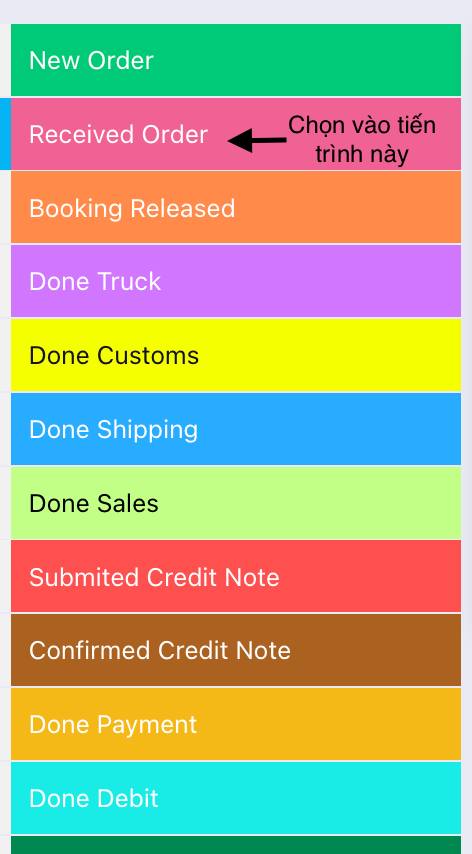
Step 3: Add the booking information once you have received the booking from the carrier.
Go to the Booking tab ➝ click Edit to update the details.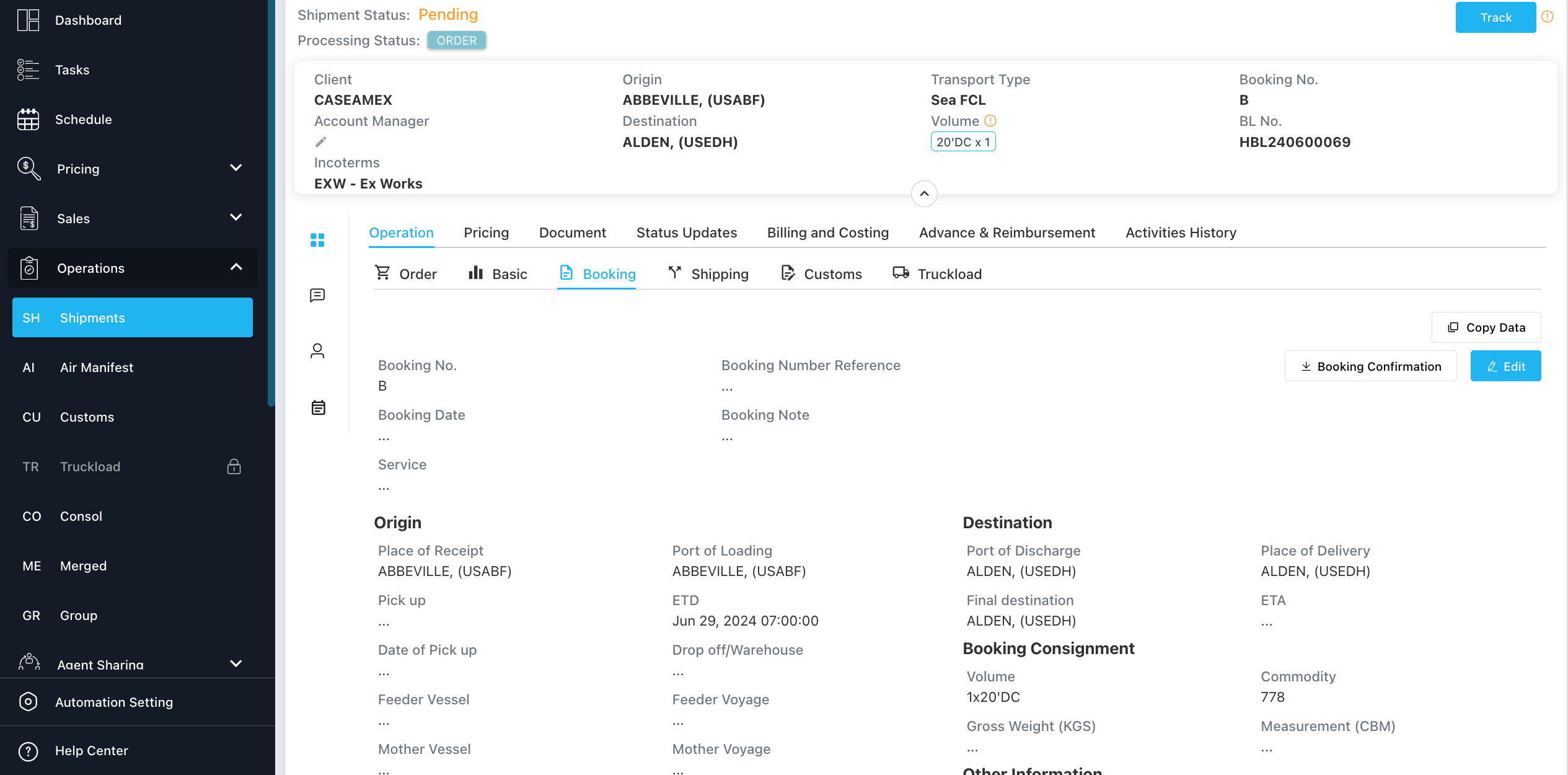
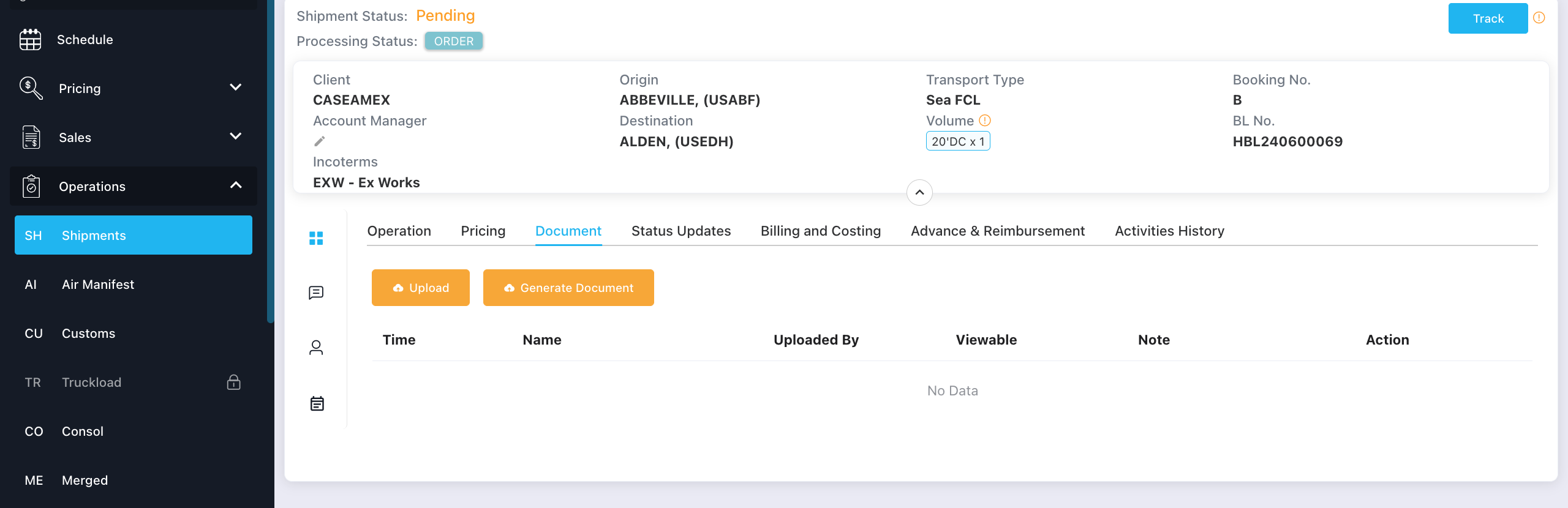
Step 4: Upload the booking file from the carrier.
Go to the Document tab ➝ click Upload to attach the file.
Step 5: Confirm that the booking has been released to both the Sales team and the customer.
Was this article helpful?
That’s Great!
Thank you for your feedback
Sorry! We couldn't be helpful
Thank you for your feedback
Feedback sent
We appreciate your effort and will try to fix the article