Step 1: Go to Booking → Forecast Space → Registration
Here you will see all Sales Orders that have been registered using the pre-reserved space.
Step 2: Approve the Sales Order Request
Select the Sales Order you want to approve
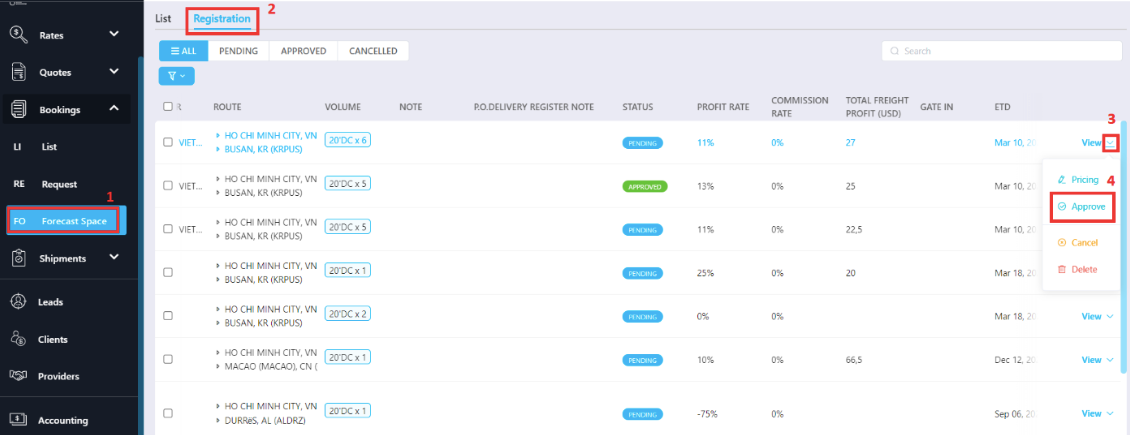 → Next to View, click Approve.
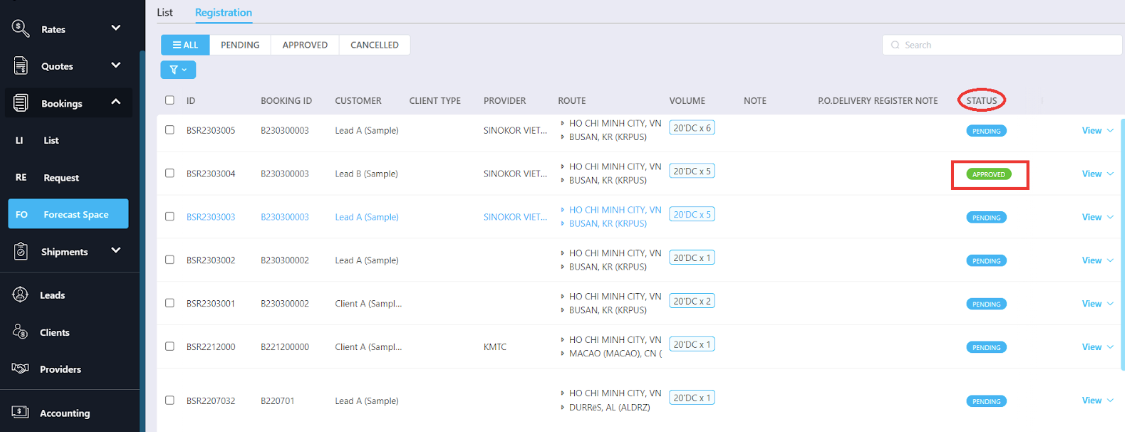
Once approved:
The Status of the selected Space will update to Approved.
A new Shipment Order will be automatically created in the Shipment List.
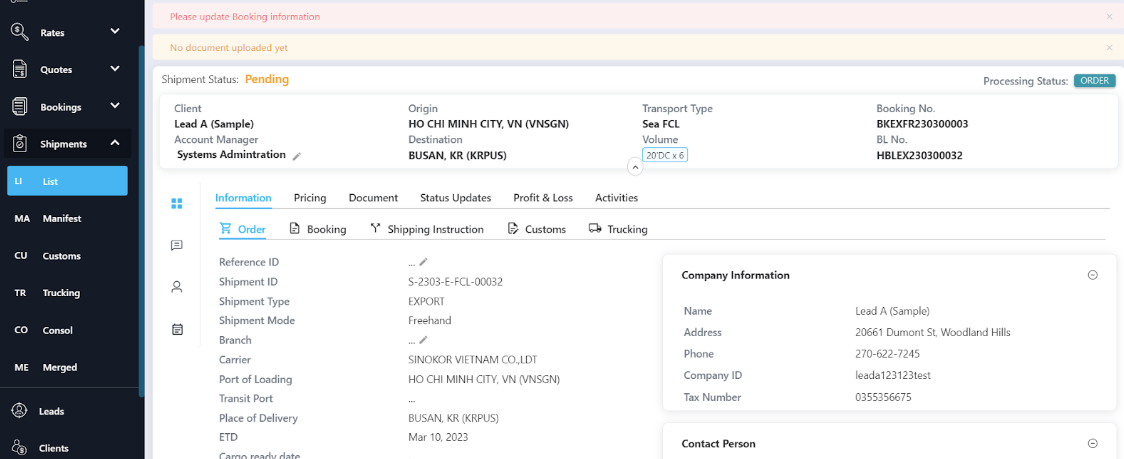
Review and Update the Shipment Information
After the shipment is created, go to Operations → Shipment, open the newly created order, and verify:
Booking details
ETD / ETA
Vessel / Voyage
Cut-off times
Container details
Assigned users
Update any missing or incorrect information and continue processing the shipment as normal.
Was this article helpful?
That’s Great!
Thank you for your feedback
Sorry! We couldn't be helpful
Thank you for your feedback
Feedback sent
We appreciate your effort and will try to fix the article