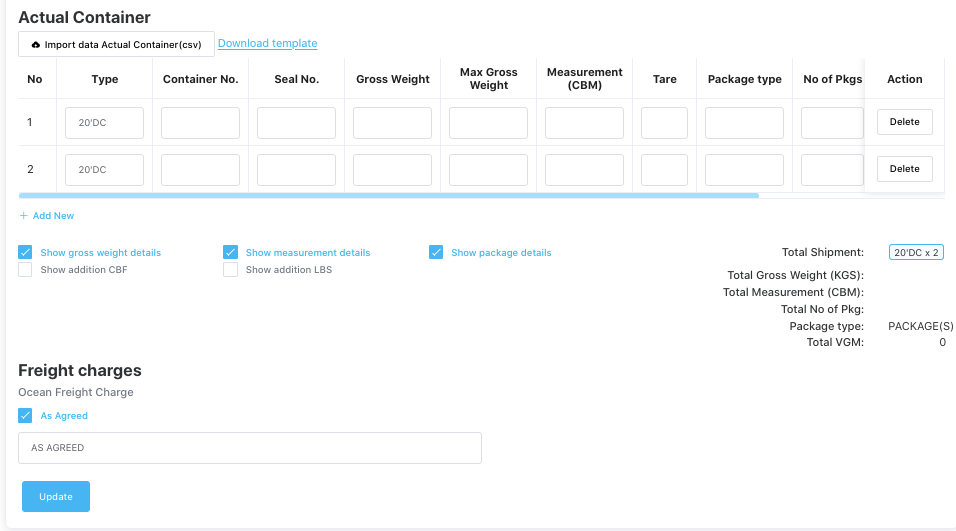
The Verified Gross Mass (VGM) information for a container is entered in: Operations → Shipping → Actual Container → VGM
After filling in all required VGM details, click on “Verified Gross Mass” to download the official VGM form.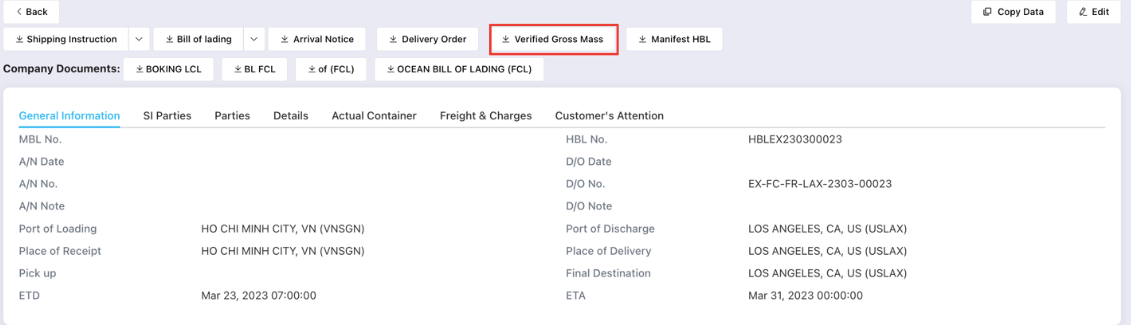
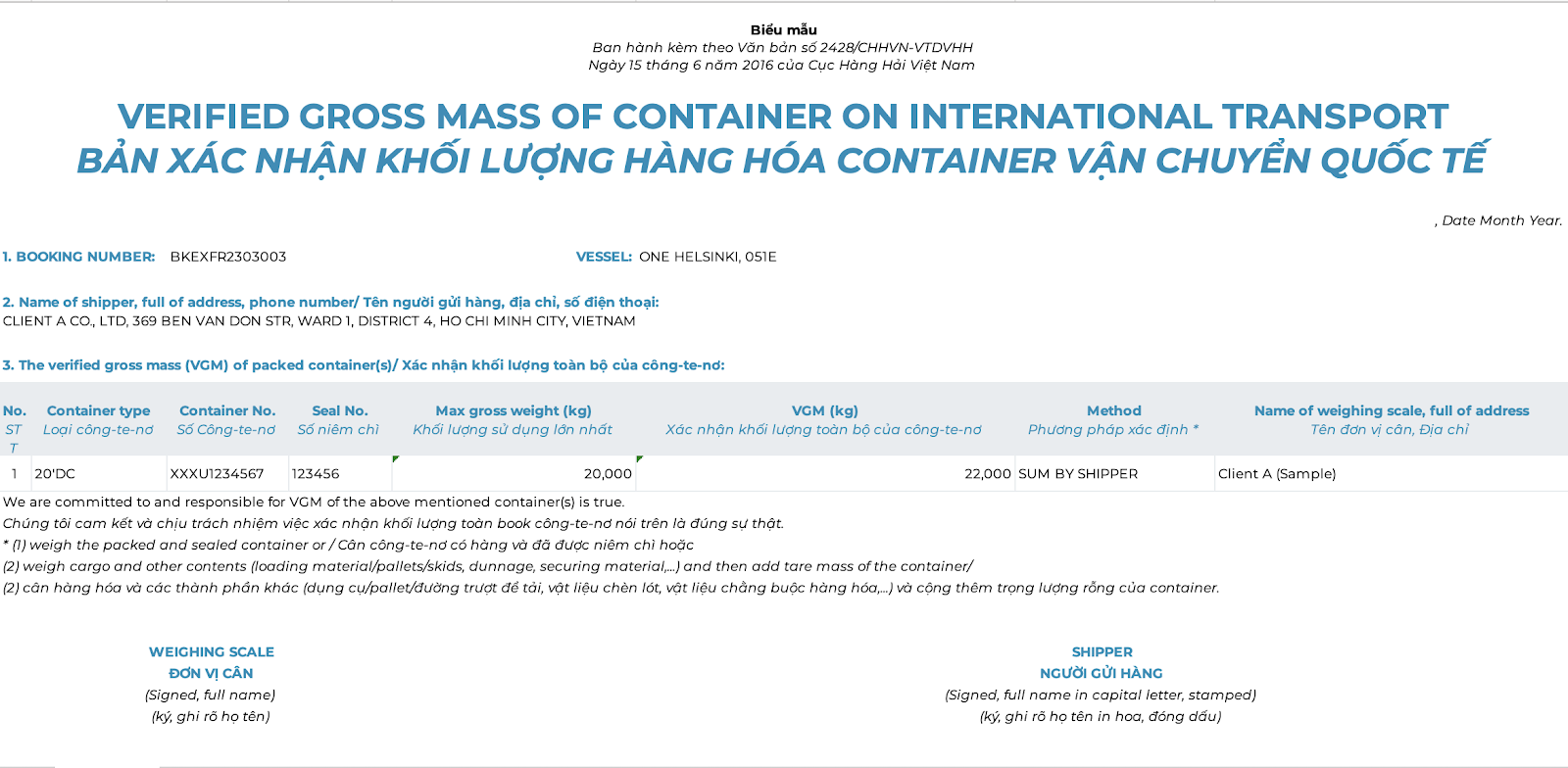
The VGM form downloaded from Freightek will look like this:
How to Export the Arrival Notice (A/N) on Freightek
After completing all required data for an import shipment, you can export the Arrival Notice to send to your customer.
Step 1: Go to Operations → Shipping, choose the shipment you want to generate the Arrival Notice for, and click View.
Step 2: Click “Arrival Notice” to download the document.
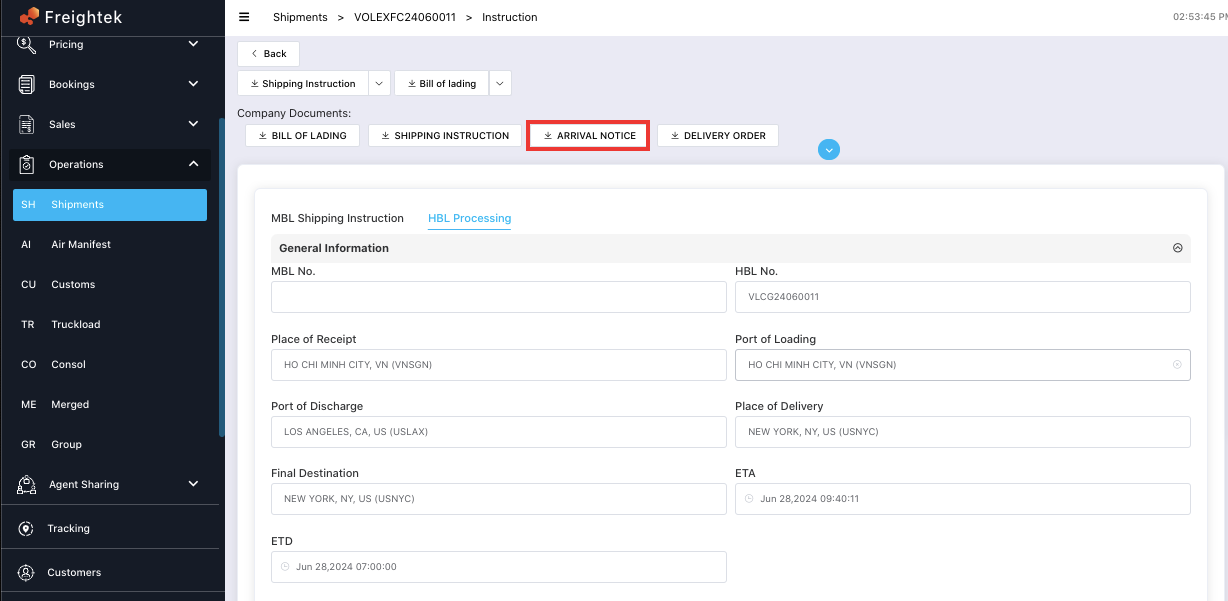
Below is the Arrival Notice template generated by Freightek:
Was this article helpful?
That’s Great!
Thank you for your feedback
Sorry! We couldn't be helpful
Thank you for your feedback
Feedback sent
We appreciate your effort and will try to fix the article