Purpose: Generate Accounts Payable reports and create payment documentation
Step 1: Click View on the Credit Note you want to confirm.

Step 2: Click the Confirm button.
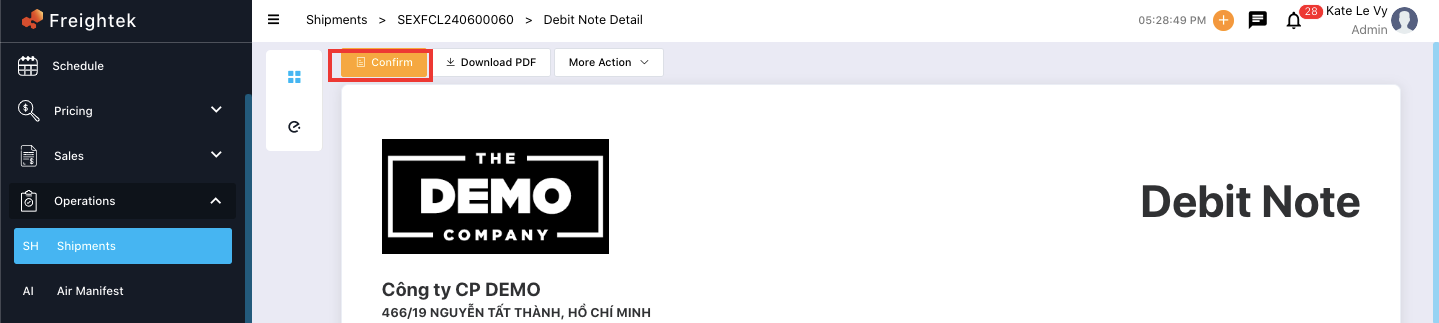
A confirmation window will appear with the following default options checked:
Display One Currency: Shows only a single currency on the invoice.
Change Number Precision: Rounds decimal numbers (default rounding: 0 decimals).
Currency: Select the currency you want to use for Make Cost.
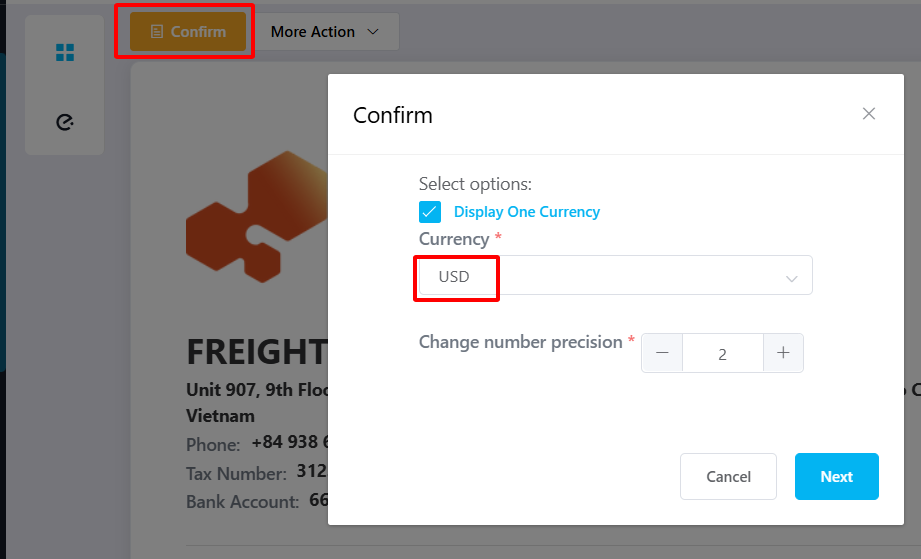
Step 3: Click Next to complete the cost confirmation.
Important Notes: Received Invoices cannot be edited after creation. They will always match the Credit Note to ensure consistency.
After confirming, the system will record the cost under: Accounting → Cost tab.
Was this article helpful?
That’s Great!
Thank you for your feedback
Sorry! We couldn't be helpful
Thank you for your feedback
Feedback sent
We appreciate your effort and will try to fix the article