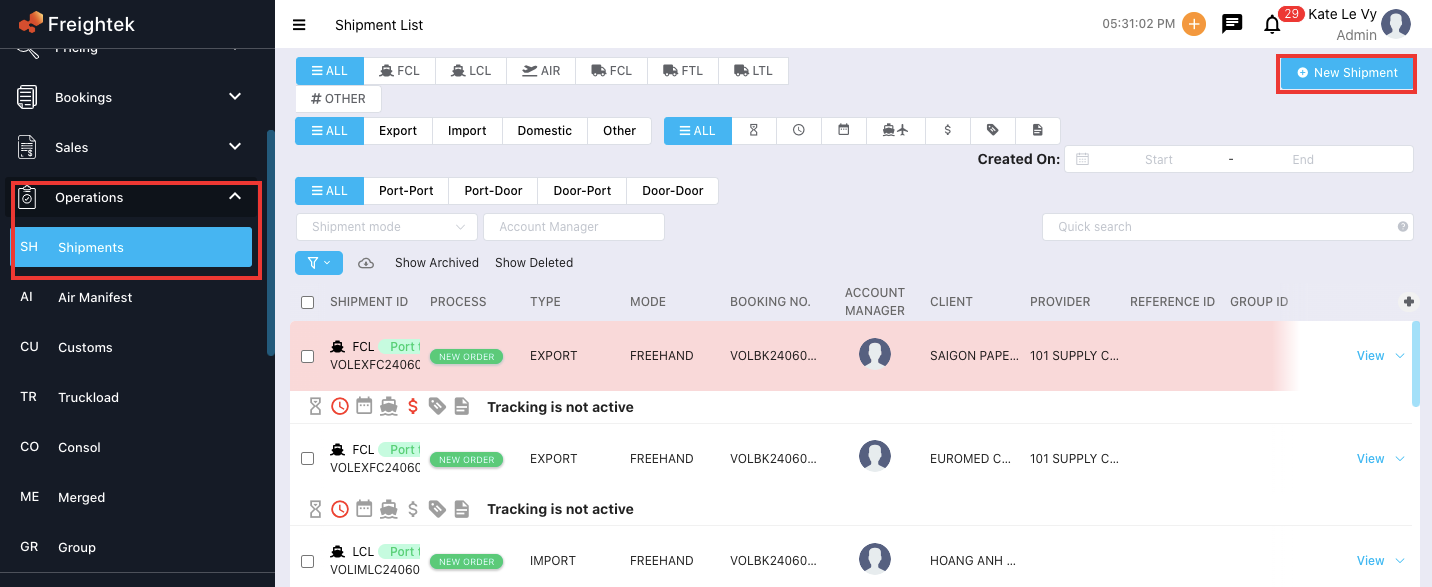
Step 1: Go to Operation → Shipment → New Shipment.
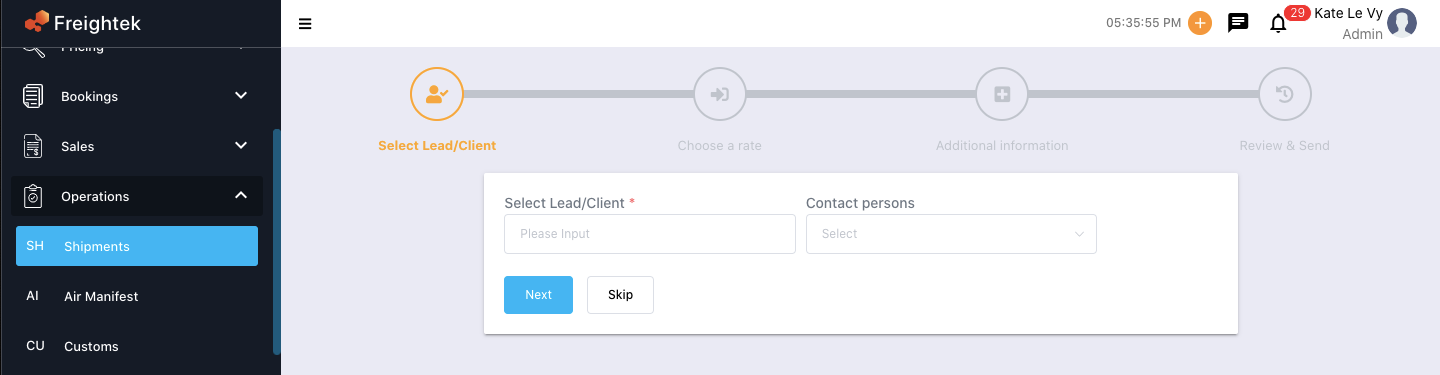
Step 2: Select the Lead/Client.
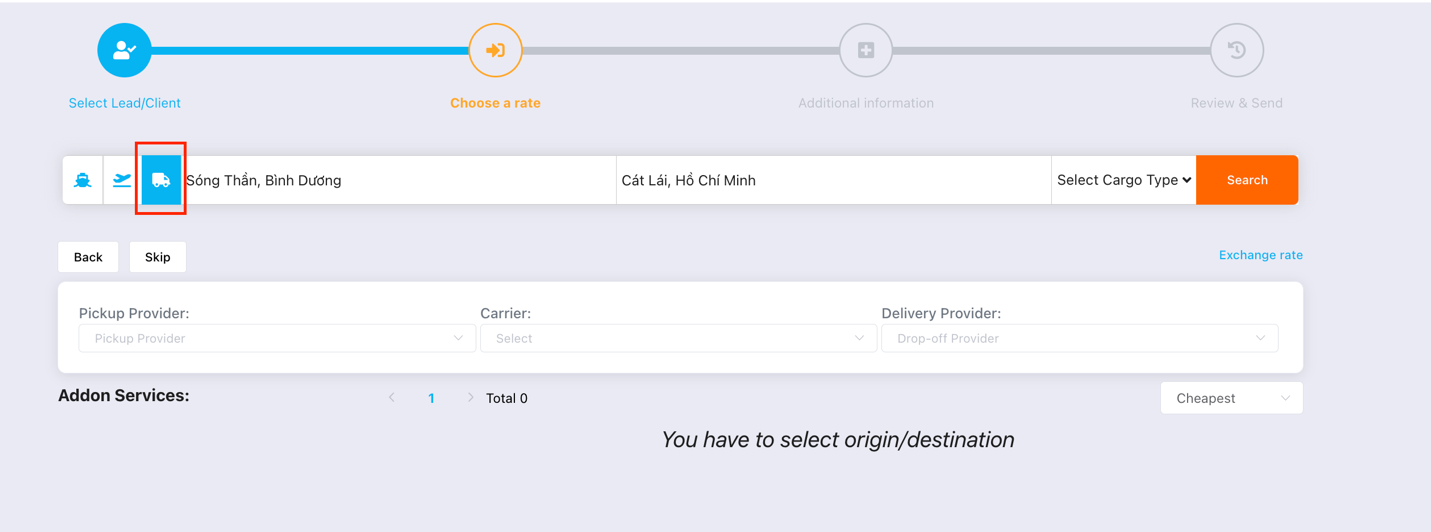
Step 3: Choose a transportation mode and select Loading and Discharge locations.
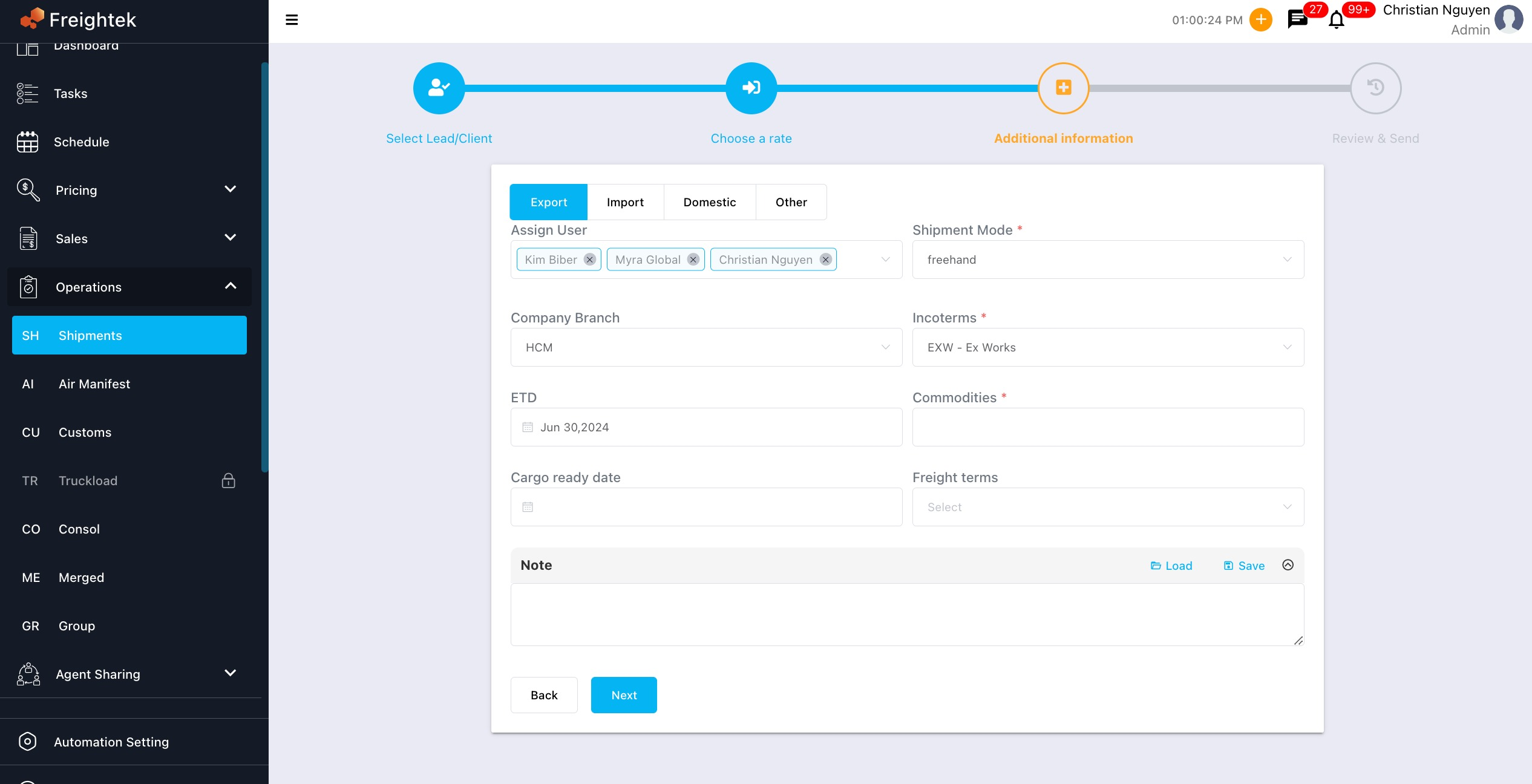
Step 4: Select the type of service and fill in the shipment information → click Next.
Step 5: Click Create Shipment to generate the service-only shipment.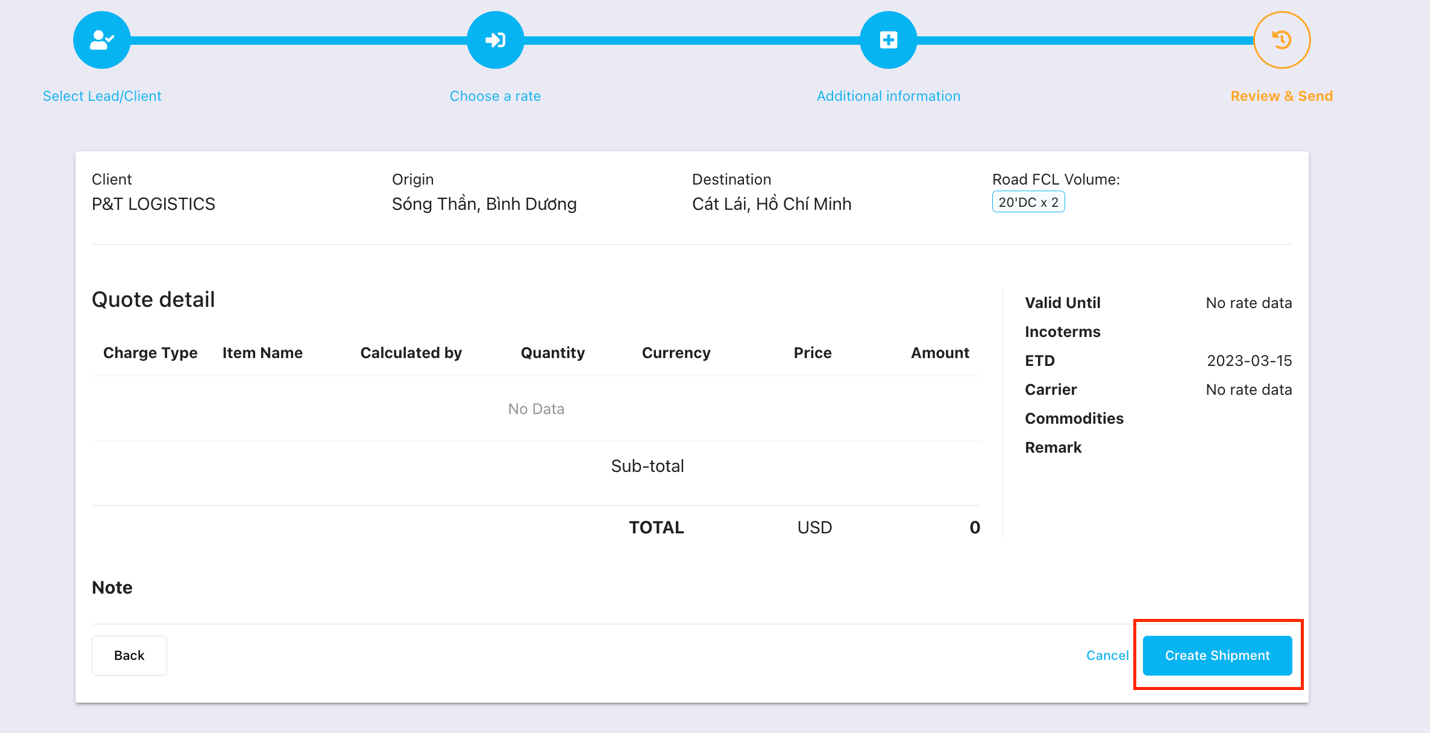
Was this article helpful?
That’s Great!
Thank you for your feedback
Sorry! We couldn't be helpful
Thank you for your feedback
Feedback sent
We appreciate your effort and will try to fix the article