Approval Levels for Payment Requests
Level 1: Controller
Level 2: Chief Accountant
Level 3: General Manager
Once the General Manager approves, the Status = Approved, and the +Payment button will appear, allowing Accounting to record the actual payment.
Step 1: Go to Report → SOA → Payment Submissions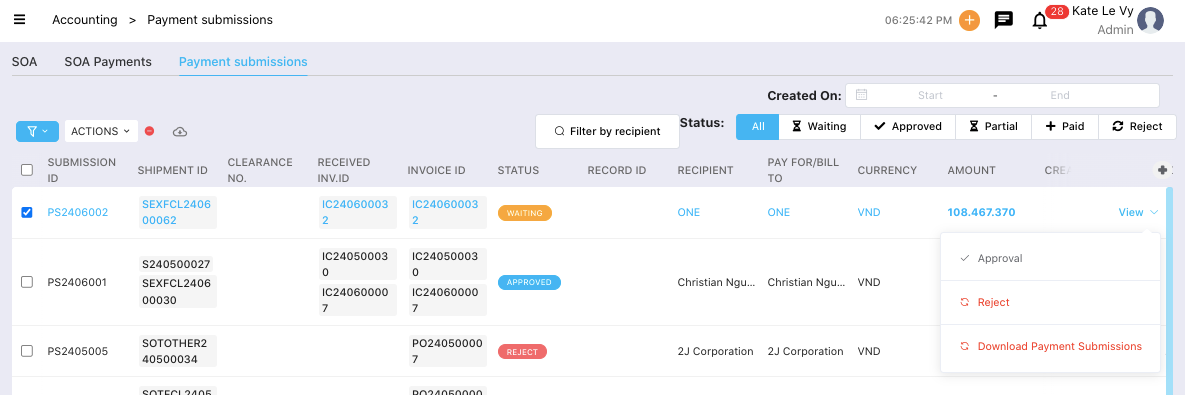
Step 2: Click View on the request to review all detailed information.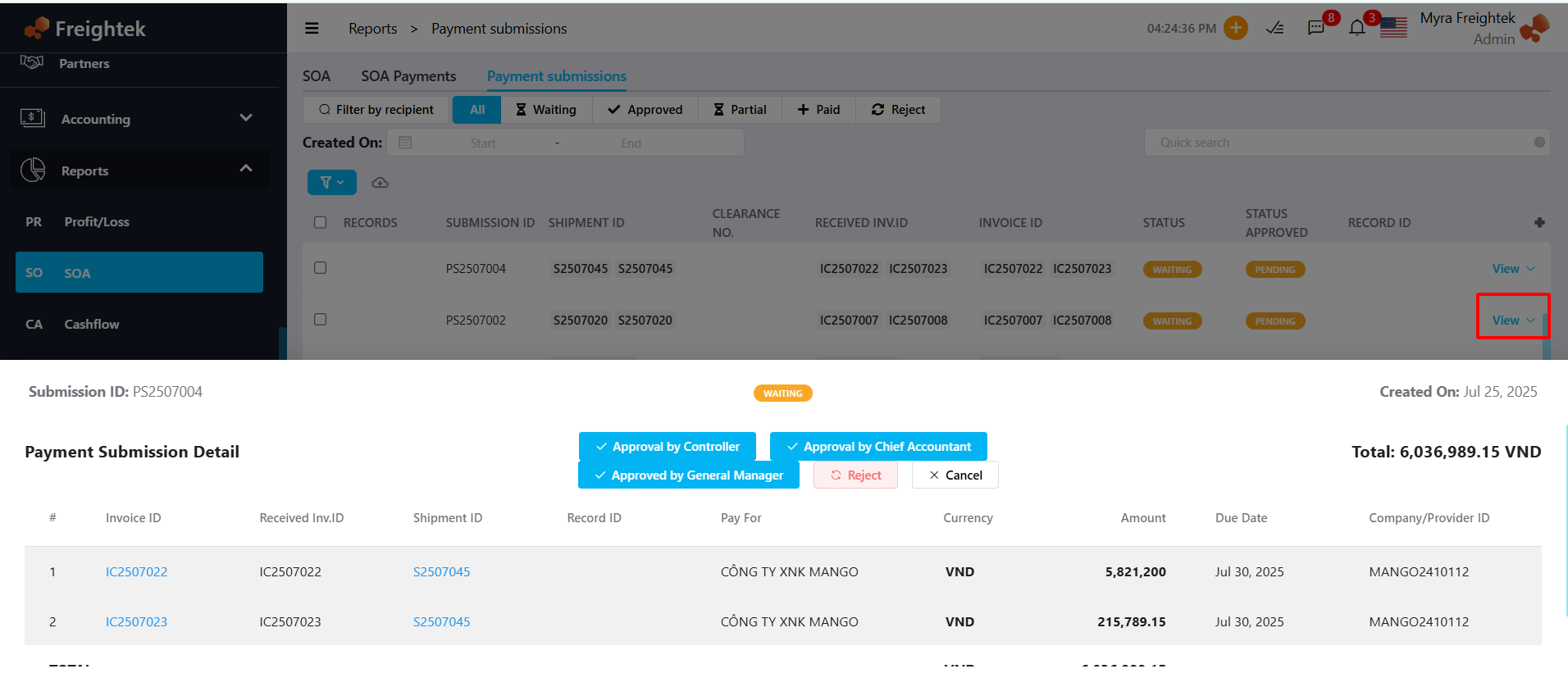
Step 3: Approve or Reject the Payment Request
If all information is correct and you agree to proceed with payment → click Approve
If the request is not accepted → click Reject
Was this article helpful?
That’s Great!
Thank you for your feedback
Sorry! We couldn't be helpful
Thank you for your feedback
Feedback sent
We appreciate your effort and will try to fix the article