Users can modify or adjust the default markup levels for each route and container type to better match customer requirements.
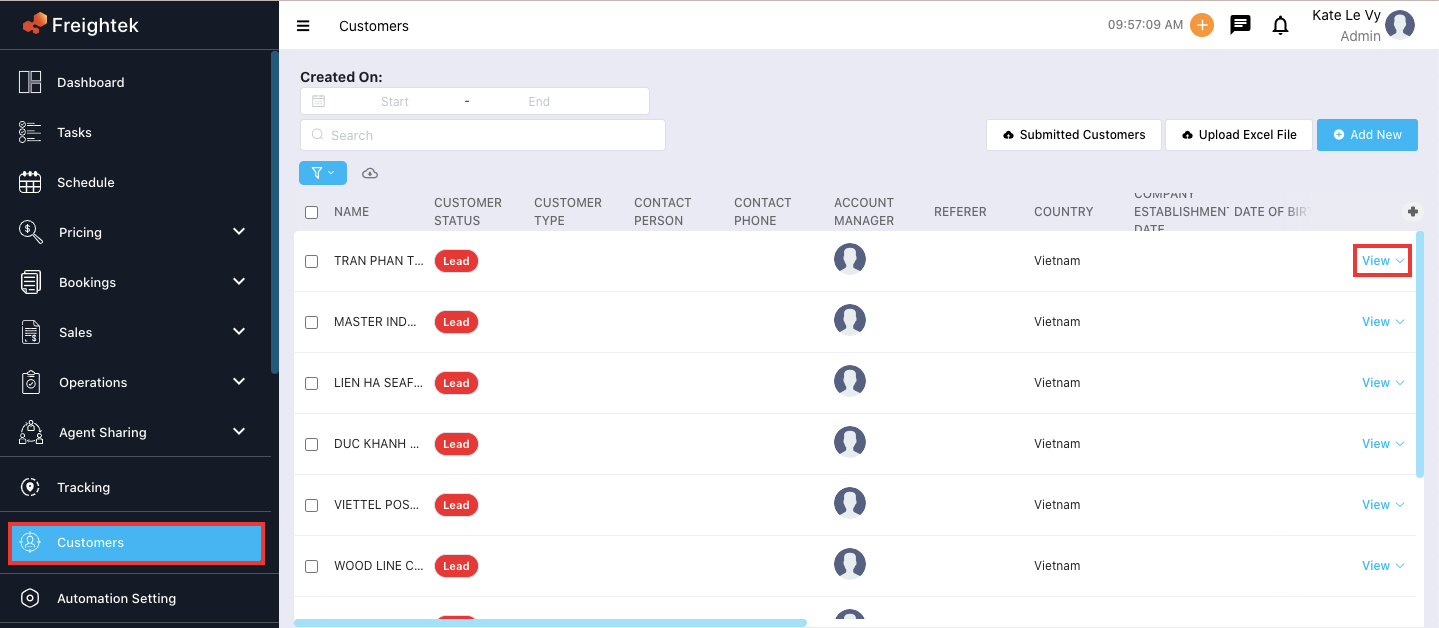
Step 1: Go to Customer → select the customer you want to edit → click “View” on the desired customer record.
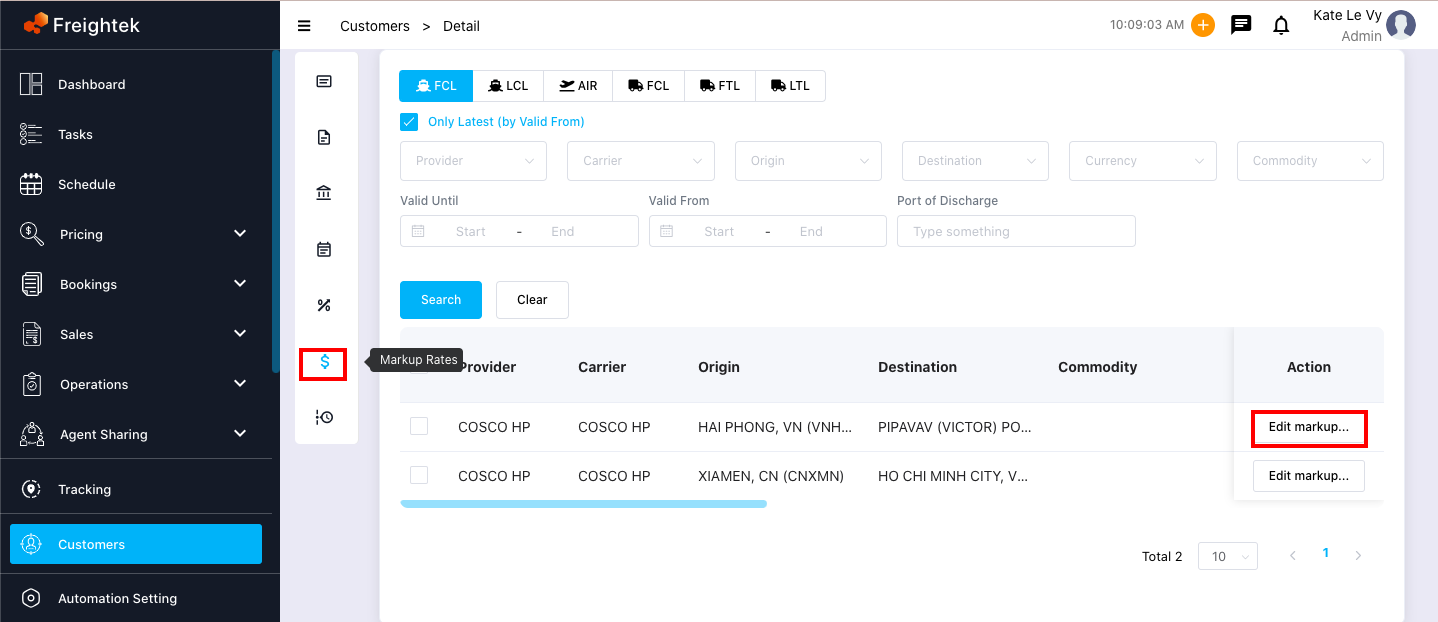
Step 2: Select the route you want to edit or update → click “Edit markup”.
Step 3: Enter the updated markup values for each container type → click “Save”.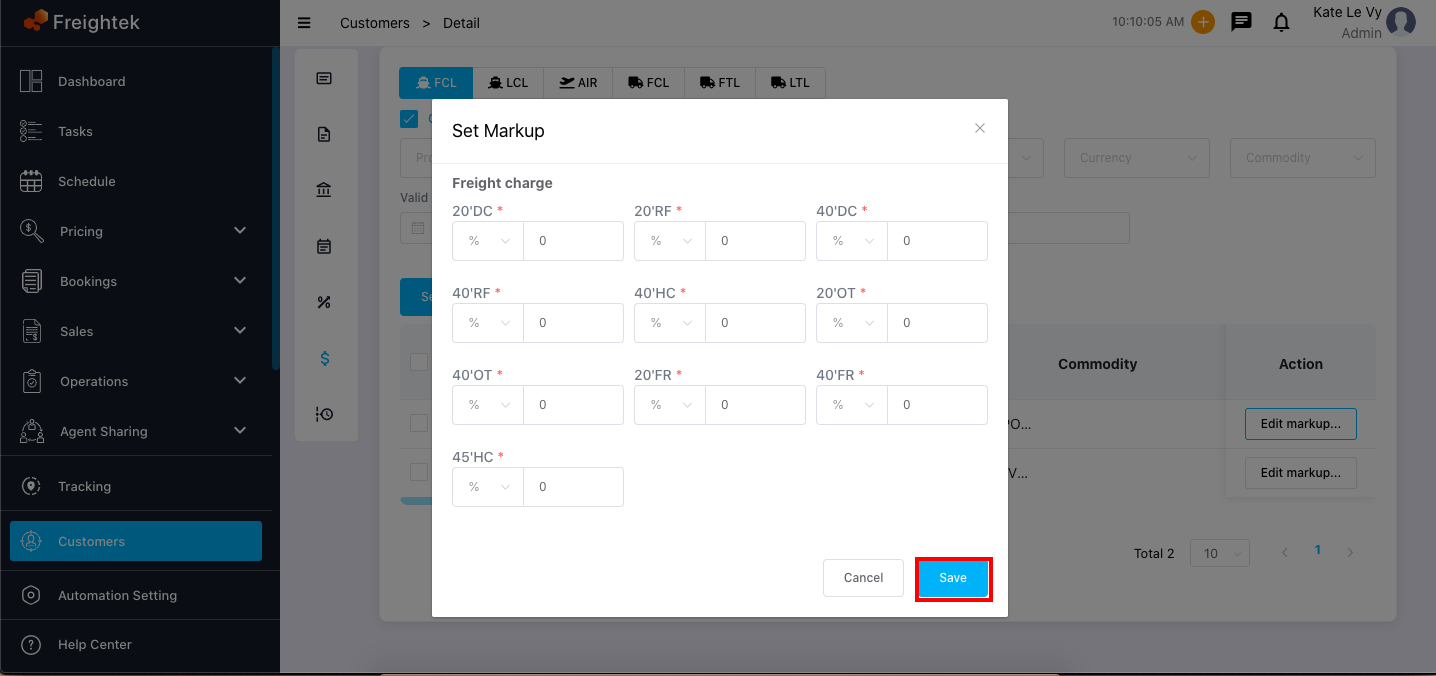
Was this article helpful?
That’s Great!
Thank you for your feedback
Sorry! We couldn't be helpful
Thank you for your feedback
Feedback sent
We appreciate your effort and will try to fix the article