Step 1: Select the quotation you want to edit
Use the filter options to search for the quotation you want to modify, then click Edit on that quotation.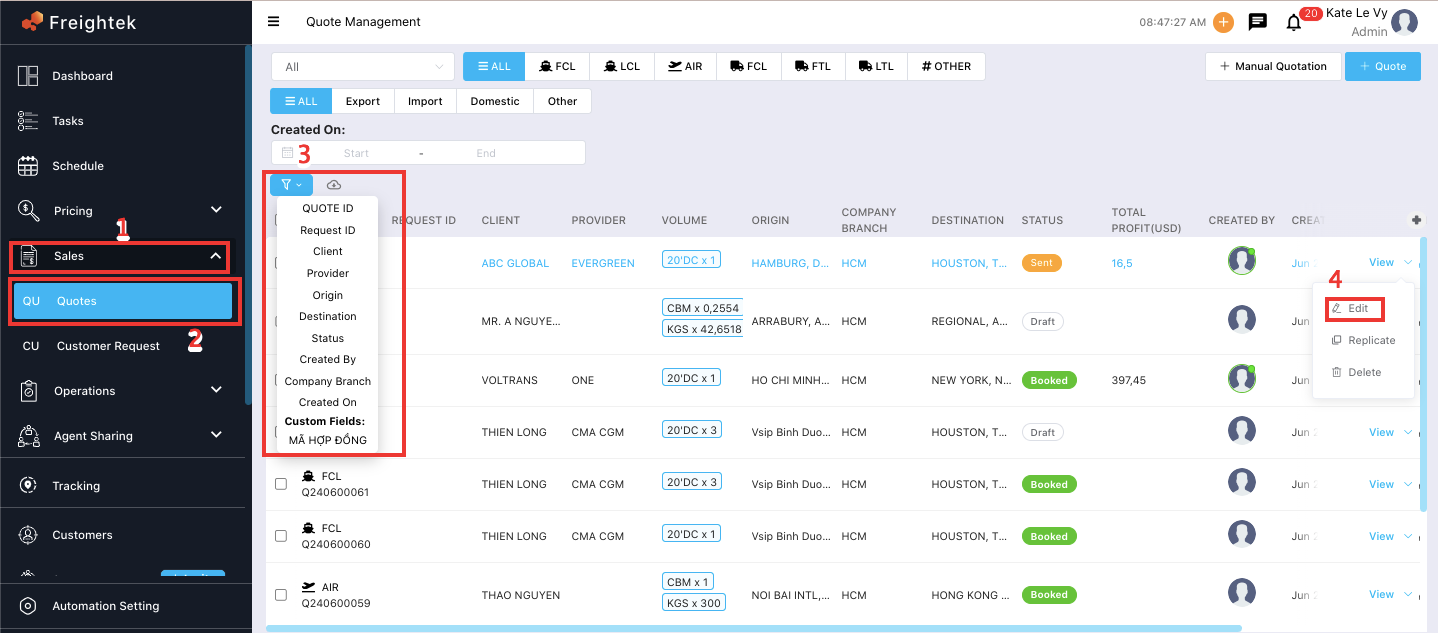
Step 2: Enter the information you need to update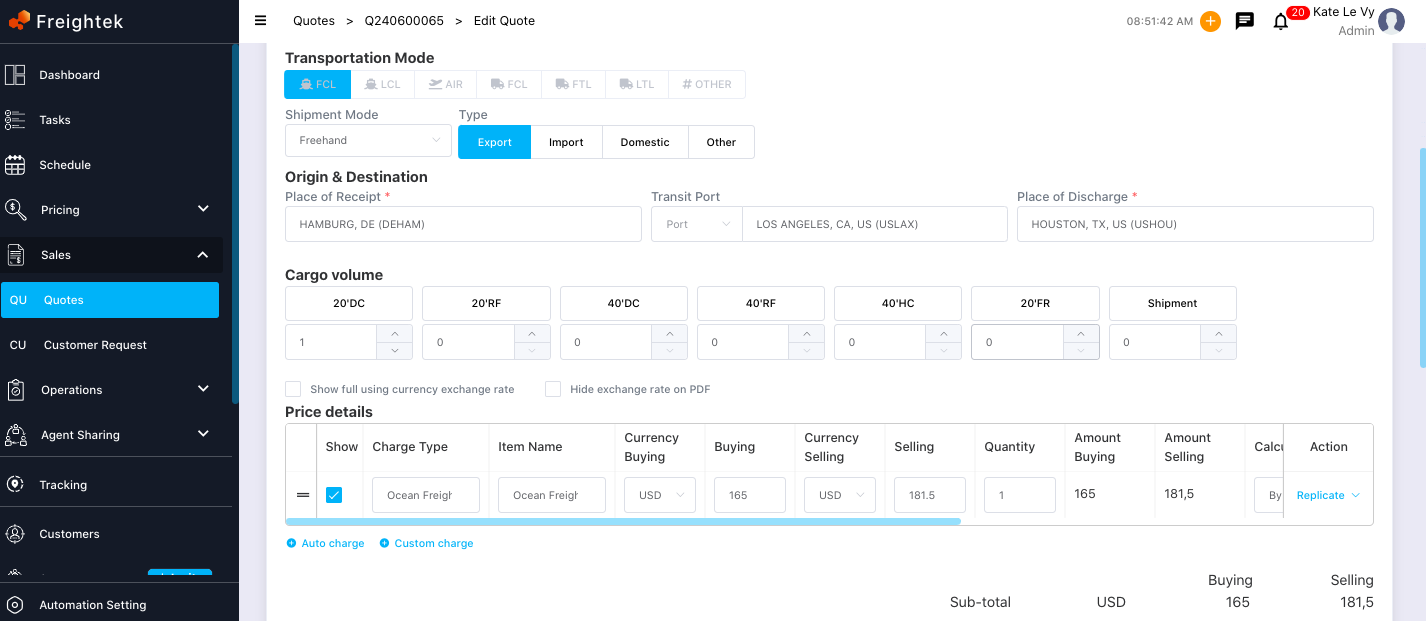
Step 3: After making the changes, click Update to save the updated information.
Note: Quotations that have already been booked cannot be edited.
Was this article helpful?
That’s Great!
Thank you for your feedback
Sorry! We couldn't be helpful
Thank you for your feedback
Feedback sent
We appreciate your effort and will try to fix the article