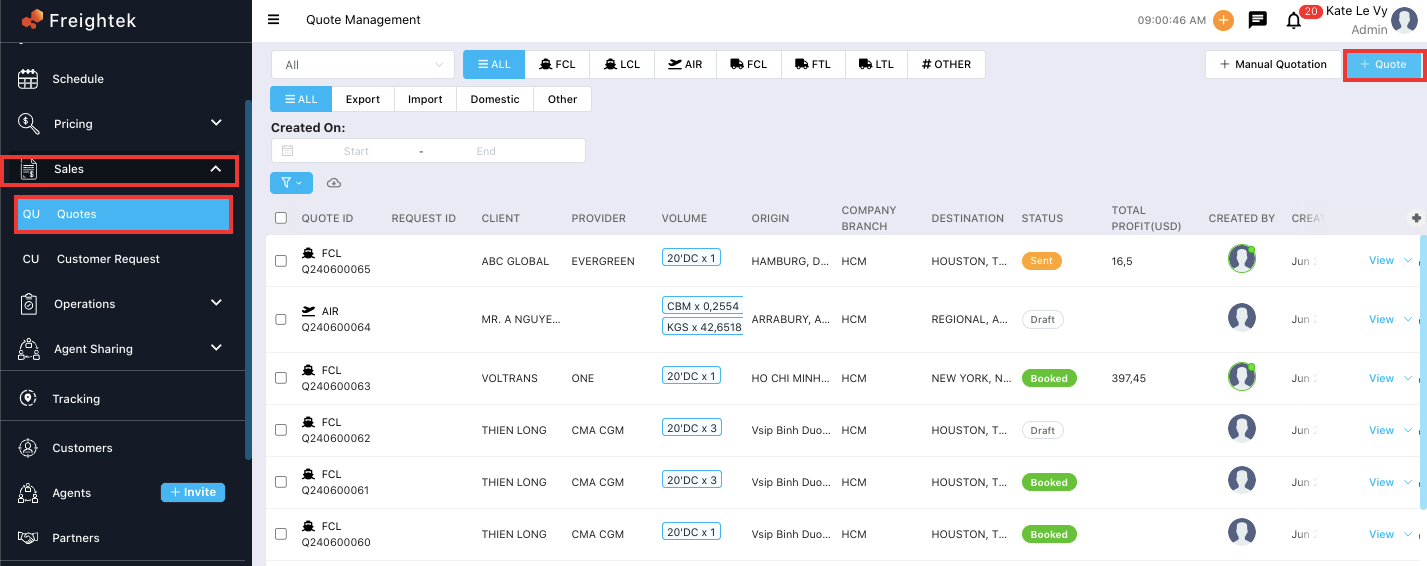
Step 1: Go to Sales → Quotes → Quotes
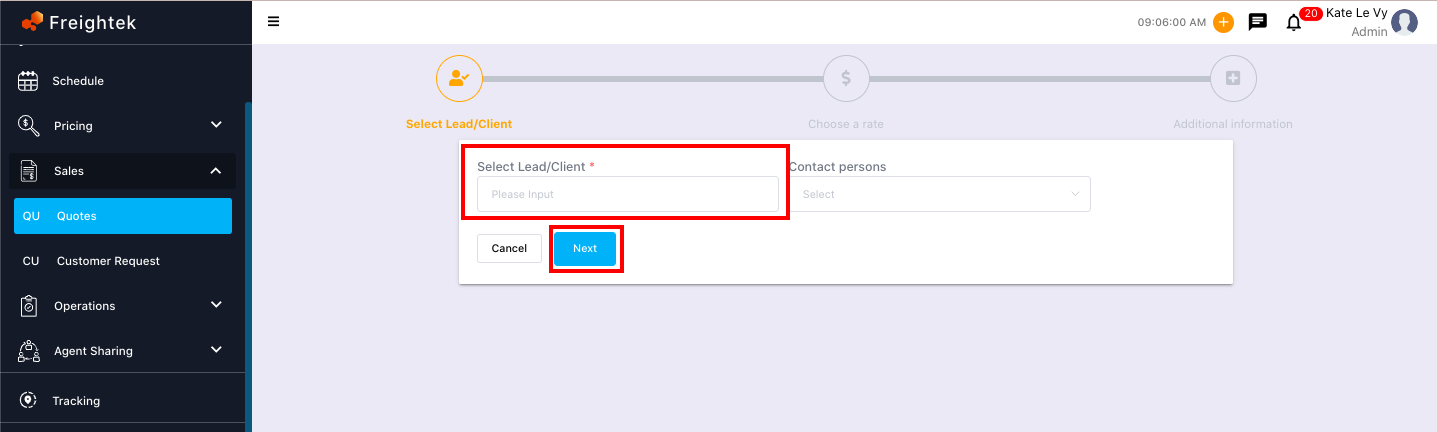
Step 2: Enter the customer information.
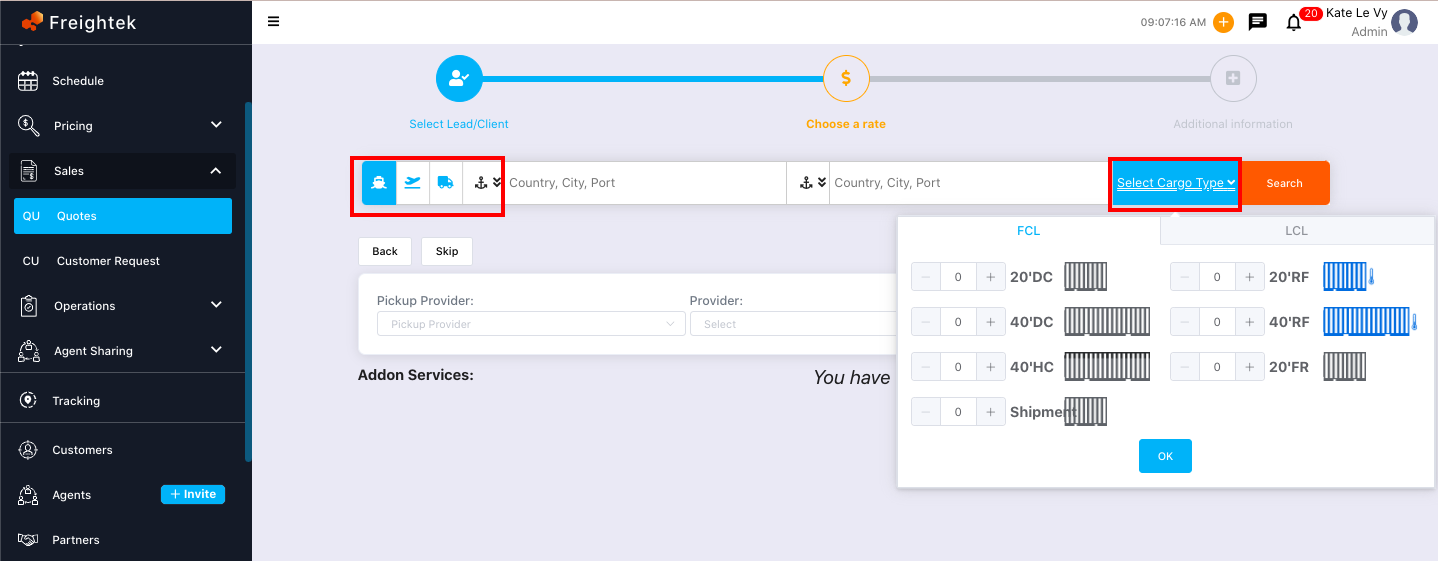
Step 3: Enter the shipment details and volume.
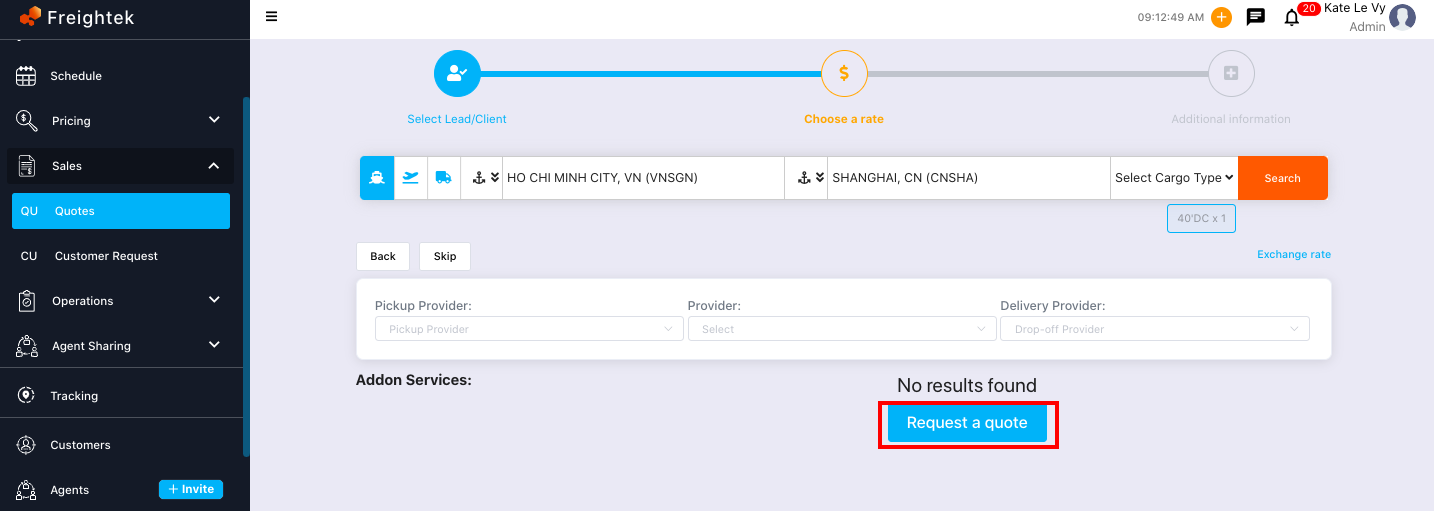
Step 4: Select Request a Quote.
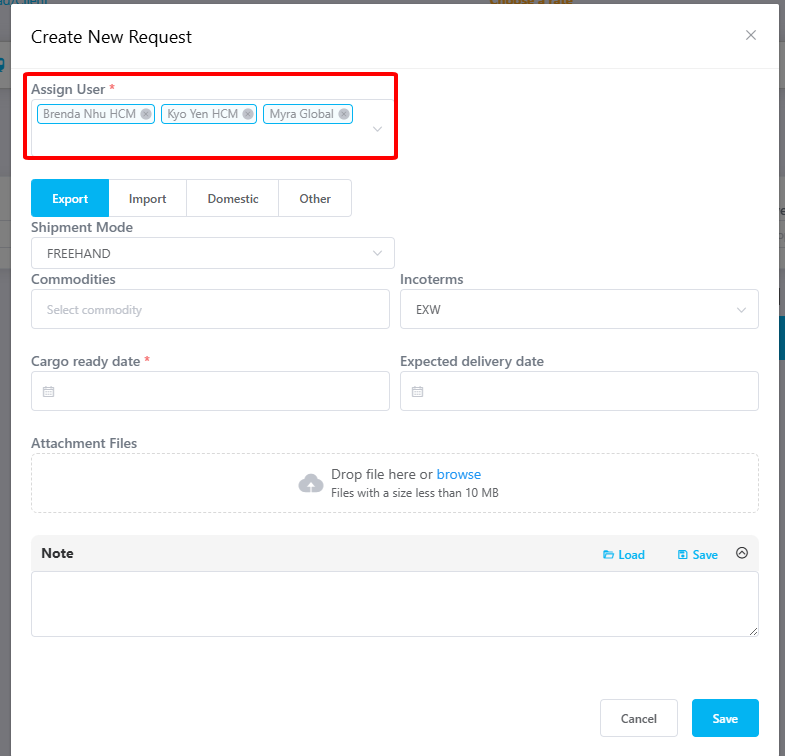
Step 5: Fill in any additional quotation request details and attach supporting files → click Save.
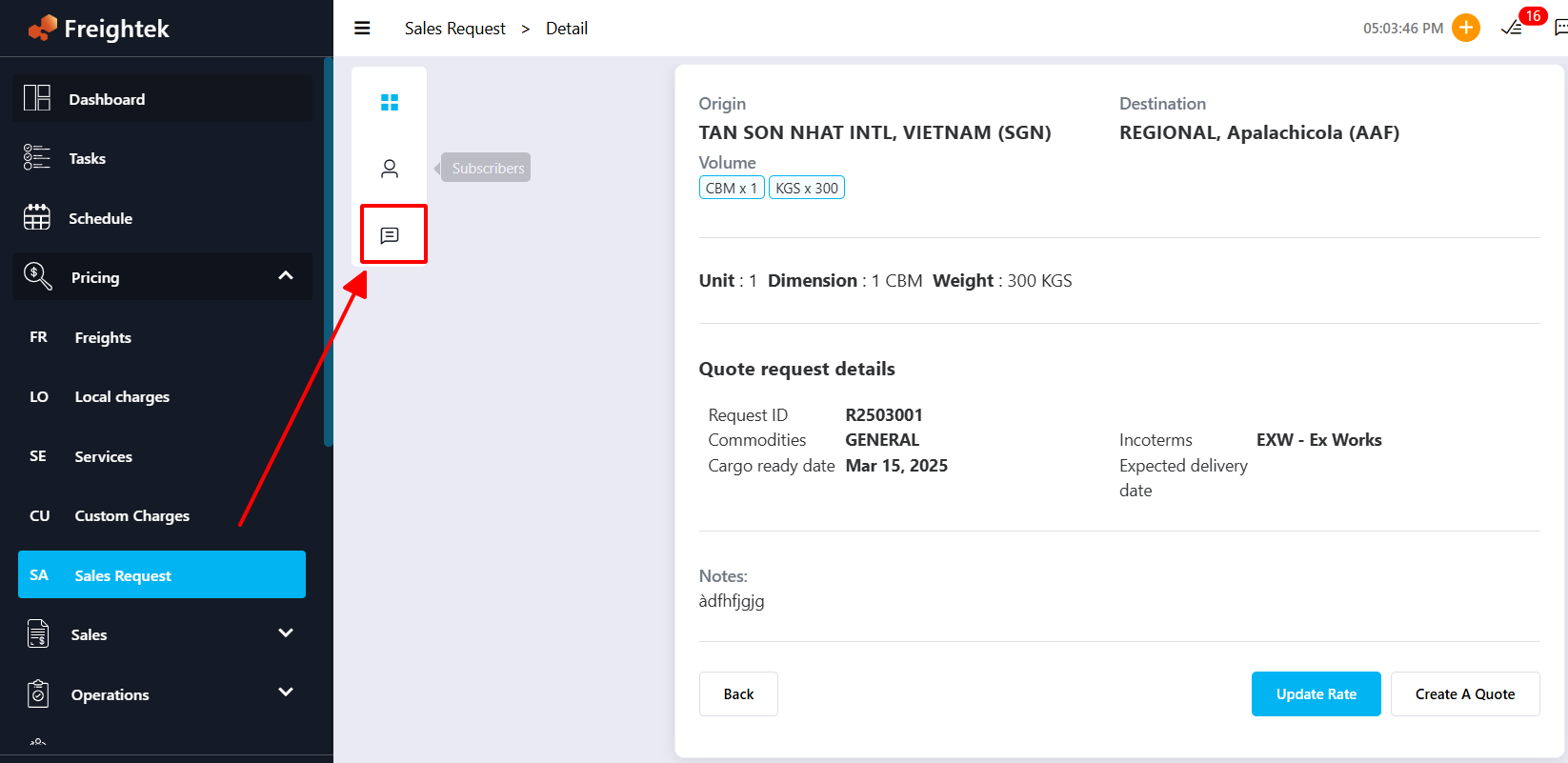
Step 6: Use the chat section to communicate directly within each quote request.
Step 7: Track the status of your quote request as the Pricing Team updates it.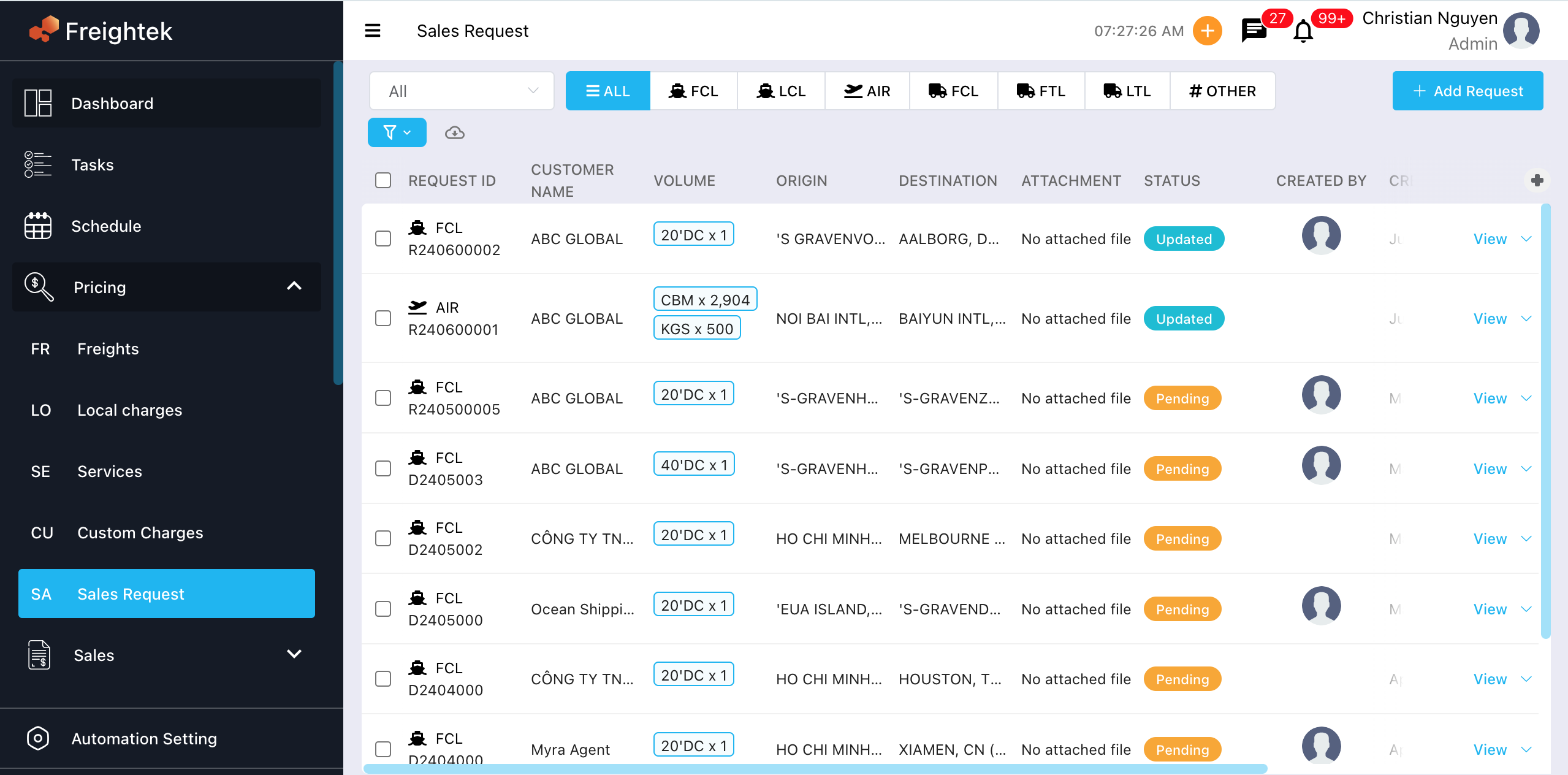
Updated: The rate has been updated, and you can now create the quotation.
Pending: Waiting for update.
Cancel: The request has been cancelled.
Was this article helpful?
That’s Great!
Thank you for your feedback
Sorry! We couldn't be helpful
Thank you for your feedback
Feedback sent
We appreciate your effort and will try to fix the article