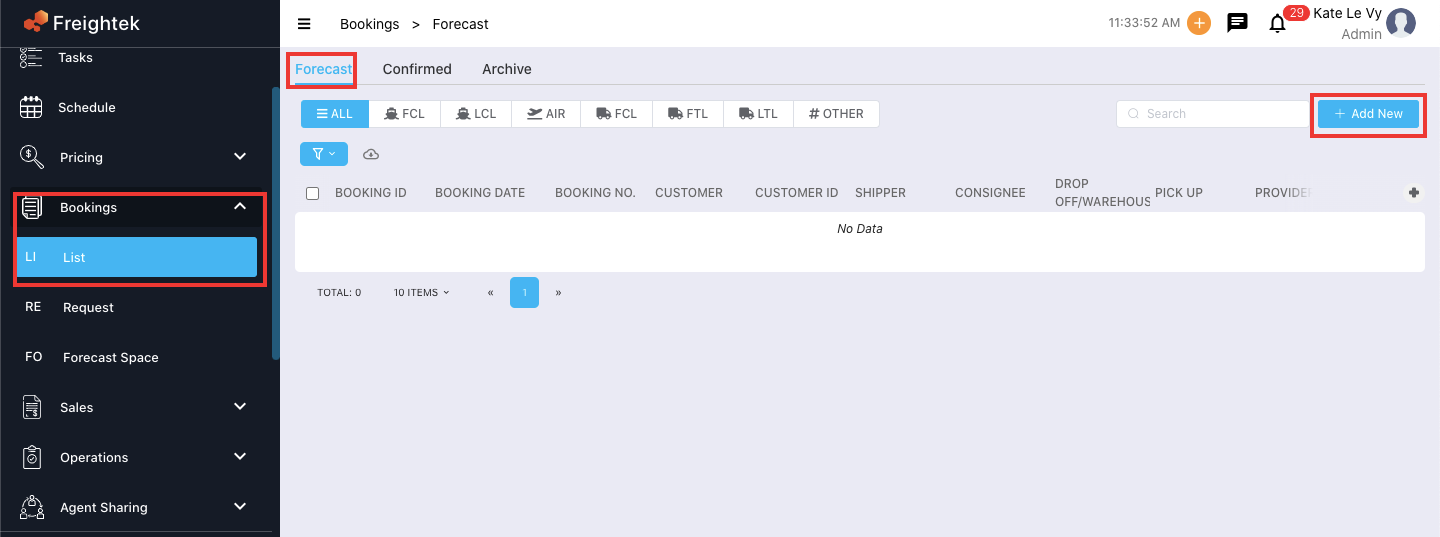
Step 1: Go to Booking → List → Forecast → Click “Add New”
Step 2: Enter Booking Information
Skip Lead/Client selection
Click Skip to bypass the Select Lead/Client step because this booking is created before a customer order exists.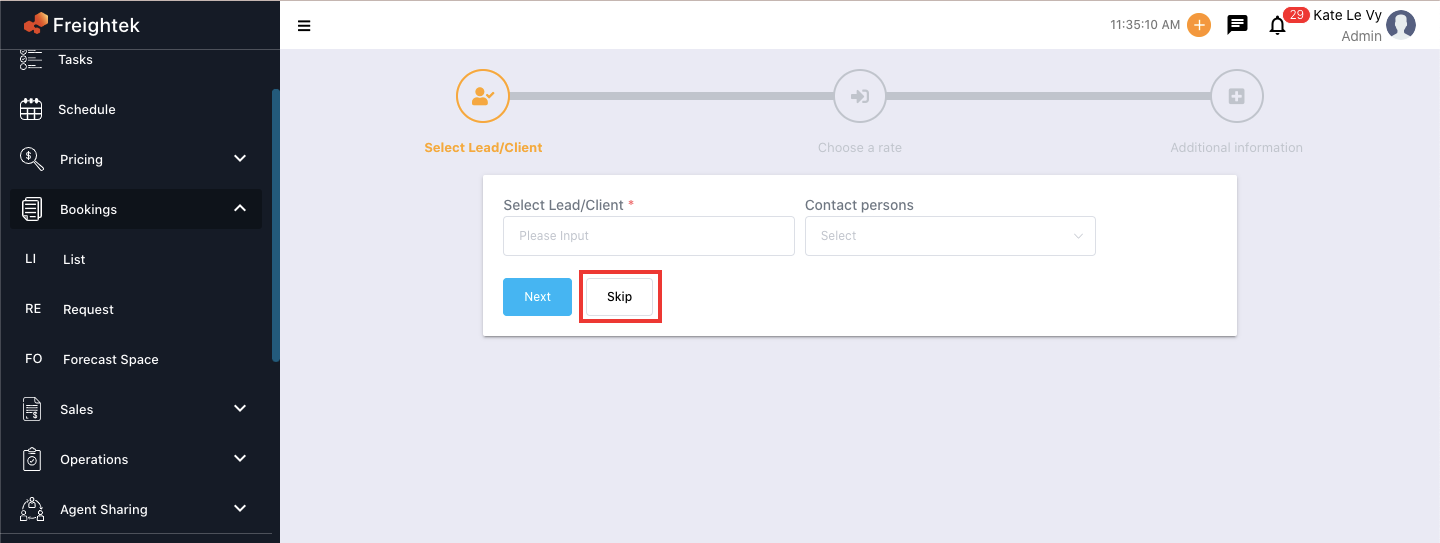
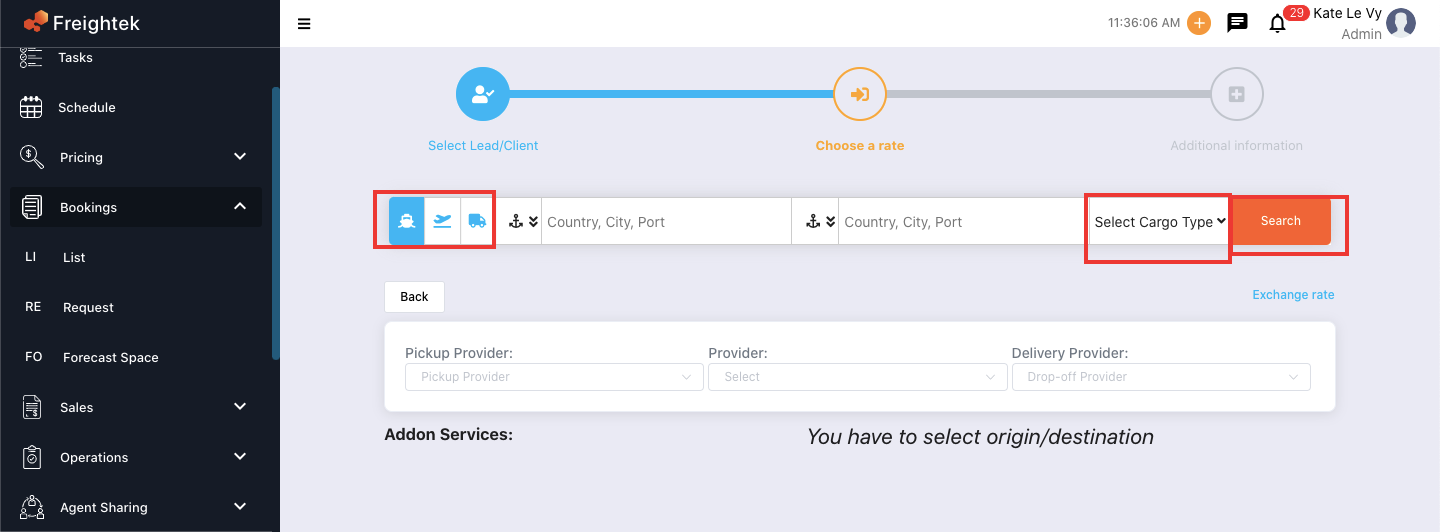
Choose a Rate
Enter the routing and volume information:
Origin
Destination
POL / POD
Carrier
Volume / Container type
The system will show available freight rates and local charges.
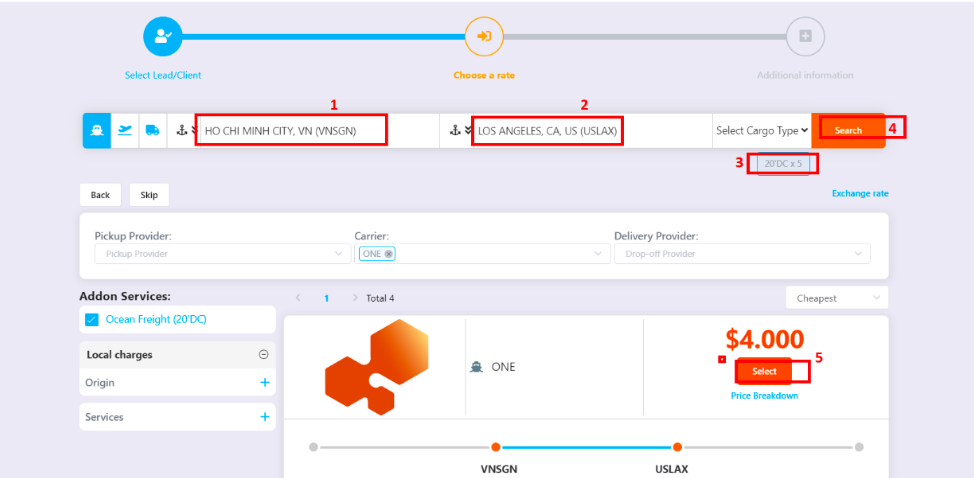
Select Provider Rate and Local Charges
Choose:
The freight rate you want to reserve
Local charges from the provider if needed
Step 3: Enter Additional Booking Information and Click “Booking”
Fill in the required booking details such as:
ETD / ETA
Vessel / Voyage
Cut-off times
Commodity
Container details
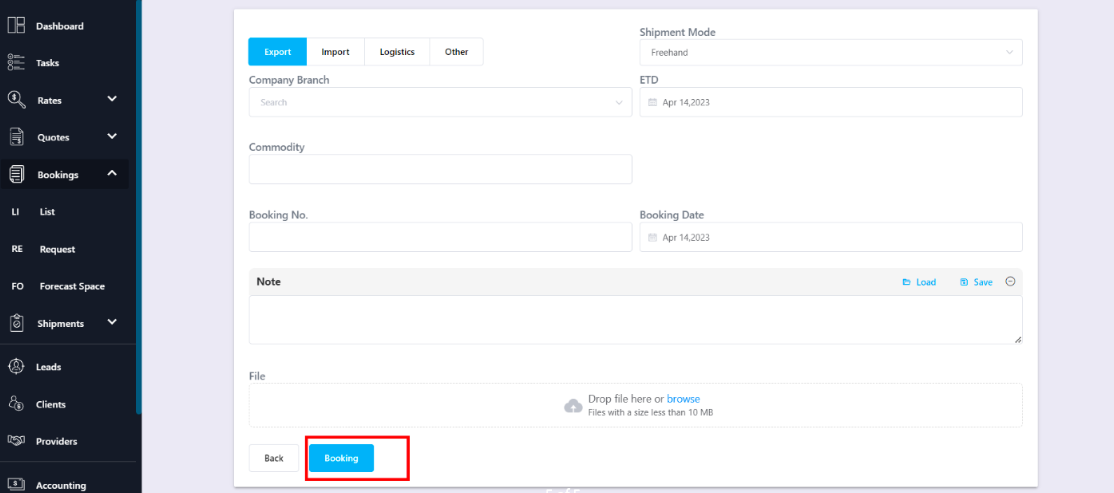
Then click Booking to confirm the reservation.
Was this article helpful?
That’s Great!
Thank you for your feedback
Sorry! We couldn't be helpful
Thank you for your feedback
Feedback sent
We appreciate your effort and will try to fix the article