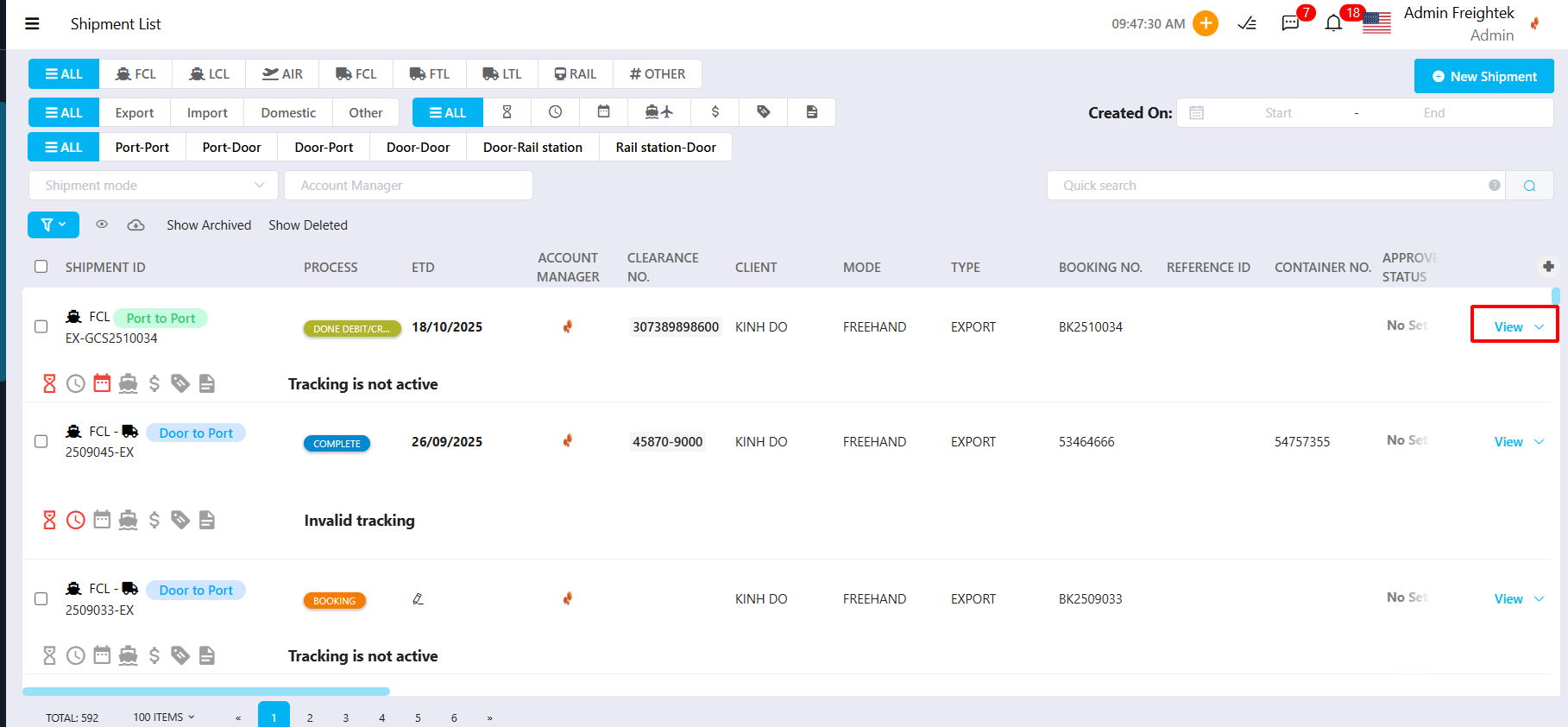
Step 1: Open the shipment you want to enter costs for (Operations → Shipment → View)
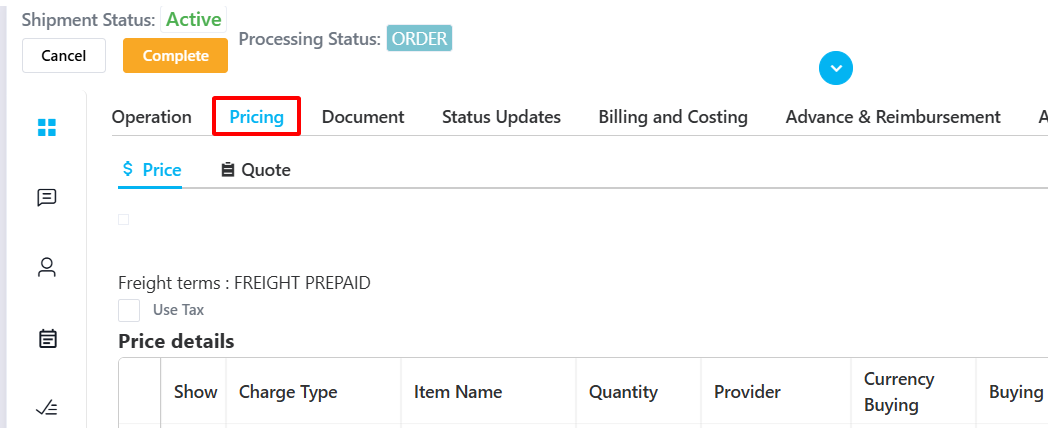
Step 2: Go to the Pricing tab of the shipment.
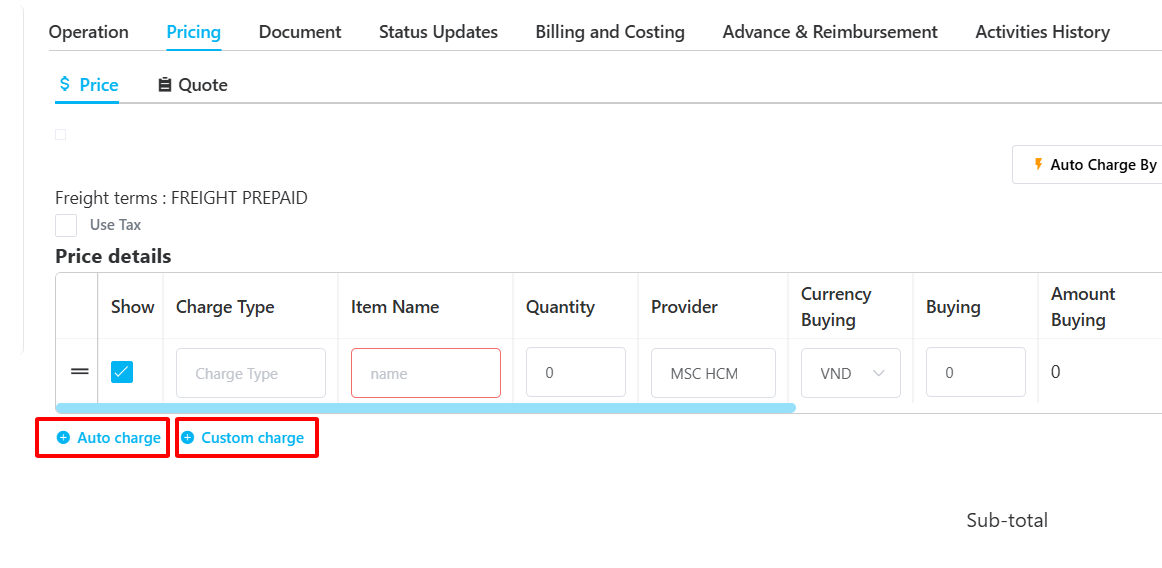
Step 3: Add charges using one of the following options:
Auto Charge:
Used when you want to pull rates linked from the Pricing Team (predefined rates).Custom Charge:
Used when the rate is not linked from the Pricing Team and the user needs to manually input the charge.
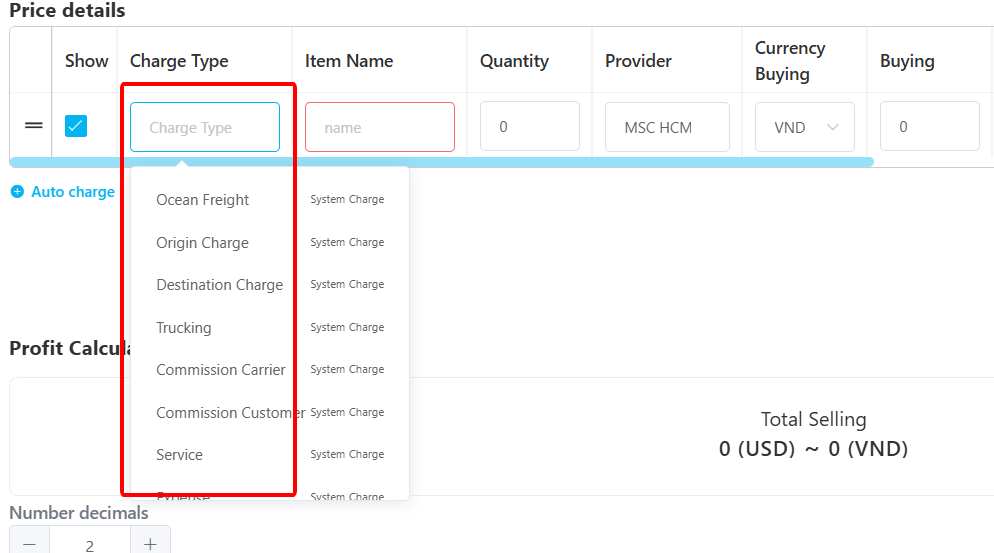
Step 4: Select the Charge Type and Item Name for the cost.
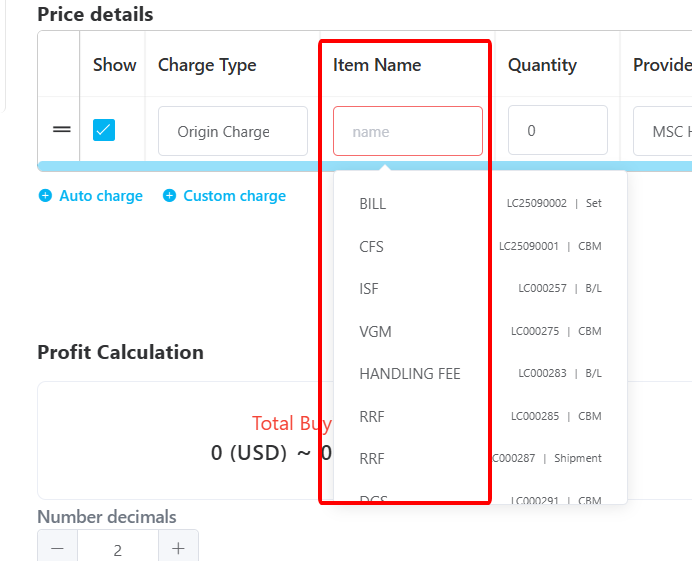
Step 5: Enter the Buying Rate (cost) and Selling Rate (revenue) accordingly.

Notes:
If a charge is only revenue (selling) → enter the value in Selling Rate and select the “Client” who is being charged.
If a charge is only cost (buying) → enter the value in Buying Rate and select the “Provider” who will be paid.
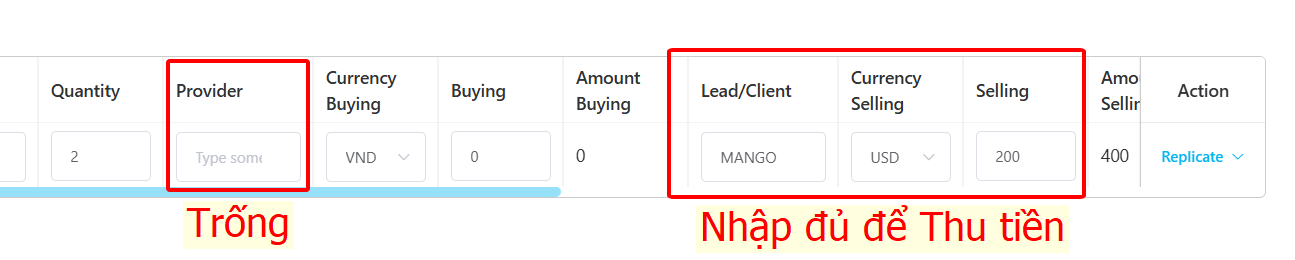
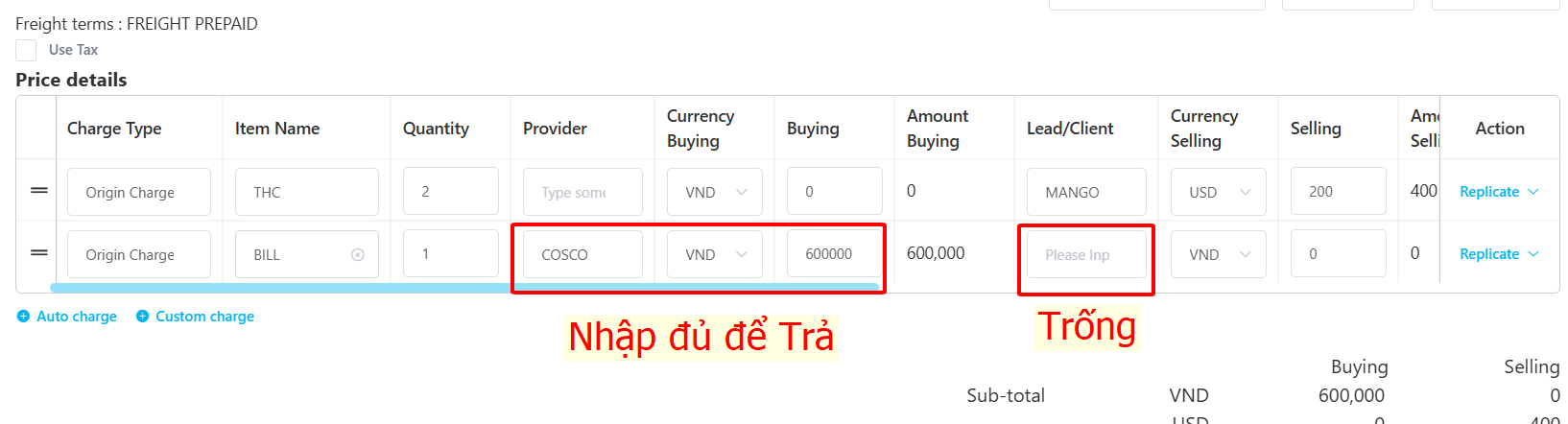
You may rearrange column headers as needed to match your workflow.
Step 6: Click UPDATE to save the cost information.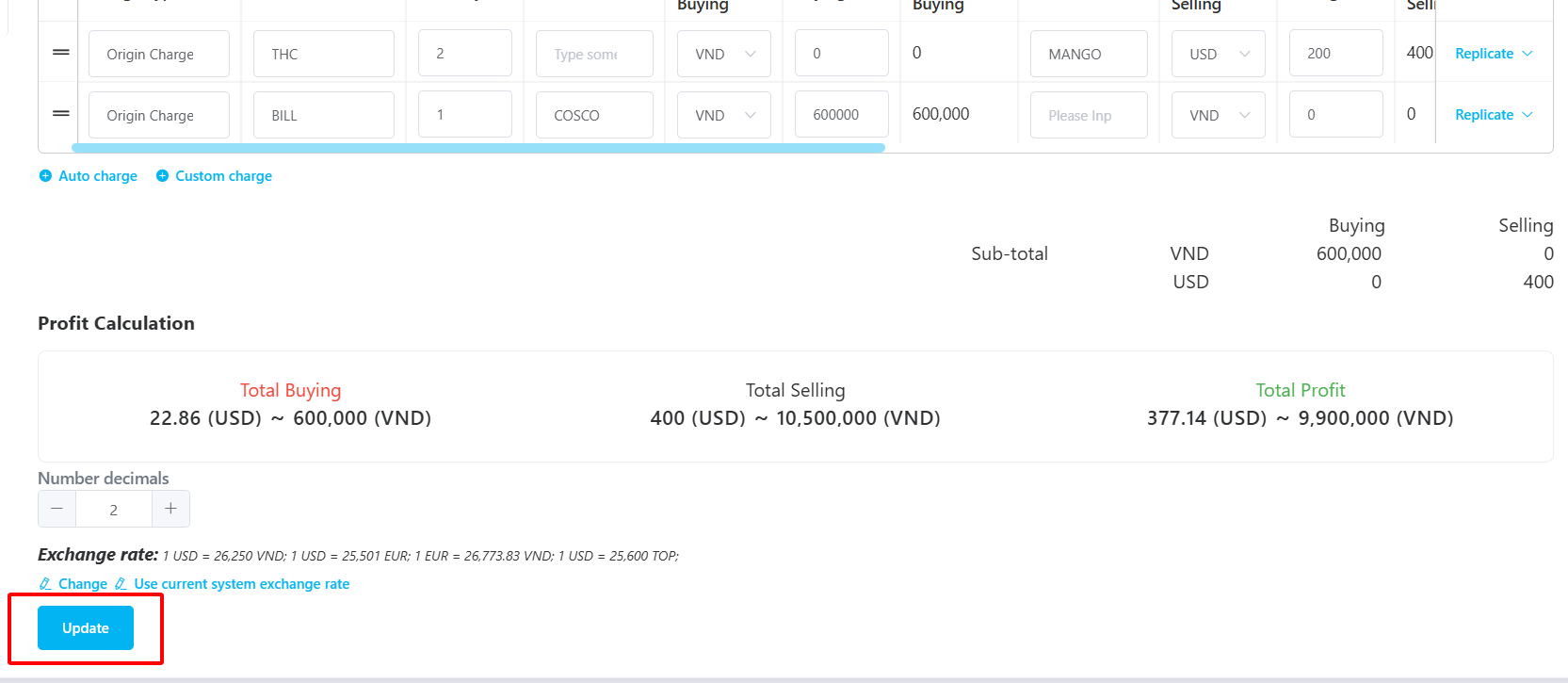
Was this article helpful?
That’s Great!
Thank you for your feedback
Sorry! We couldn't be helpful
Thank you for your feedback
Feedback sent
We appreciate your effort and will try to fix the article