I. Record Payment in the Accounting Interface
Step 1: Select the invoice to record payment
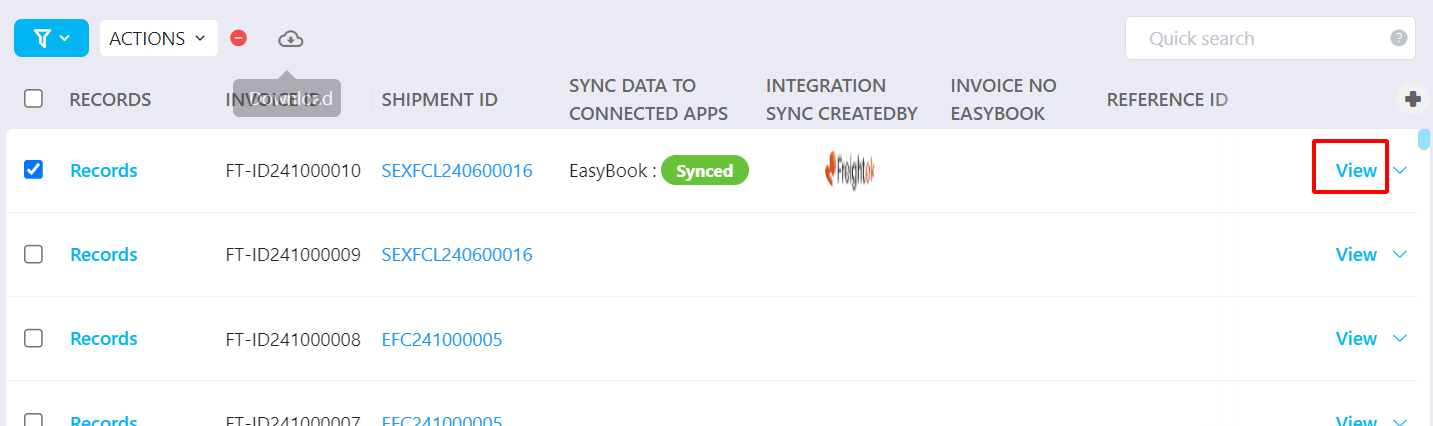
Go to Accounting → Revenue tab and find the invoice that needs to be recorded.
You may:
Click View to review all shipment details and invoice details before recording payment.
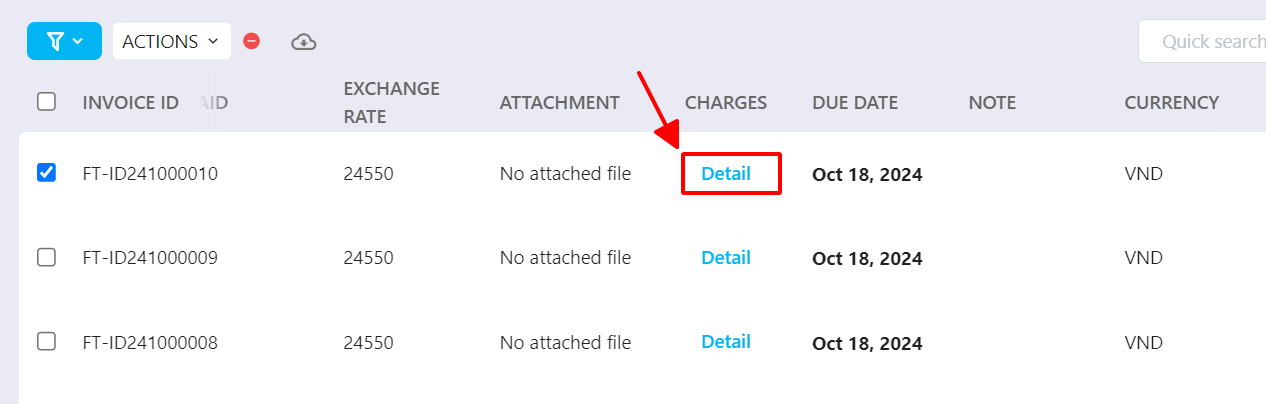
Or quickly check the invoice charges by clicking Detail in the Charge column.
Step 2: Record the customer payment on Freightek
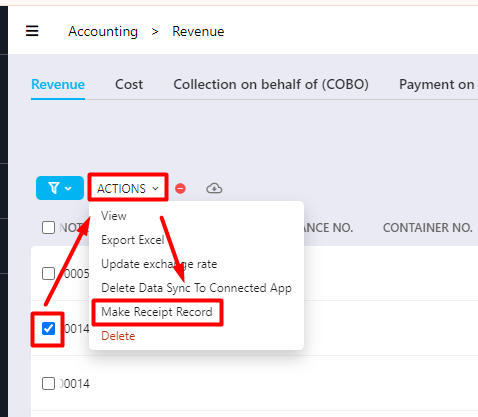
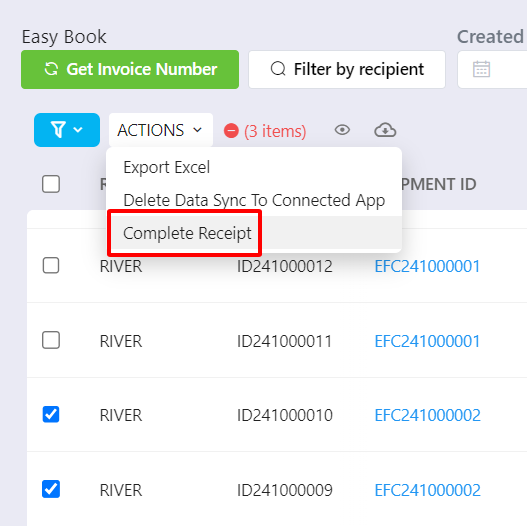
Method 1: Tick the invoice → Actions → Make Receipt Record
(If selecting multiple invoices at once, the button may show Complete Receipt.)
Note: You may select multiple invoices from different shipments as long as they belong to the same customer.
Method 2: Click the Record button in the first column of the invoice.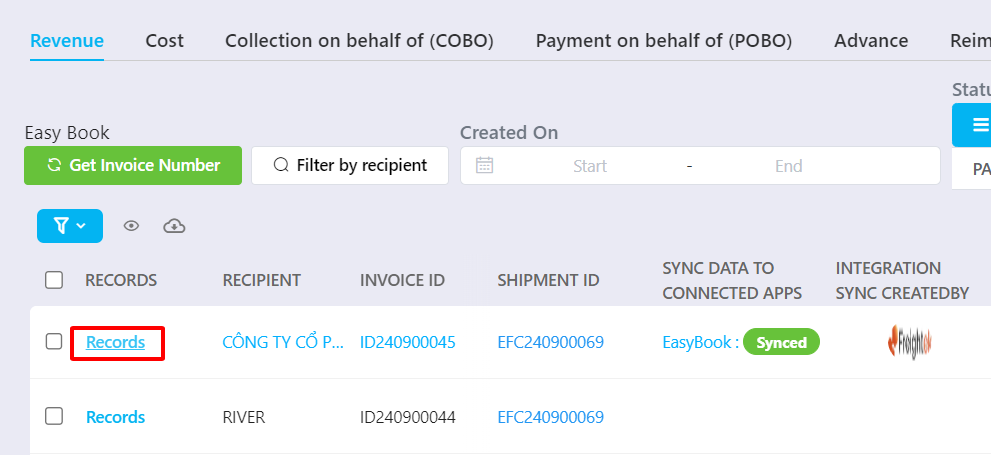 A popup window will appear → select Receipt Record.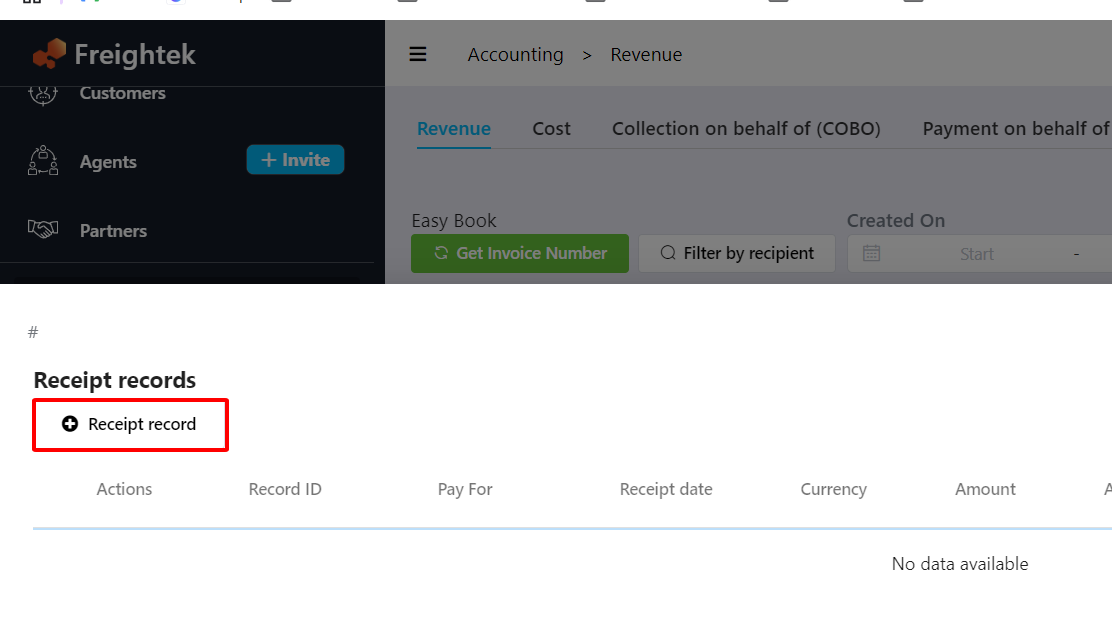
Method 3: Click (or hover) the arrow next to View → select Receipt Record.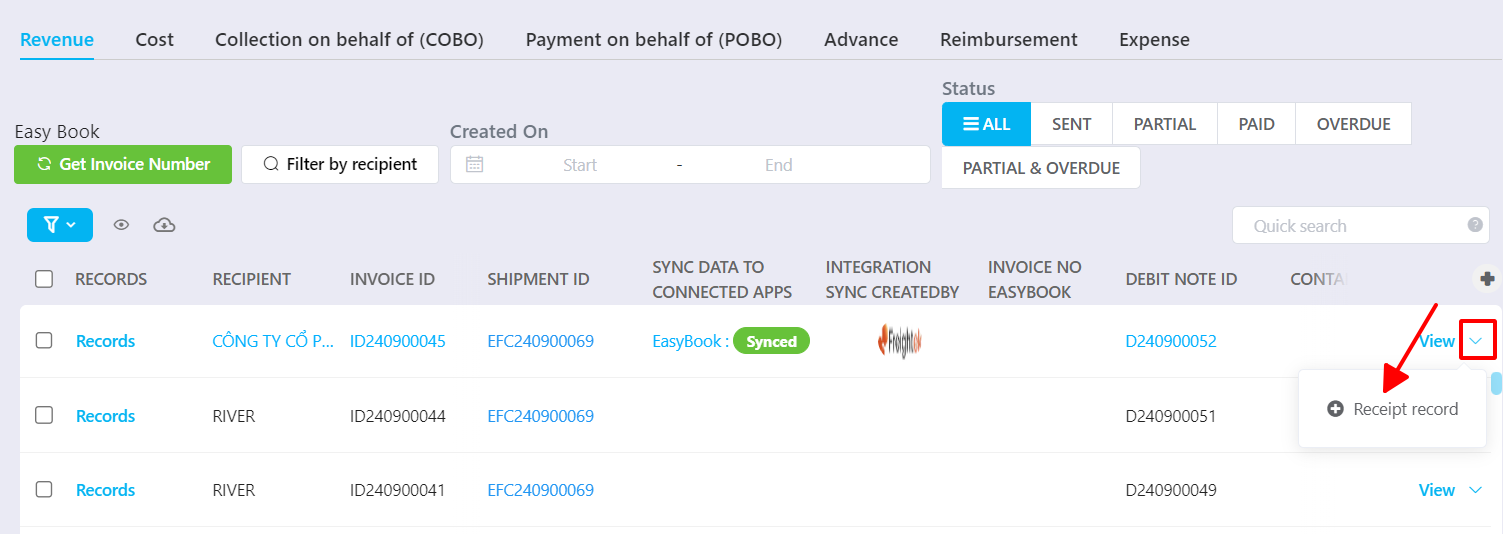
Step 3: Fill out the payment details
A “Make Receipt Record” window will appear.
Enter the required details:
Recipient Type: default is based on the invoice; may also choose Provider or Custom.
Select Lead/Client: default customer for the invoice; can be changed if needed.
PIC: customer’s point of contact.
Receipt Date: date the payment was received.
Amount: auto-filled with invoice amount; can adjust if partial payment is received.
Payment Method: method used for payment.
Description: payment description (optional).
Note: internal comments (optional).
Attachment: upload supporting documents (e.g., bank transfer slip).
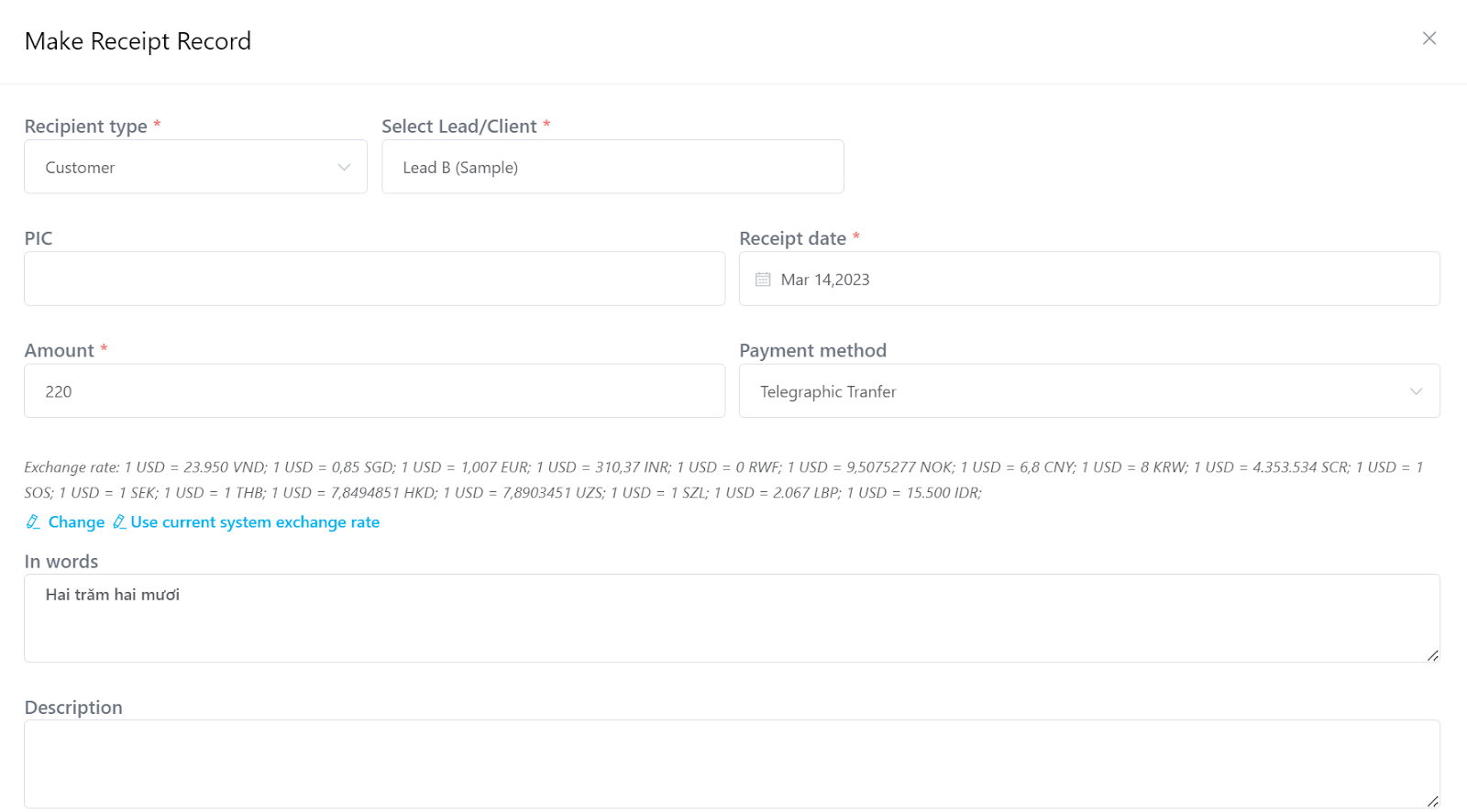 If the customer pays partially, adjust the Amount field to match the actual payment.
Step 4: Click Save
The payment receipt is now successfully recorded.
II. Record Payment Directly Inside a Shipment
This option records receipt per invoice, from within the shipment.
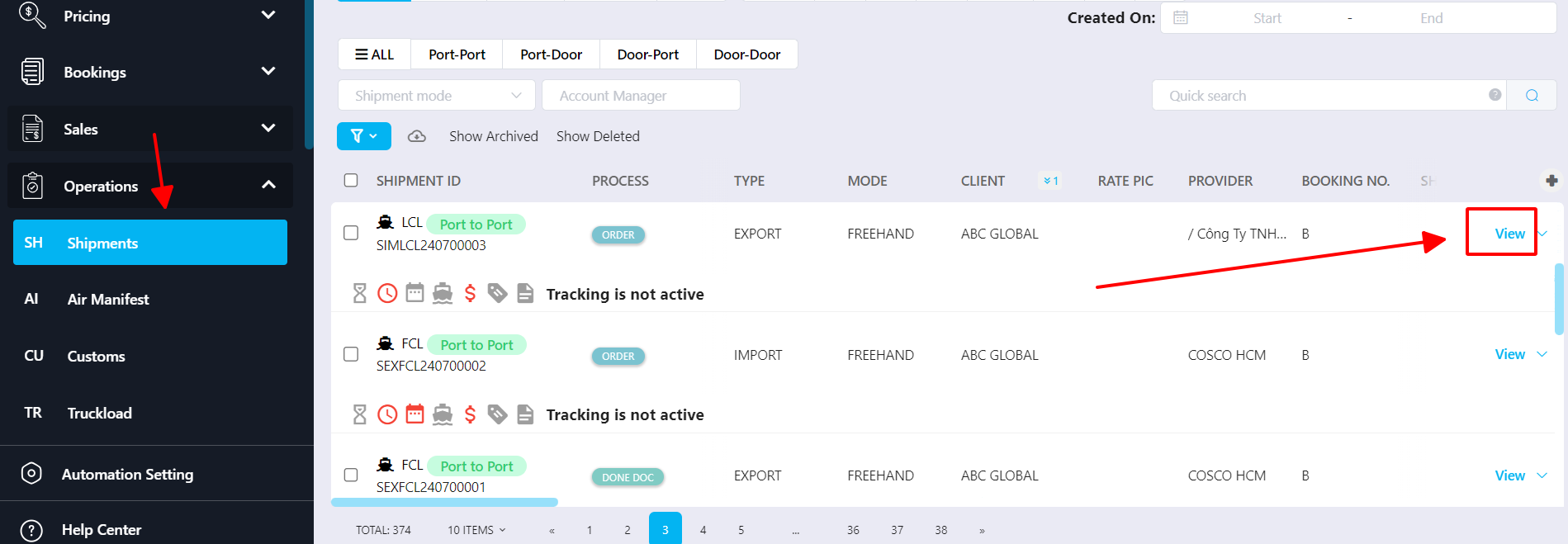
Step 1: Go to Operation → Shipment → View the shipment.
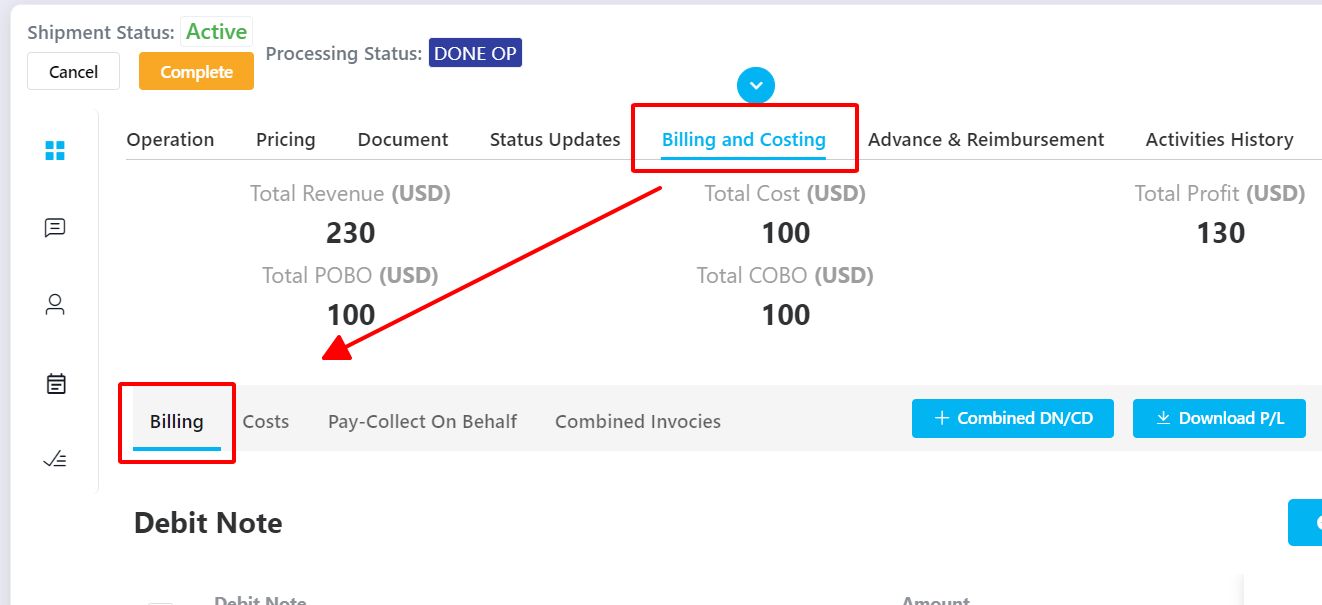
Step 2: Go to Billing & Costing → Billing.
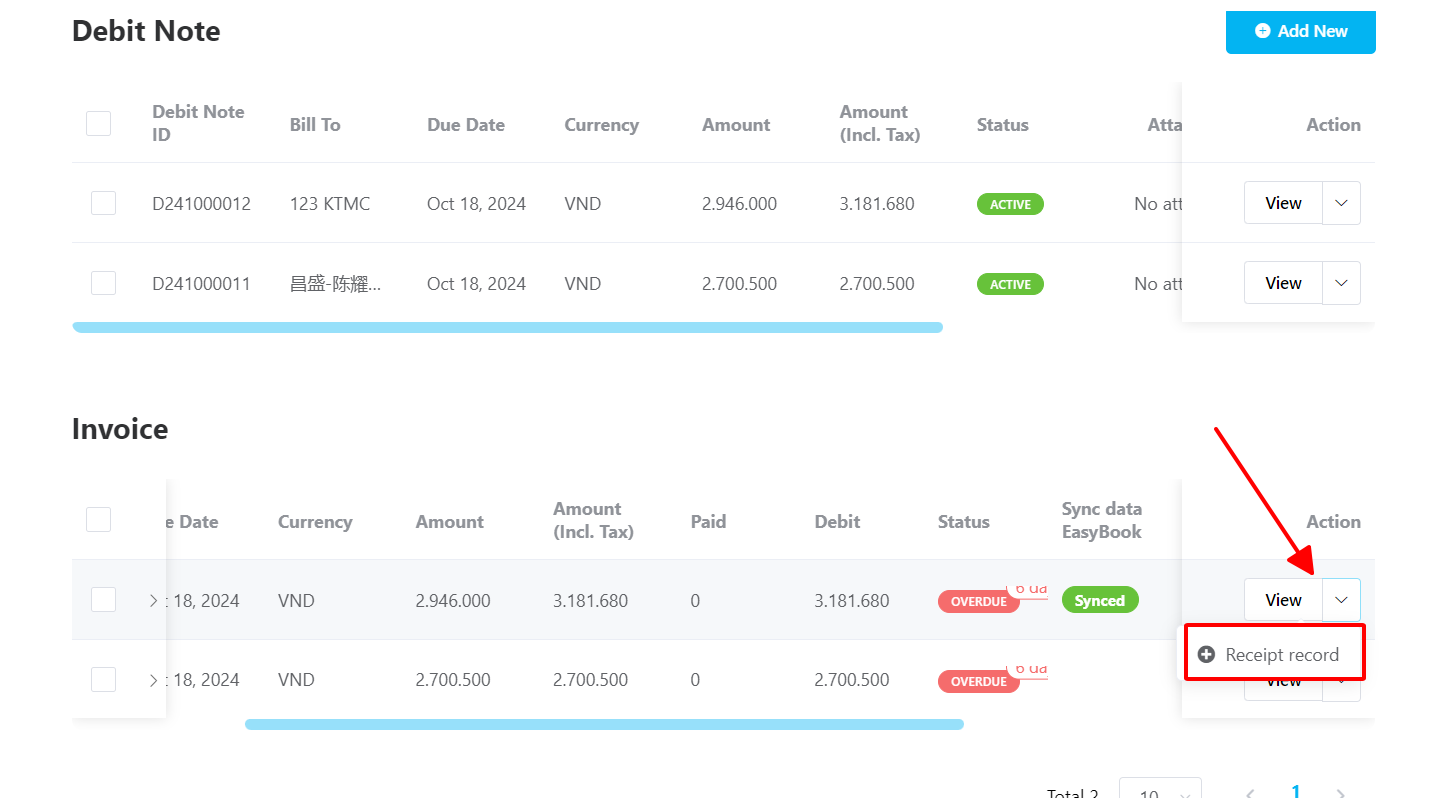
Step 3: Find the invoice → click the arrow next to it → select Receipt Record. Then follow the same payment entry steps described in Section I, Step 3.
Was this article helpful?
That’s Great!
Thank you for your feedback
Sorry! We couldn't be helpful
Thank you for your feedback
Feedback sent
We appreciate your effort and will try to fix the article