When an order is confirmed, you can create an Order Request as follows:
Step 1: Open the quotation.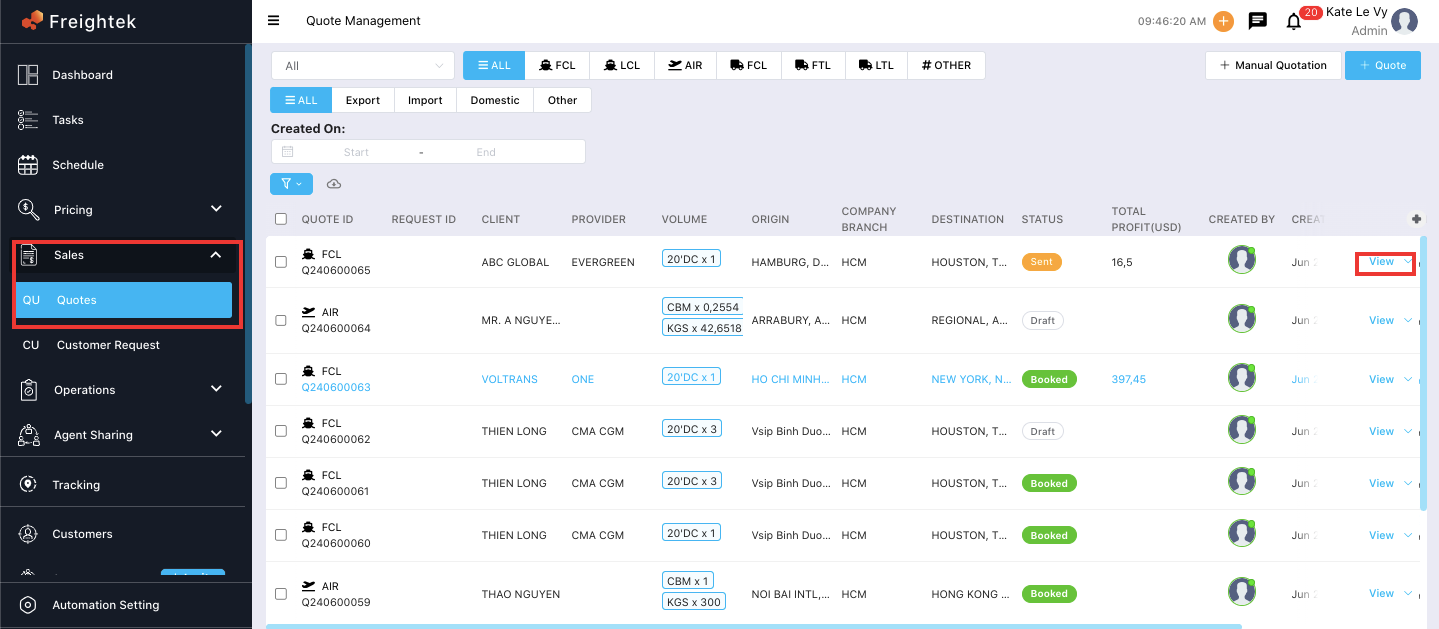
Step 2: Click Create Shipment.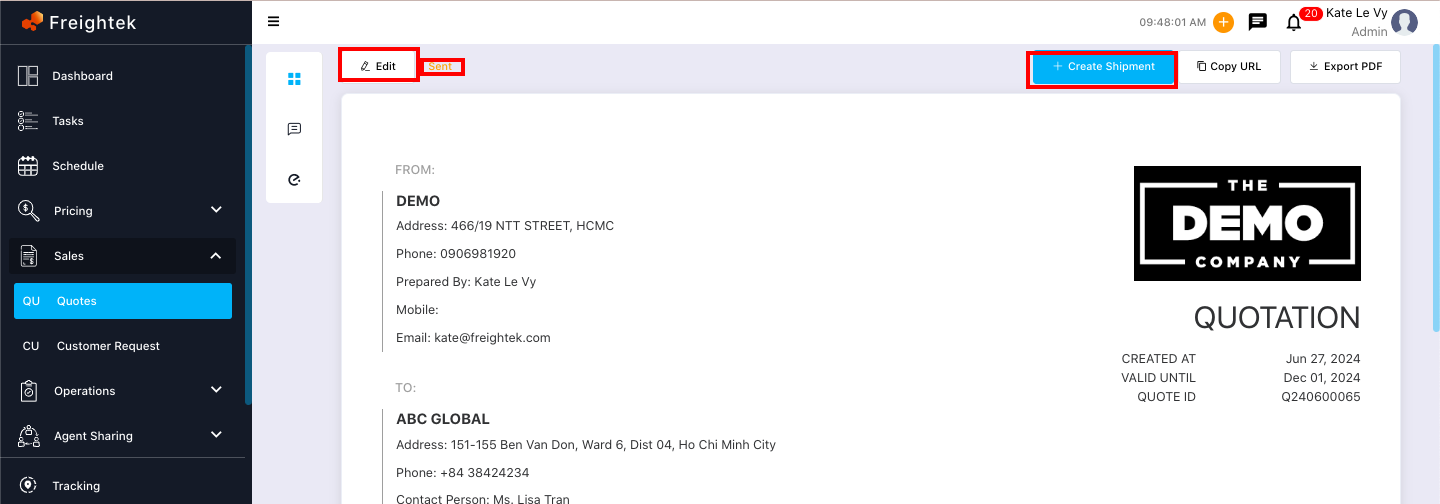
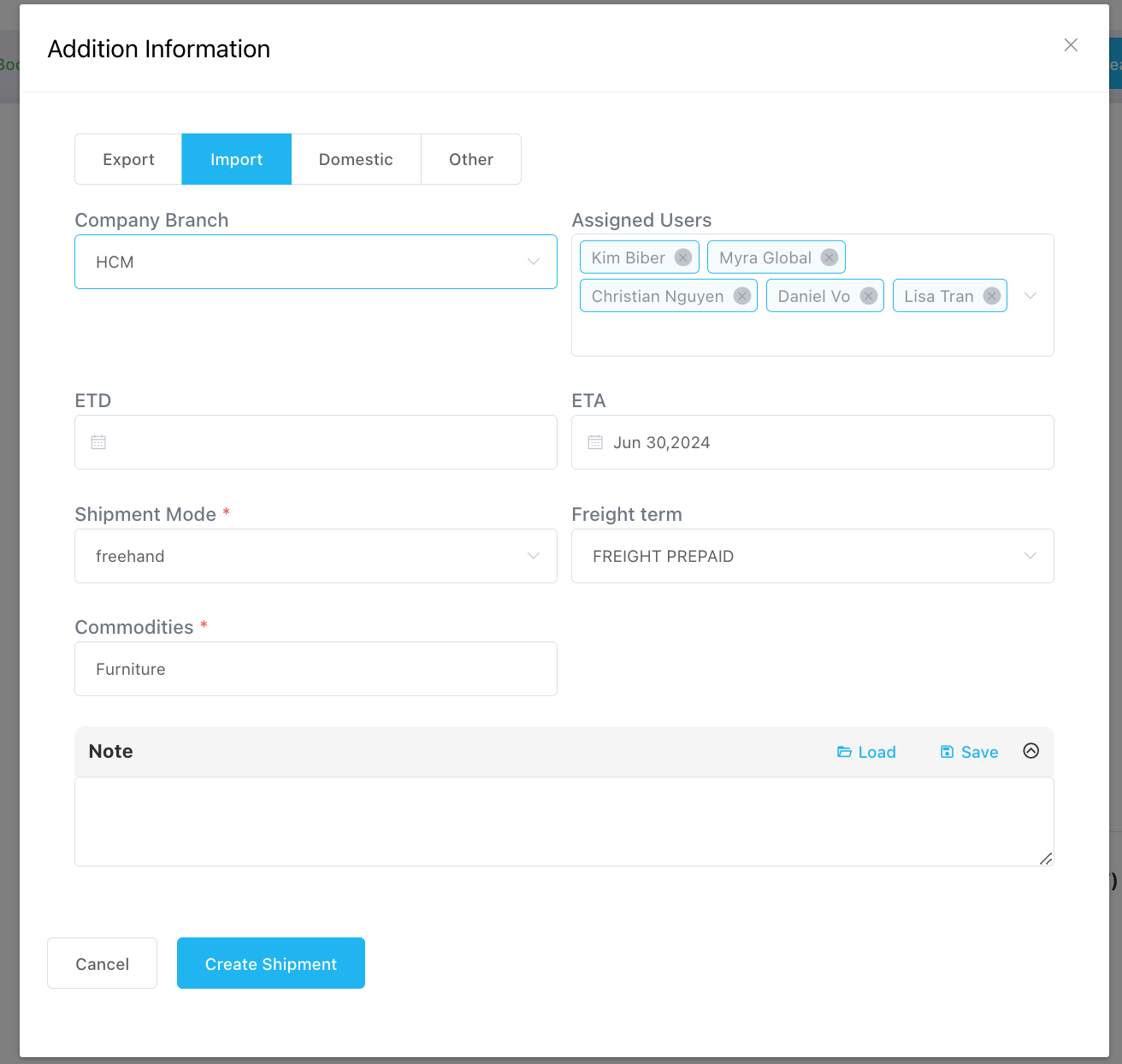
Step 3: Enter the required shipment information.
Order Type: Export, Import, Domestic, or Other.
Assign Users: The system will automatically assign users based on default settings, and you may add or remove related users as needed.
Was this article helpful?
That’s Great!
Thank you for your feedback
Sorry! We couldn't be helpful
Thank you for your feedback
Feedback sent
We appreciate your effort and will try to fix the article